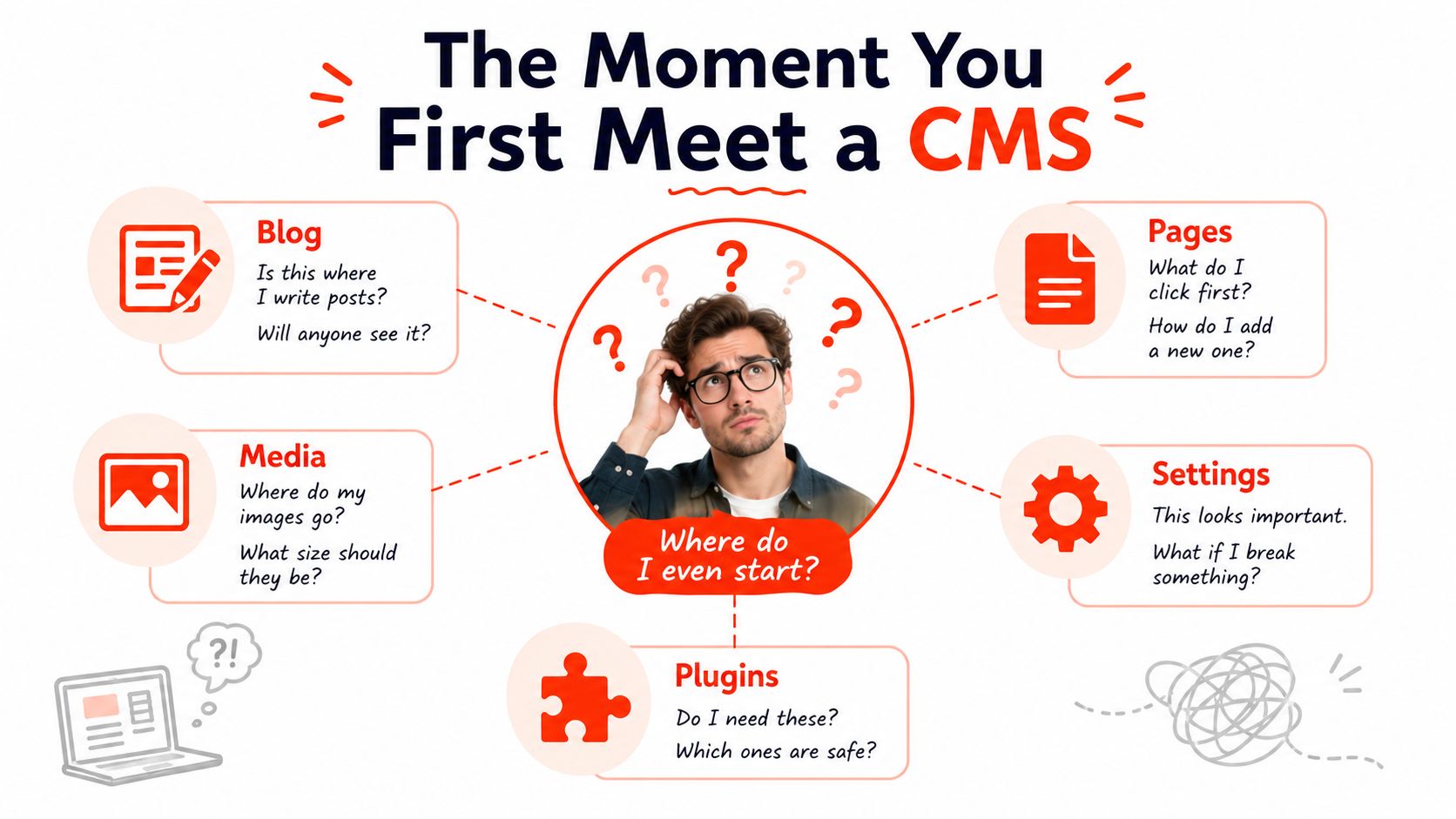
You’ve paid for a website, received a login, and been told you can update it yourself. Then the dashboard appears, filled with options such as Pages, Posts, Media, Settings and Plugins. You only wanted to change your opening hours.
That uneasy first encounter explains why asking “what is a content management system?” isn’t enough for a UK small business. The more useful question is: who should govern, maintain and update your website once it’s live? A CMS can give you control, but it can also create a responsibility that nobody on your team has time to own.
A web developer hands a bakery owner the login details for a new site. The owner opens the dashboard and sees buttons for pages, blog posts, images, settings and extensions. The promise was simple, edit the website without code. The experience feels more like being handed the controls to a machine without an instruction manual.
A content management system, or CMS, is software that lets people create, edit, organise and publish website content without writing code. You can update a service page, add a photograph, publish a news article or change a phone number from an administration area rather than editing raw website files.
The house analogy helps. Your website is the house visitors see from the street. The colours, rooms, doors and signs are its design and functionality. The CMS is the control panel behind the front door. It gives authorised people a way to manage what appears in the rooms, but it isn’t the building itself.
That distinction matters because a CMS becomes part of your business routine. Your pages, images, user accounts, templates and publishing habits may sit inside it for years. Choosing one is therefore a governance decision, not merely a software purchase. You’re deciding who can make changes, who checks them, who applies updates and what happens when something breaks.
A small business may choose to run a CMS internally, ask a freelancer to handle it, or delegate the technical layer to a managed provider. A small business website builder can suit owners who want the website delivered with less day-to-day administration. The right answer depends less on having the most features and more on having a clear owner for the work.
How a CMS Actually Works Behind the Scenes
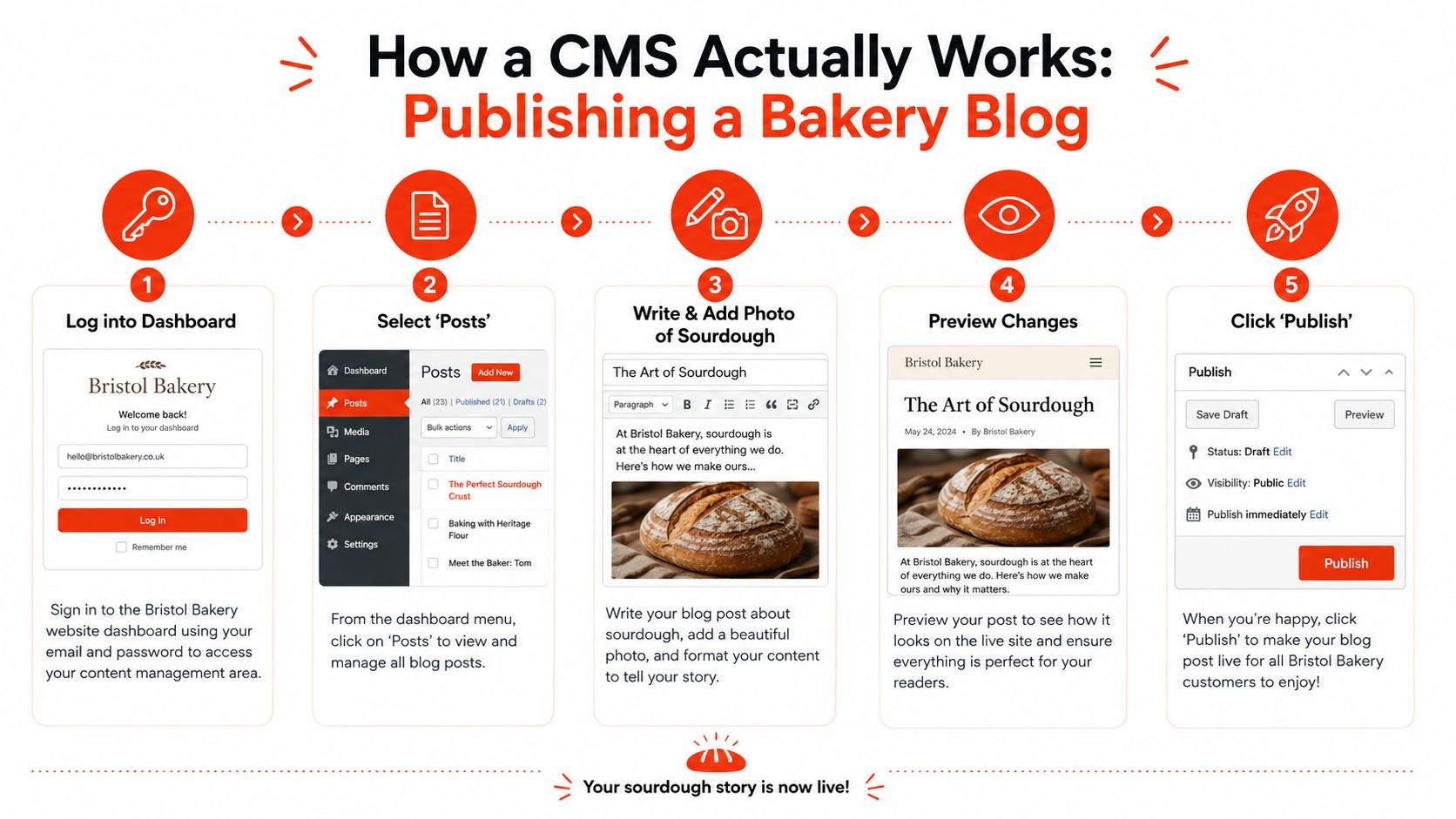
Take a Monday morning post for a Bristol bakery. The owner wants to publish an article about fresh sourdough. A CMS turns that job into a sequence of ordinary actions rather than a request for a developer to rebuild a page.
Log in to the dashboard. The owner enters the back end, the private administration area used by the team.
Open the post editor. A WYSIWYG editor, meaning “what you see is what you get”, or a block editor provides fields for headings, paragraphs, links and images.
Add the photograph. The sourdough image is uploaded to the media library, where the business can store and reuse visual assets.
Preview and publish. The owner checks the layout, then selects Publish when the article is ready.
Serve the finished page. The CMS saves the content in its database and combines it with a theme or template so visitors see a styled web page.
The front end is the public website that customers visit. The back end is the private working area. The database stores structured content such as text, images and page details. A theme or template controls presentation, while a plugin or extension adds a capability such as a booking form or shop feature. User roles decide whether someone can draft, edit, approve or publish.
Without a CMS, a developer might need to alter individual files whenever the bakery wants to add a post. With a CMS, the owner works through a guided interface, while the software handles the conversion from entered content to a browser-ready page.
Practical rule: A simple publishing button doesn’t mean the system is simple to run. Someone still needs responsibility for updates, backups, access control and security.
The important point is ownership. Every moving part needs a person or provider who knows what it does and what to do when an update conflicts with a plugin, a backup fails or an account is compromised. The CMS hides much of the plumbing from the author, but it doesn’t remove the plumbing.
The Main Types of CMS Explained Simply
CMS choices become easier when you separate three different questions. Where does the software run? Who controls the underlying code? Is the website mainly for publishing information or selling products?
Hosted versus self-hosted
A hosted CMS runs on the provider’s infrastructure. Wix, Squarespace and Shopify handle the server environment, so you normally pay a recurring fee and manage the site through a browser. This reduces technical administration, but you accept the provider’s rules, available integrations and pricing structure.
A self-hosted CMS, such as WordPress.org, runs on hosting that you arrange separately. You gain more control over themes, plugins and server choices, but you also take on more responsibility for updates, backups and compatibility.
SaaS versus open-source
Software as a Service, or SaaS, is rented software. The vendor controls the application and generally manages the underlying platform. It’s convenient for a small team, although your access depends on the vendor’s plans and terms.
Open-source software can be downloaded, changed and extended. The software licence may not be the main expense. Hosting, development support, security work and maintenance still require time or money, and the business must decide who will provide them.
General-purpose versus e-commerce
A general CMS focuses on pages, articles, images and marketing content. An e-commerce CMS adds product records, baskets, payments, stock management and shipping workflows. Shopify is built around commerce, while WordPress can become an online shop through additional tools.
CMS Split
Hosted / SaaS
Self-Hosted / Open-Source
Control
Easier administration, less control of infrastructure
More control, more responsibility
Maintenance
Provider handles much of the platform work
Owner or supplier handles updates and backups
Flexibility
Usually shaped by the provider’s ecosystem
Can be extended and customised extensively
Best fit
Small teams seeking predictable administration
Businesses with technical resource or a trusted developer
A small firm gains speed from hosted software but may give up some portability. Self-hosting gives freedom, but freedom only helps when someone has the skills and time to use it safely.
Common CMS Examples and What Each Is Best For
The familiar platform names solve different problems. Comparing them by reputation alone can lead a small business towards a system that’s technically capable but awkward for its actual team.
WordPress.org is self-hosted and open-source. It suits blogs, brochure sites and content-led businesses that expect their website to grow through plugins and custom development. The core software can be obtained without a licence fee, but the owner pays for hosting and may pay for premium themes, plugins and technical help. The business, its developer or its managed provider must keep the installation maintained.
Wix and Squarespace are hosted, visual builders with drag-and-drop editing. They suit owners who want direct design control without employing technical staff. The trade-off is a more controlled ecosystem, with less freedom than a carefully managed self-hosted installation.
Shopify is hosted and commerce-first. It fits retailers that need product management, payments, stock and shipping features in one environment. It’s less natural for a business whose main requirement is a service-led editorial website.
Webflow is hosted and designer-friendly. It’s useful for studios and brands that want a custom visual build with structured content while reducing the need to write front-end code for routine changes. Its design freedom still requires someone who understands the system’s structure.
Ghost can be hosted or self-hosted and focuses on writing, publishing and newsletters. It’s a sensible match for publishers and businesses whose primary asset is a regular stream of articles or email content.
Drupal is self-hosted and built for complex, structured and highly governed websites. It can suit larger organisations with specialist technical teams, but it’s often more than a small local firm needs.
Platform
Hosting
Annual Cost (approx)
Best For
Watch Out For
WordPress.org
Separate hosting required
Varies by hosting and add-ons
Blogs, brochures and growing content sites
Plugin maintenance and technical ownership
Wix
Included by provider
Subscription-based
Owners wanting visual editing
Platform and plan limitations
Squarespace
Included by provider
Subscription-based
Polished service and portfolio sites
Less infrastructure control
Shopify
Included by provider
Subscription-based, with commerce costs
Online shops
Commerce-led structure and recurring fees
Webflow
Included by provider
Subscription-based
Designer-led marketing websites
Learning curve for advanced structures
Ghost
Hosted or self-hosted
Varies by deployment
Newsletters and publishers
Narrower focus outside publishing
Drupal
Separate hosting usually required
Varies by implementation
Complex and governed organisations
Specialist maintenance burden
The best platform is the one your team can operate consistently. A feature that nobody can maintain isn’t a business advantage.
What to Look for When Choosing a CMS
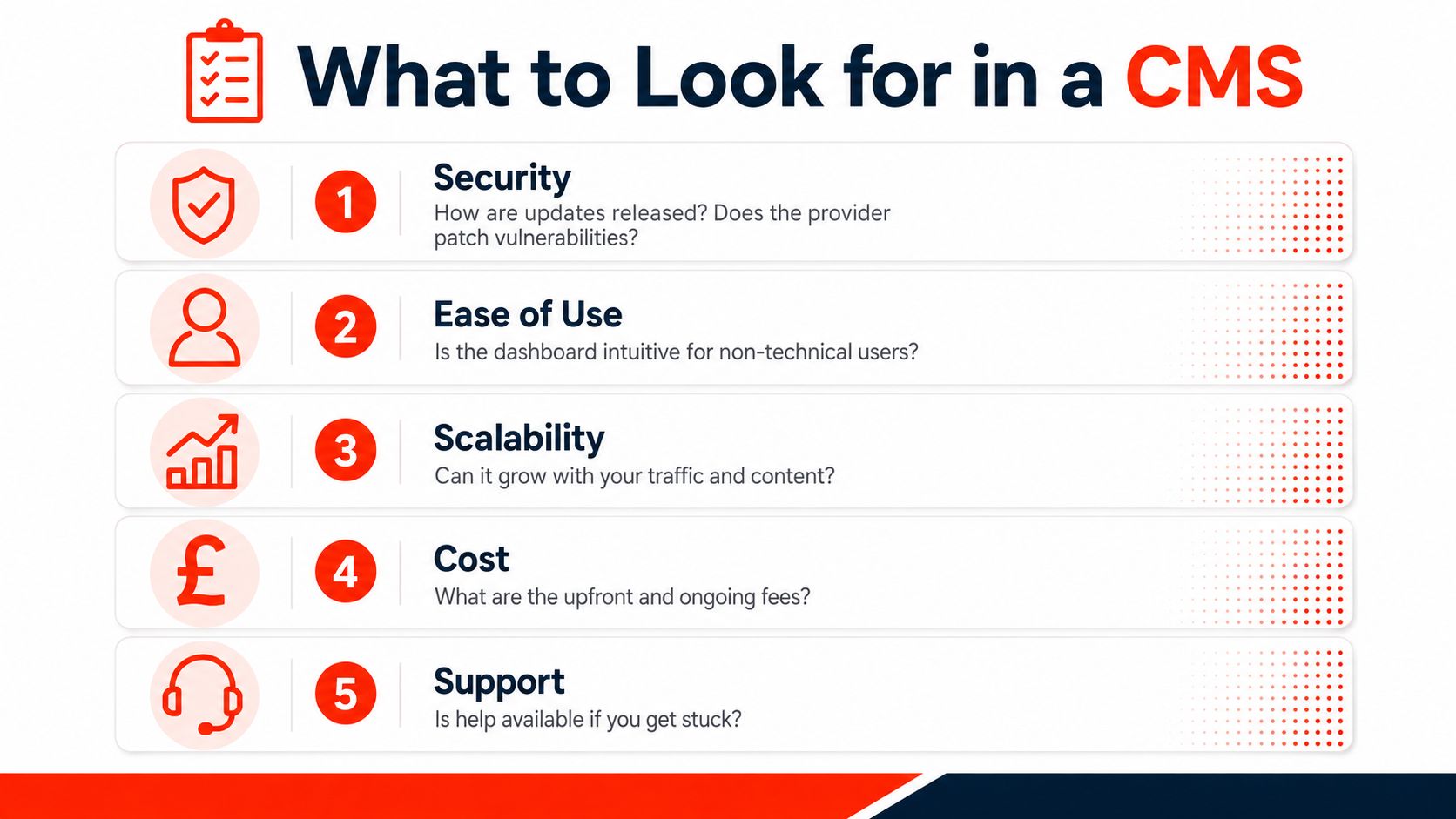
A platform demonstration can look impressive while hiding the work that begins after launch. Test the system against five practical filters before you choose it.
Security
Ask how updates are released, who applies security fixes and whether the platform supports strong login protection. SSL helps encrypt the connection between the visitor and the website, but it doesn’t replace software updates, sensible permissions or backups.
Test: Ask the provider to explain what happens after a critical vulnerability is discovered.
SEO
Look for editable page titles, descriptions, clean URLs, image alternative text, sitemap controls and support for structured data. Page speed also matters, so assess the delivered website rather than trusting a feature list.
Test: Create a page in the demo and check whether you can control its search appearance without installing several extras.
Maintenance
Decide who monitors uptime, applies updates, checks backups and investigates errors. Self-hosted software may appear inexpensive until the owner regularly has to coordinate several separate tasks.
Test: Request a written maintenance schedule with named responsibilities.
Cost
Include hosting, domain renewal, SSL, themes, plugins, developer support and the potential cost of rebuilding later. A low entry price doesn’t automatically mean a low operating cost.
Test: Ask for the complete recurring cost, not only the platform licence.
Accessibility
For UK public-sector work, WCAG 2.2 AA is the minimum accessibility baseline. Government guidance requires services to meet level AA, work with common assistive technologies and publish an accessibility statement, making template and component choices compliance-critical rather than cosmetic. Read the UK accessibility guidance for WCAG 2.2 AA before approving a design.
Test: Go through the key journey using only a keyboard and check whether headings, labels and focus states make sense.
The Cost of Running a CMS in the UK
A self-hosted CMS may cost nothing to download, yet the website still needs a budget. The bills arrive through hosting, domains and security certificates, while staff time becomes the less visible cost.
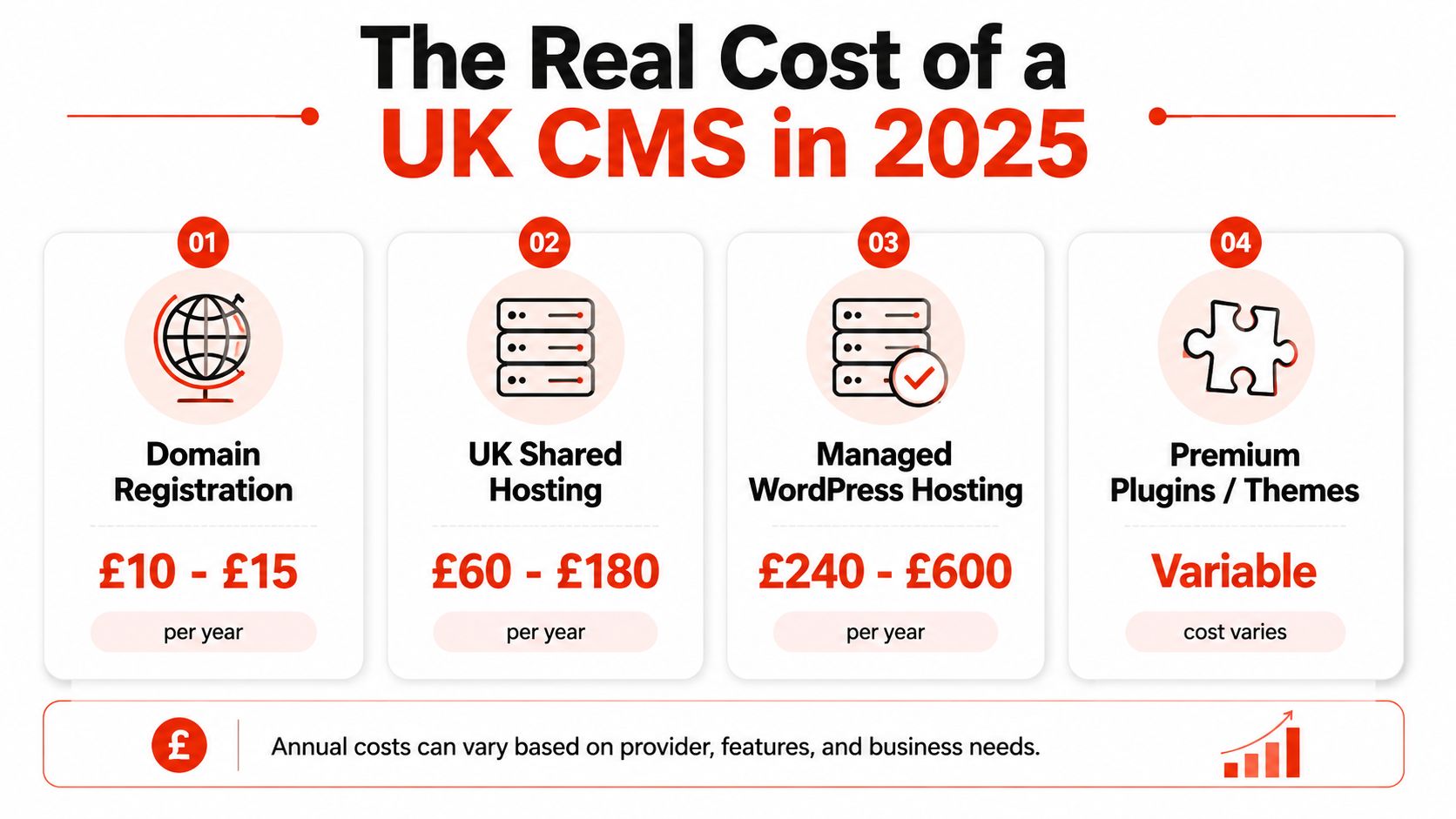
UK maintenance budgets commonly include hosting, domain renewal and SSL. One UK estimate puts annual hosting at £115 to £4,800, domain renewal at £1 to £17, and SSL certificates at £18 to £210. Use this guide to UK website maintenance costs and our website maintenance cost guide when setting a realistic budget.
Staffing can be harder to plan. UK job-market data records CMS skills in 0.36% of permanent UK tech vacancies in 2026, compared with 0.88% in 2025, and gives a median salary of £47,500. These figures do not predict your hiring cost, but they show why a small firm should check whether it can recruit and retain the right knowledge. See the UK CMS job-market data.
Council usage also shows that platform choice affects operations. A 2023 survey found Drupal used by 88 councils, Jadu by 69, Umbraco by 57, GOSS iCM by 39 and WordPress by 28 across councils in the UK and Ireland. Different systems support different workflows, governance arrangements and service needs.
A managed provider can combine infrastructure and upkeep into one service. The practical choice for a small business is therefore a governance model: assign the work internally, pay for specialist support, or let a provider such as 1stNet AI run the technical side. Compare the complete operating burden, not just the download price.
Migration, Implementation, and the Managed Option
Moving a website is a controlled project, not a button press. Start by auditing existing pages, images, forms, products and URLs. Remove outdated material before importing it, because migration is a poor time to carry years of unused content into a new system.
A sound implementation usually follows this order:
Audit the existing site. Record important pages, media, forms and search-facing URLs.
Choose the target CMS. Match the platform to the people who’ll operate it.
Build a staging version. Test privately before changing the live website.
Map redirects. Old URLs need suitable 301 redirects so visitors and search engines can reach the new locations.
Import and check content. Review formatting, images, links, forms and, for shops, checkout and stock flows.
Launch with monitoring. Watch for broken links, missing pages, form failures and unexpected downtime after the DNS change.
Common failures include broken permalinks, forgotten redirects, missing images and a poorly timed cutover. A staging site gives the team somewhere safe to find these issues before customers do.
For owners who don’t want to operate the technical layer, 1stNet AI can manage the website stack as one service, including domain registration, SSL, hosting, backups, security patching and content updates. Its offer includes a 30-day money-back guarantee, which gives a UK owner a defined way to reduce the risk of committing to a new website service. You can compare the managed approach with hosting for small businesses.
Responsibility
DIY CMS Owner
1stNet AI Managed
Domain
Register and renew it
Included within the managed setup
SSL
Configure and monitor it
Included
Hosting
Select, pay for and maintain it
Managed hosting
Backups
Arrange and test them
Managed backup process
Security updates
Apply and check compatibility
Managed patching
Content changes
Make them internally or hire help
Ongoing support available
Migration
Plan and test the move
Managed implementation support
The choice is straightforward. DIY gives you direct control, while delegation gives a non-technical owner fewer operational tasks. Neither removes the need for clear ownership..
Your Next Move and the Bottom Line
A CMS decision becomes manageable when you reduce it to four questions.
First, how much control do you need? A self-hosted open-source system suits a business with technical support and a willingness to manage the details. A hosted platform suits a team that values simpler administration.
Second, who owns the work? If nobody is responsible for updates, backups, security and content publishing, the platform choice is already flawed. UK evidence shows this responsibility can exist at significant scale. GOV.UK replaced hundreds of departmental websites with one publishing platform on 17 October 2012, and by March 2013 one department reported 3,938 content items in the central government CMS, including 1,786 publications, 1,620 news articles, 116 consultations and 26 statistical datasets. The GOV.UK publishing evidence shows how a CMS can become operational infrastructure, not just a marketing dashboard.
Third, what can you afford to maintain? UK data estimates that 50.1% of UK websites use a CMS, while WordPress accounts for 85.8% of UK CMS usage. That concentration doesn’t make WordPress wrong, but it does make plugin dependence, lock-in and maintenance worth discussing. Review the UK CMS usage data alongside your own resources.
Finally, how soon do you need a dependable site? If you have time and technical help, build deliberately. If you need a low-touch route with predictable responsibility, a managed service may fit better.
Start today by auditing your current pages, listing essential features and writing down who’ll handle maintenance. Then request a scoped conversation or trial before you commit.
1stNet AI Ltd provides managed UK website design with domain, SSL, hosting, maintenance, SEO-friendly implementation and ongoing support included. Visit 1stNet AI Ltd to discuss a website that gives you a clear CMS ownership model, including an interactive live chat system, or call 0204 577 2255. All work comes with a 30-day money-back guarantee.