

You’re probably staring at a half-finished brief, a dead inbox, and a competitor who’s just launched a cleaner site than yours. The pressure point is usually the same: time, money, or control. For most UK owners, time is the one that decides the project, because a cheap site you never finish is still a wasted site.
A small business website builder should make one of two things happen, either you build fast yourself, or someone else builds it properly for you with the boring essentials already bundled in. That’s the choice in 2026. Not “which platform has the most features”, but which route gets you live without turning your evenings into unpaid web admin.
Why Most UK Small Businesses Are Choosing Builders Right Now
The moment is familiar. Your leads have gone quiet, a competitor has launched a sharper homepage, and your inbox is suddenly full of builder ads promising a site in a day. Most owners don’t need a philosophy lecture at that point, they need a decision that fits the week they’re living in.
The first choice is usually between time, money, and control. If you try to optimise all three at once, you end up stuck. That’s why this guide treats time as the deciding factor for most owners, because a site that launches late costs more than a site that looks slightly less polished.
What changed between 2023 and 2026
UK buyers have become less forgiving of weak sites, and the technical floor has moved. Mobile performance, crawlability, and AI-search visibility now matter more than another glossy template. A builder that gets you online but leaves you with a sluggish, hard-to-read site is no longer enough.
The market data backs that up. In the UK Business Data Survey 2024, 68% of UK businesses said they had a website, which means about 32% still had none at all, and the gap was sharper among smaller firms, with 93% of small businesses having a website versus 65% of sole traders (UK Business Data Survey 2024 summary). That tells you the opportunity is still there, especially for microbusinesses that need a fast route online.
Practical rule: if you’re a sole trader or very small firm, the builder that wins is the one you’ll actually finish using, not the one with the biggest feature grid.
A historical baseline shows how far UK firms have moved. The government’s SME digital-capability review found 64% of SMEs had their own websites and 53% were listed in online directories (SME digital-capability evidence review). The market has shifted from “can people find us at all?” to “can this site win enquiries and support search discovery?”
What a Small Business Website Builder Does
A small business website builder turns a brief, a logo, and a few pages into a live site without forcing you to hire a developer for every change. A decent one handles the technical plumbing in the background, so you spend your time on the page content rather than wrestling with hosting dashboards or broken plugins.
For a UK owner, the output should be plain and predictable. You should get mobile-friendly design, a domain, secure hosting, basic on-page SEO, a contact form, and an editor that lets you make routine changes after launch without calling for help each time you want to update a phone number.
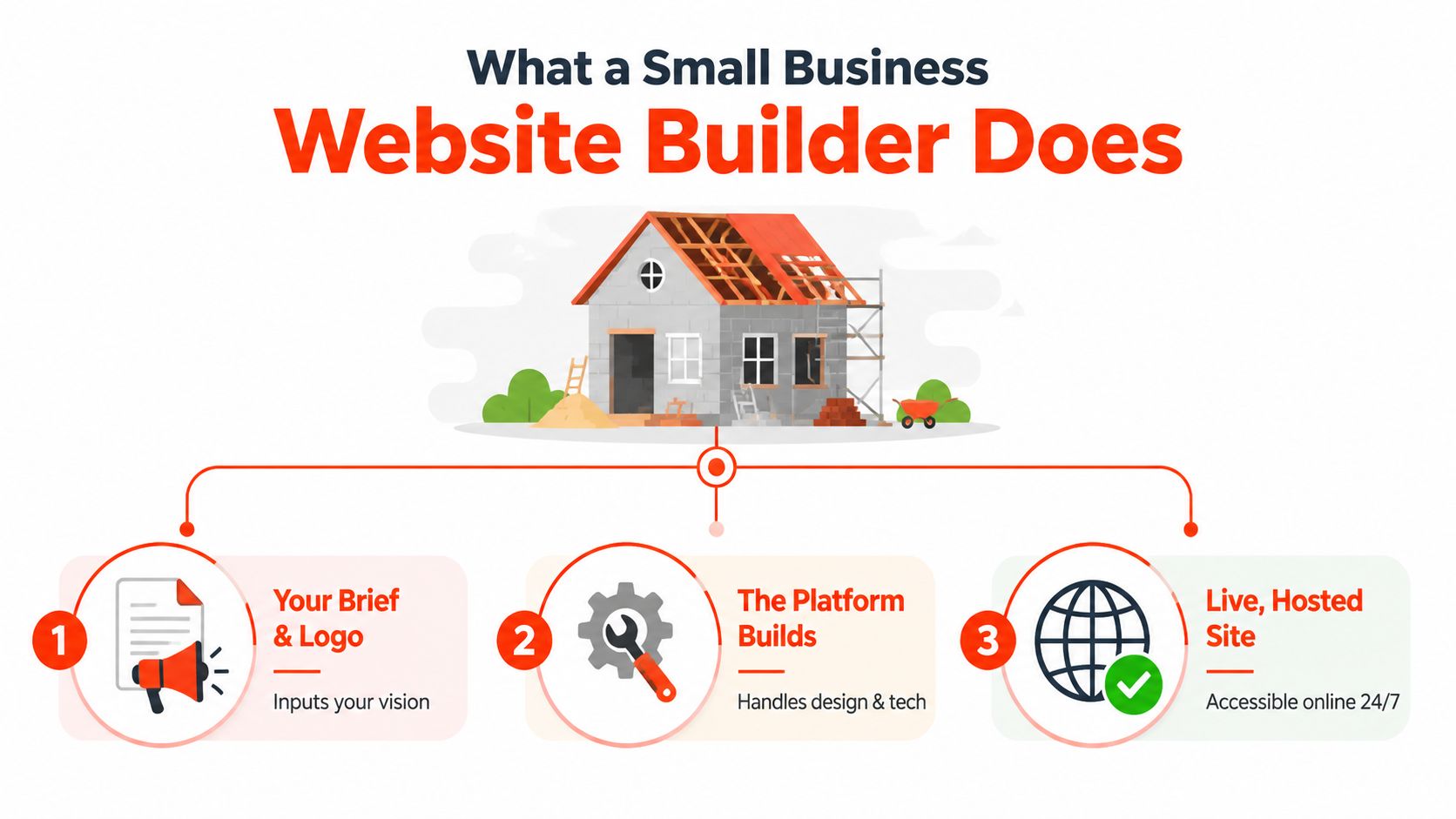
A sensible builder does three jobs. It gets the site live, it keeps the setup tidy, and it leaves you with something you can use.
Platform-only and managed bundles are not the same thing
A lot of UK comparisons blur software and service. That causes bad decisions. A DIY builder expects your time and attention. A managed bundle reduces the work by handling more of the setup, content coordination, and technical upkeep for you.
The bundled route matters because the cost is wider than the headline fee. Independent UK guidance says hosting, domain renewal, and ongoing technical maintenance are often sold together as one support package, and that recurring upkeep usually includes hosting, domain renewal, SSL, updates, and technical care rather than launch work alone (UK website maintenance cost guide). That makes a cheap monthly price look less cheap once you add the parts owners tend to forget.
A practical test is simple. If the offer gives you a live site, bundled infrastructure, and ongoing upkeep, it is a managed service. If it gives you a login and leaves the rest to you, it is a platform.
The domain piece matters too, because a site only works properly once the domain, hosting, and content are aligned. If you want a straight explanation of the naming side, see what a domain name is.
DIY Builders Versus Done-for-You Services
DIY builders and managed services solve different problems, and treating them as the same is how owners lose weeks. A DIY builder gives you control and a lower headline fee. A done-for-you service buys back your time and usually gets the basics right faster.
The actual trade-off for busy owners
If you enjoy tinkering, DIY can work. If you are already busy running the business, it often turns into half-built pages, stale copy, and a site that never quite feels finished. I am blunt about this, DIY only makes sense when control is your top constraint and you can spare evenings to do the work.
DIY builders cost time; managed services cost more per month. Managed services also tend to launch faster and arrive with a stronger baseline setup. That matters because weak technical SEO, missing metadata, and inconsistent layout decisions are common when non-specialists build their own sites. The earlier section on UK site health shows how widespread those technical gaps still are across business sites.
The clean way to judge the two routes is by where the burden lands. DIY puts the burden on your calendar. Managed service puts it on the provider.
Side by side comparison
| Factor | DIY builder | Done-for-you service |
|---|---|---|
| Speed to launch | Fast if you already know what you are doing, slower if you get stuck | Faster because the build is handled for you |
| Monthly cost | Lower headline price | Higher monthly or project cost |
| Day-to-day control | High | Lower, because someone else manages the build |
| Risk of stalling | Higher, especially midway through setup | Lower, because the process is structured |
The launch trade-off is plain. DIY can look cheap, but it often eats 30 to 80 hours of owner time. Managed builds give that time back and usually get the site out the door more quickly. If your evenings are already gone, that time cost is real money.
For UK owners, bundled total cost matters as much as the monthly fee. A managed option that includes domain, SSL, hosting, maintenance, and support in one place can be easier to budget for than a patchwork of separate services. That is the point of 1stNet AI Ltd in the UK market. The offer only makes sense if you value speed and less admin more than full control.
Seven Features That Separate a Credible Builder From a Weak One
A decent builder doesn’t just make pages look tidy. It protects trust, search visibility, and launch speed without turning you into a part-time technician. That’s why I judge builders on practical outcomes, not polished sales pages.
The clearest reality check comes from a 2026 audit of 1,006 UK business websites. It found 11% still didn’t use SSL, 49% lacked schema markup, 37% were missing meta descriptions, and the average SEO score was only 64.7/100 (UK small-business website health audit). Those failures are not cosmetic, they affect crawlability, trust, and visibility.
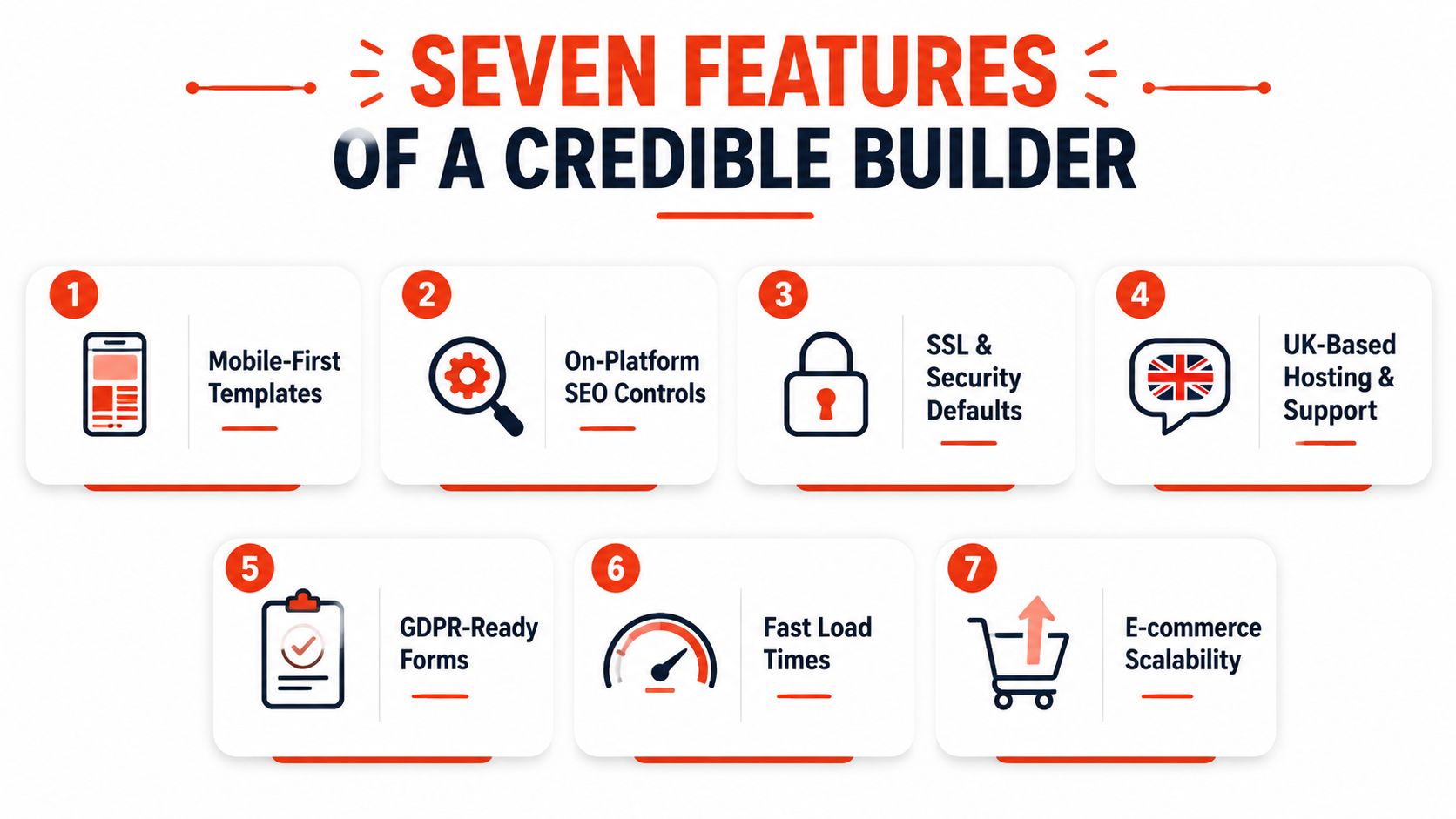
The seven checks that matter
- Mobile-first templates. If the mobile version looks cramped or broken, enquiries suffer.
- On-platform SEO controls. Titles, headings, descriptions, and alt text should be editable without hacks.
- SSL and security defaults. If SSL isn’t automatic, trust takes a hit.
- UK-based or UK-familiar hosting. Latency, support expectations, and compliance concerns are easier to manage when the provider understands the market.
- E-commerce depth. If you sell products, the cart, payment flow, and product management need to work cleanly.
- Page-speed baseline. Slow mobile pages make people leave before they enquire.
- Human support. When the site breaks, a bot FAQ won’t rescue your launch.
What each failure costs you
Missing SSL damages confidence immediately, especially if you take payments or collect personal details. No SEO controls trap you in whatever default the builder gives you. Weak mobile performance and clumsy e-commerce support turn a site into a brochure instead of a sales tool.
If a builder makes basic trust features feel optional, walk away.
The evolution of website audits is heading in the same direction, with modern audits needing to cover Core Web Vitals, accessibility, schema, and AI-search visibility. That makes old-school feature lists feel dated. A builder should help you publish a site that works for humans, crawlers, and AI systems, not just one that looks neat in a demo.
Real Cost and Time Trade-offs for UK Owners
The advertised price is rarely the final price. DIY builders often look cheap because they lead with a monthly fee, then add pressure through templates, extensions, hosting extras, stock imagery, and your own labour. Managed builds look expensive on day one, but they’re usually more honest about what’s included.
The numbers you should budget around
Independent UK cost guidance says .co.uk domains are commonly around £10 to £20 per year, managed hosting for SMEs is around £20 to £50 per month, and SSL certificates range from free basic options to about £50 to £200 per year for higher-trust certificates (website maintenance cost guide). Those line items are exactly why bundled services exist, they consolidate the separate bills that otherwise pile up.
The other piece is launch speed. A true template DIY can be done in an afternoon if you’re disciplined, but a structured DIY build often stretches into two to six weeks. A managed service can typically go live in seven to twenty-one days, and sometimes faster when the brief is clear.
| Route | Year 1 cost | Hidden extras | Time-to-launch | Best for |
|---|---|---|---|---|
| DIY builder | Roughly £10 to £40 a month | Premium templates, stock imagery, third-party apps, backups, owner time | Afternoon to two to six weeks | Owners who want control and can spare evenings |
| Managed build | £500 to £4,000 upfront, plus optional retainers of £40 to £150 | Usually fewer separate line items because infrastructure is bundled | Seven to twenty-one days | Owners who value speed and lower admin |
A simple worked example
A London tradesperson on a £15 monthly DIY plan might think the cost is tiny. Add the domain, hosting, SSL, a few paid add-ons, and the time spent building it, and the first year stops feeling cheap very quickly. That’s why the headline subscription is only one part of the total cost of ownership.
For a practical comparison, see the bundled pricing logic on 1stNet AI’s website cost overview. It reflects the wider point: if you need a site live fast, the key question is not the sticker price. It’s whether the site is finished, secure, and maintainable without stealing your weekends.
Why AI-Search Readiness Now Matters More Than Features Lists
Builders that hide content behind JavaScript animations look modern but leave AI systems with nothing to cite. A site can look polished and still fail at the point that now matters, whether search engines and AI tools can read it properly.
What AI-ready really means
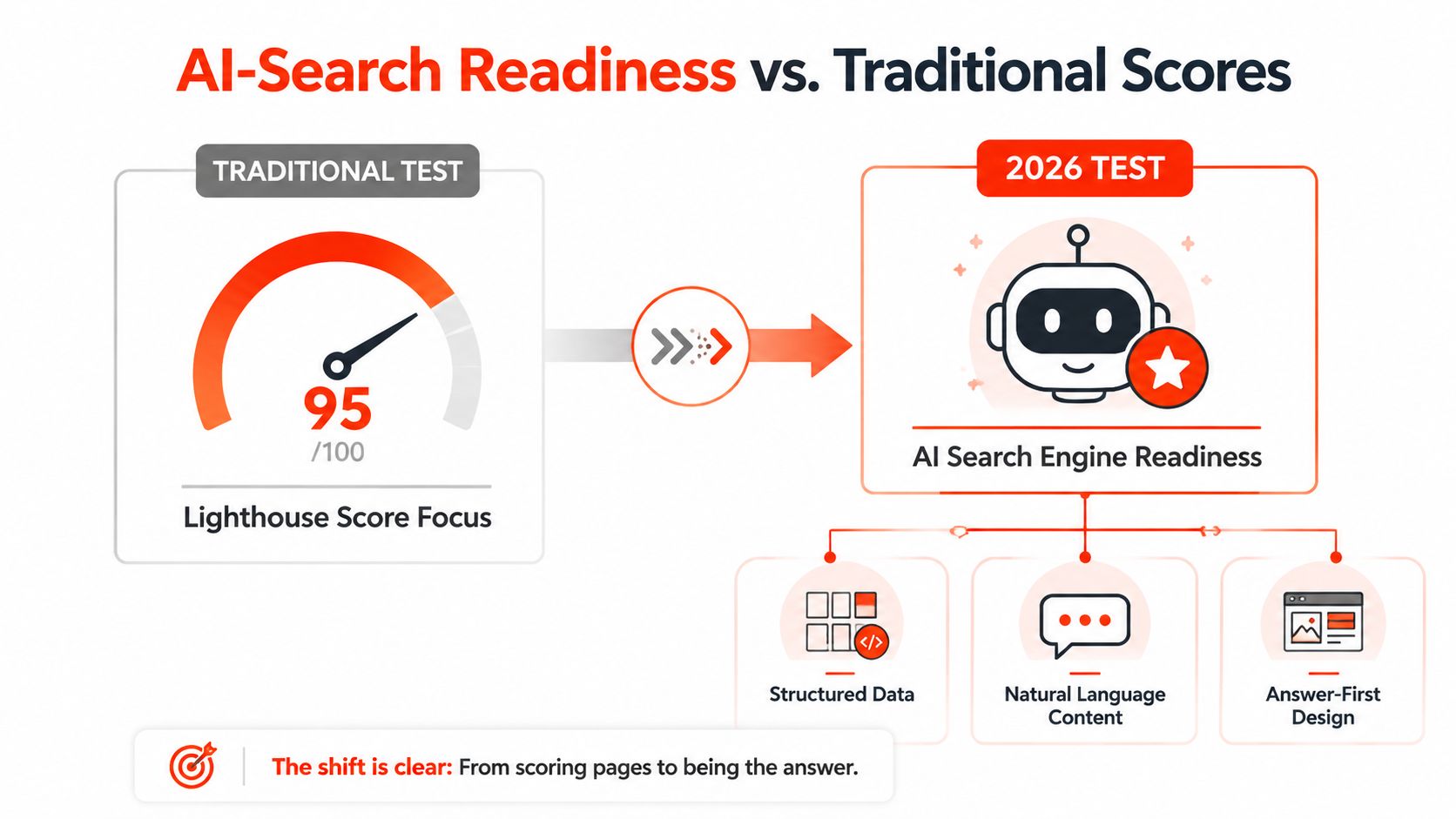
The basics are clear. You need clean heading hierarchies, answer-first copy, FAQ blocks, and structured data such as Organisation and LocalBusiness schema. You also need crawler access that does not block useful bots, plus content that stands on its own without heavy JavaScript hiding the main points.
Many shiny templates fall down here. They look sharp, but they bury useful text behind animation, builder bloat, or a structure that crawlers do not interpret cleanly. The site still exists, yet it loses discovery opportunities from Google and AI-driven search tools.
Why the old scorecard is not enough
A high Lighthouse score still helps, but it is not the main test. The question is whether the builder produces a site that can be read, understood, and cited. Fast pages, sensible structure, and bot-accessible content matter more than a neat checklist of features.
SEO-friendly web design now belongs in the basic brief for UK small firms. If a builder cannot support that, it is not a serious contender for a business that depends on search.
AI readiness is now a baseline requirement for any credible UK small business website builder.
Which Builder Route Fits Your Type of Business
A builder choice should follow the bottleneck. If time is tight, speed wins. If cash is tight, control matters more. If you care about admin staying low over the next year, a managed bundle usually makes more sense than a bare DIY setup.
A sole trader with a simple brochure site can often get moving with DIY, provided the copy is ready and the editor does not become a second job. A sole trader who keeps putting the site off, like a plumber I worked with whose homepage sat unfinished for months, needs a managed route instead. The site only started producing calls once someone else took over the build and the content was signed off properly.
Match the route to the work
- Sole traders and freelancers. Choose DIY if you want control and can handle the writing, page setup, and edits yourself. Choose managed if you want the site live without burning evenings on it.
- Tradespeople. Local enquiries and a working contact flow matter most. Managed is the smarter call if you need the site live quickly and cannot afford a messy launch.
- Local service firms. Salons, clinics, and accountants need trust signals, booking paths, and clear service pages. DIY works only if the brief is simple and you can keep momentum.
- Small e-commerce retailers. Products, payments, and shipping add moving parts fast. Managed support is the safer choice once setup starts pulling you away from selling.
Use this tie-breaker
Choose DIY if you have time and want control. Choose managed if you need speed and lower admin. That is the clean split I would use in practice.
A second check is total cost of ownership. DIY can look cheaper at the start, then eat time through copywriting, fixes, plugins, and late changes. Managed bundles cost more upfront, but they reduce the hidden hours that stall a launch and drag on after it goes live.
| Business profile | Main need | DIY route | Managed route |
|---|---|---|---|
| Sole trader | Fast credibility | Good if time is available | Better if you want less admin |
| Tradesperson | Local enquiries | Possible, but easy to stall | Strong fit for speed and simplicity |
| Local service firm | Bookings and trust | Fine if the brief is simple | Better when structure matters |
| E-commerce retailer | Products and payments | Works only for straightforward shops | Better when setup complexity rises |
Your Next Step and a Low-Risk Way to Start
Pick the route that fits your tightest constraint, not the one with the fanciest demo. DIY suits owners with control and time, managed bundles suit owners who want a fast launch with less maintenance. If you want to try a managed build with less downside, a 30-day money-back guarantee is a sensible threshold because it matches the legal reality of a short refund window in UK consumer law (Consumer Rights Act guidance).
Start with three things. List the three pages you need, note the one integration that can’t wait, booking, payments, or a contact form, and decide whether you’ve got the time to handle the build in the next 14 days. If the answer is no, or your copy is still vague, hand it to a specialist and move on.
1stNet AI Ltd builds managed small business websites with domain, SSL, hosting, maintenance, and search optimisation included, which suits owners who want the launch handled end to end. If you’re weighing DIY against a bundled route and want to see what a fast, low-friction build looks like, visit 1stNet AI Ltd and compare it against your current plan.