Your new website has gone live. The builder has handed over the login details, the pages look polished, and then the uncomfortable question arrives: why is nobody finding it?
That’s normal, but it isn’t a reason to wait. A website launch is the starting line for SEO, not the finish. If you’re a UK small-business owner asking how to optimise for search engines, focus on the operational work that makes your site crawlable, relevant, useful on mobile, visible locally, and understandable to AI-driven search.
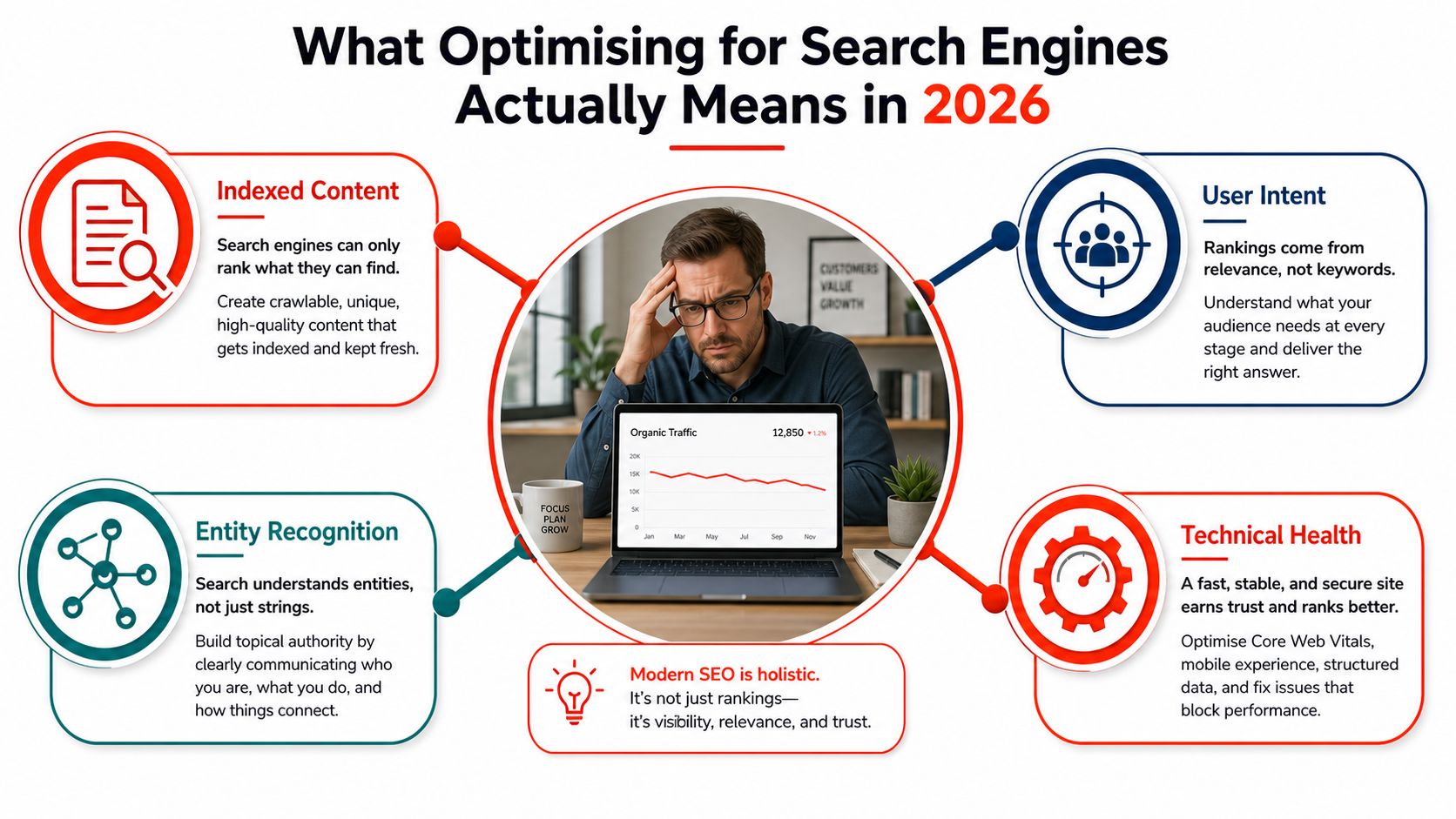
What Optimising for Search Engines Actually Means in 2026
SEO in 2026 is a connected operating system, not a collection of ranking tricks. You need to make the site technically accessible, give every page a clear purpose, publish content that matches real questions, and build enough local and entity clarity for search engines and AI systems to understand who you are and what you offer.
Google remains the main priority for UK businesses. Statcounter recorded Google at 91.56% of UK search-engine market share in July 2026, compared with Bing at 5.87% and Yahoo! at 1.29%, as reported in UK small-business SEO analysis. That concentration makes Google Search Console, crawlability, mobile usability, page experience, and clear on-page signals essential starting points.
Search is mainstream behaviour, too. Ofcom reported that 90% of UK adults used a search engine in May 2024, with Google used by 83% and Bing by 39%, according to UK online trends for small businesses. Your website doesn’t need to chase every platform equally, but it does need to be discoverable where customers already look.
The four layers that work together
Technical foundations determine whether crawlers can access, render, and index your pages. Hosting, HTTPS, performance, site architecture, XML sitemaps, canonical tags, and indexing rules belong here.
On-page signals explain each page. Titles, headings, descriptions, internal links, image alt text, and structured data help search engines connect your page with a searcher’s intent.
Content and keyword mapping stop your website becoming a pile of unrelated articles. Each page should serve a defined audience need and lead naturally towards an enquiry, booking, purchase, or contact.
Local and AI visibility extend beyond traditional blue links. Google Business Profile, reviews, location signals, author information, entity markup, and answer-shaped content help your business appear in local results and AI-generated summaries.
Rankings are a lagging indicator. The useful loop is to fix foundations, publish or improve relevant pages, make the site easier to use, earn credible mentions, and review the data every month.
Practical rule: Don’t ask only whether a page ranks. Ask whether the right page is indexed, appears for the right query, earns attention, and creates a sensible next step.
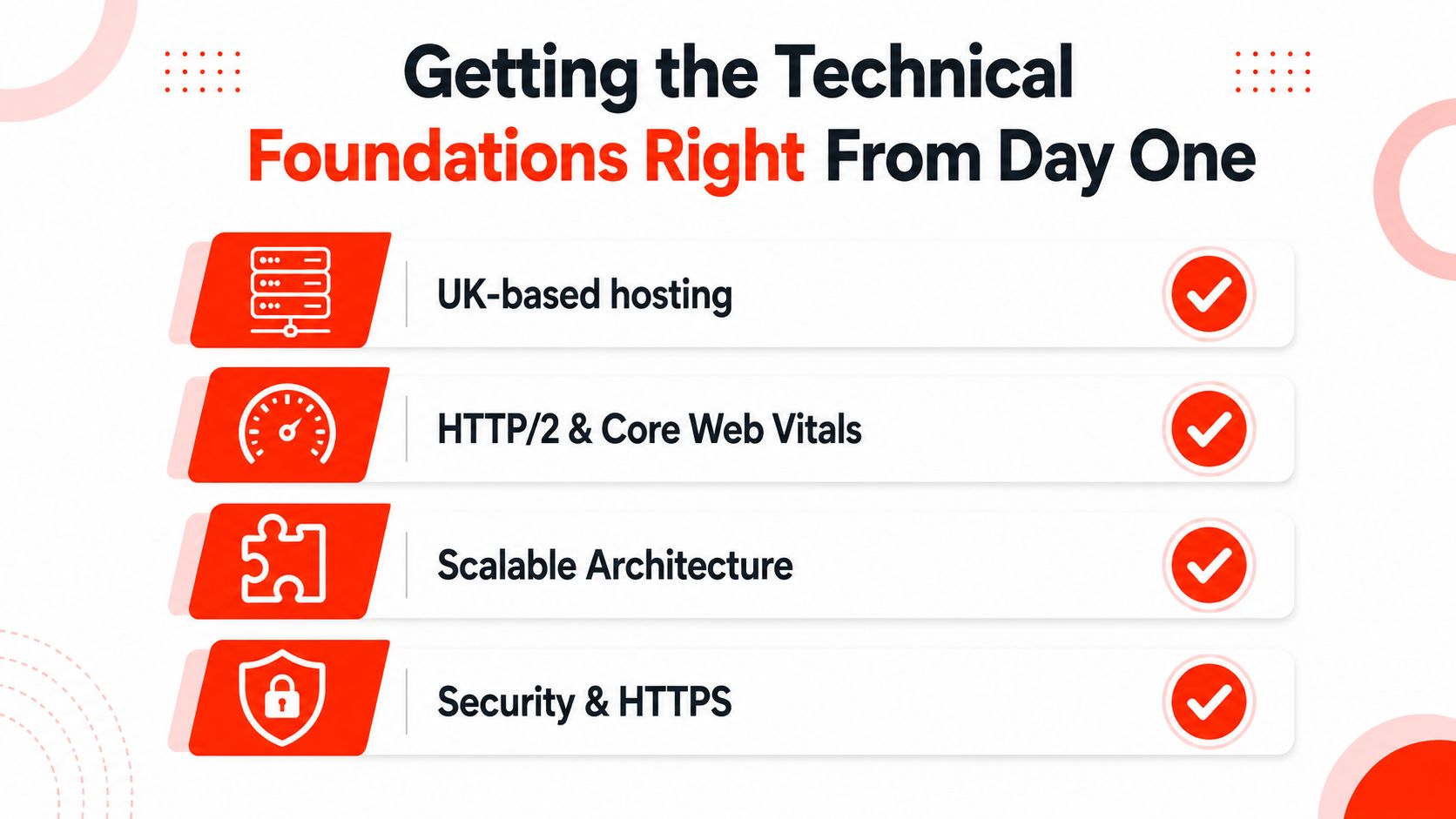
Getting the Technical Foundations Right From Day One
Technical SEO starts with infrastructure. A beautiful page can’t perform in search if the server is unreliable, HTTPS is incomplete, or key URLs are blocked from indexing.
Start with hosting and security
Choose hosting with dependable uptime, modern HTTP support, and enough capacity for growth. UK-based or nearby hosting can be a sensible operational choice for a UK audience, but reliability matters more than a marketing label. Ask whether the provider can handle higher demand without forcing a platform move when the business grows.
Install an SSL certificate across the whole site. Force HTTPS redirects, update internal links, and remove mixed-content warnings. SSL certificates need regular renewal, and a lapsed certificate can take a website offline just as effectively as a server outage, according to UK website maintenance guidance.
Domain renewal and SSL are recurring costs. UK maintenance research estimates domain renewal at £1 to £17 per year and SSL certificates at £18 to £210 per year, as outlined in website maintenance cost research. Bundling the domain, SSL, hosting, and maintenance reduces the chance that an overlooked renewal interrupts your website.
Make performance a release requirement
Test Core Web Vitals on real mobile devices, not just a desktop laboratory score. The working targets are:
Largest Contentful Paint: under 2.5 seconds
Interaction to Next Paint: under 200 milliseconds
Cumulative Layout Shift: under 0.1
Compress large images, remove unnecessary scripts, lazy-load below-the-fold media, and avoid oversized hero videos. A fast site helps visitors reach the information they came for without wrestling with the interface.
Control crawling and indexing
Use a clean robots.txt file and submit an XML sitemap containing the pages you want indexed. Exclude staging URLs, thin utility pages, and accidental duplicates. Keep URLs short, readable, and organised around the site’s service and content structure.
Then decide what deserves an index entry. Use canonical tags for near-duplicates, apply noindex to internal search results and unnecessary filters, and create a useful 404 page. Build a redirect map before changing URLs, especially during a redesign.
A site-health review found an average UK small-business SEO score of 84.3 out of 100, while a lower 76.8 figure highlighted failures in basics such as metadata, heading structure, internal linking, and mobile checks, according to UK small-business website health research. Treat these checks as part of every release, not a one-off launch task.
On-Page Signals That Make Every Page Easier to Rank
Every important page needs a clear answer to one question: what should this page be found for, and what should the visitor do next?
Start with the title tag. Give every page a unique title, put the main query near the beginning, keep it under 60 characters, and place the brand at the end. A weak title such as “Home | Smith & Co” says almost nothing. A stronger version would be “Emergency Plumber in Leeds | Smith & Co”.
Write the meta description as a sales pitch, not a keyword list. Aim for around 155 characters, include an active verb and a specific benefit, and don’t repeat the title. “Book a Leeds emergency plumber for burst pipes, leaks and boiler problems. Call today for practical help” gives the searcher a reason to choose the result.
A practical on-page comparison
Element
Target Rule
Common Mistake
Example
Title tag
Unique, query-led, under 60 characters
Reusing the homepage title
“Bookkeeping Services in Bristol | ABC Accounts”
Meta description
Around 155 characters, benefit-led
Copying the title
“Keep your records accurate and deadlines under control with practical Bristol bookkeeping support.”
H1
One clear heading reflecting page intent
Several decorative H1s
“Bristol Bookkeeping Services”
H2 headings
Break the answer into useful sections
Adding headings only for styling
“What Our Monthly Service Includes”
Internal links
Use descriptive anchors
“Click here”
“See our VAT return support”
Alt text
Describe image and context
Keyword stuffing or blank text
“Bookkeeper reviewing VAT records with a client”
Schema
Use the relevant type and validate it
Adding irrelevant markup
LocalBusiness on a genuine local service page
Build a page that can be understood quickly
Use one H1 that matches the page’s purpose, then organise supporting information under clear H2 headings. Put the answer near the relevant heading instead of burying it under a long introduction. This format works for readers scanning on mobile and for systems extracting concise passages.
Internal links should reflect the customer journey. A general guide can link to a service page, the service page can link to pricing or an enquiry form, and the enquiry page can link back to reassurance content. Use descriptive anchor text that tells the visitor what they’ll find.
Add schema only where it accurately represents the page. Article, LocalBusiness, FAQ, and Product markup can help search engines interpret content when relevant. Validate implementation with Google’s Rich Results Test, then check that the visible page content matches the structured data.
Mapping Keywords and Building a Content Plan That Compounds
Keyword research becomes useful only when it changes what you publish and where you send visitors. Start by grouping searches according to intent, then assign each group to the page type most likely to satisfy it.
Search Intent
Example Query
Page Type
Conversion Goal
Informational
“How do VAT returns work?”
Guide or article
Capture the reader and introduce expertise
Commercial
“Bookkeeping services for small businesses”
Service comparison or service page
Encourage an enquiry
Transactional
“Outsource VAT returns Bristol”
Dedicated service page
Generate a call or booking
Local
“Bookkeeper near me”
Location page and Business Profile
Drive contact or directions
Give every page one primary job
Assign one primary keyword cluster to each important URL. Variations can appear naturally, but don’t make one page target bookkeeping, payroll, VAT, tax advice, and accounting software at the same time. That creates vague relevance and makes the visitor work too hard.
Build supporting content around commercial pages. A service page for VAT returns might receive internal links from articles about record preparation, common filing errors, deadline planning, and software choices. Each supporting page should answer a distinct question and point towards the service when the reader is ready.
Worked example for a bookkeeping website
A thin article called “VAT returns” rarely gives a prospective client enough confidence to act. Turn the subject into a structured hub:
Create a main VAT return service page explaining who it serves, what the process includes, what information the client supplies, and how to enquire.
Publish a practical calculation guide for readers still trying to understand the task.
Add deadline reminders that answer urgent planning questions.
Create an accountant comparison page for visitors deciding between in-house work and outsourcing.
Link each supporting resource back to the central service page with descriptive anchors.
This approach builds a useful internal network instead of isolated posts. It also protects the commercial destination from being overshadowed by informational content.
Don’t publish for volume alone. A smaller set of complete, well-linked pages is easier to maintain and more likely to support enquiries than a large archive that drifts away from your services.
Local SEO and Mobile Optimisation for UK Small Businesses
Local SEO and mobile usability should be managed together because nearby customers often discover and contact businesses from a phone. A strong website helps, but local visibility starts with an accurate Google Business Profile.
Keep your business name, address, and phone number consistent across the profile and website. Select the most accurate primary category, add relevant services, upload useful photographs, and keep opening hours current. Link the profile to the most relevant location or service page, not automatically to the homepage.
For practical profile management, use guidance on editing a Google Business Profile and check every field after changes. Consistency helps customers trust that they’ve found the right business.
Build location pages that deserve to exist
If you serve several areas, create a useful page for each genuine service location. Include local service details, travel or coverage information, relevant examples, testimonials where permitted, and a clear contact action. Do not create dozens of near-identical pages that change only the town name. Those pages frustrate users and add little value.
Reviews need a repeatable process. Ask satisfied customers soon after a completed job, make the request simple, and respond professionally to positive and negative feedback. A predictable review routine is more credible than a sudden burst after a quiet period.
Prioritise the mobile journey
Test the page on ordinary mobile connections and devices. Put click-to-call and click-for-directions actions where a visitor can see them without hunting. Keep forms short, make buttons large enough to use comfortably, and remove intrusive pop-ups.
The common WordPress and Webflow mistake is an oversized hero carousel packed with images, animations, and tracking scripts. It may look impressive on a large monitor, but it can delay the main content and damage mobile performance.
A faster, simpler mobile site usually beats a prettier one that makes customers wait.
Local pack placement depends heavily on Business Profile hygiene and reviews, not only on the website. Your site still matters because it confirms services, locations, credibility, and contact details once someone decides to investigate.
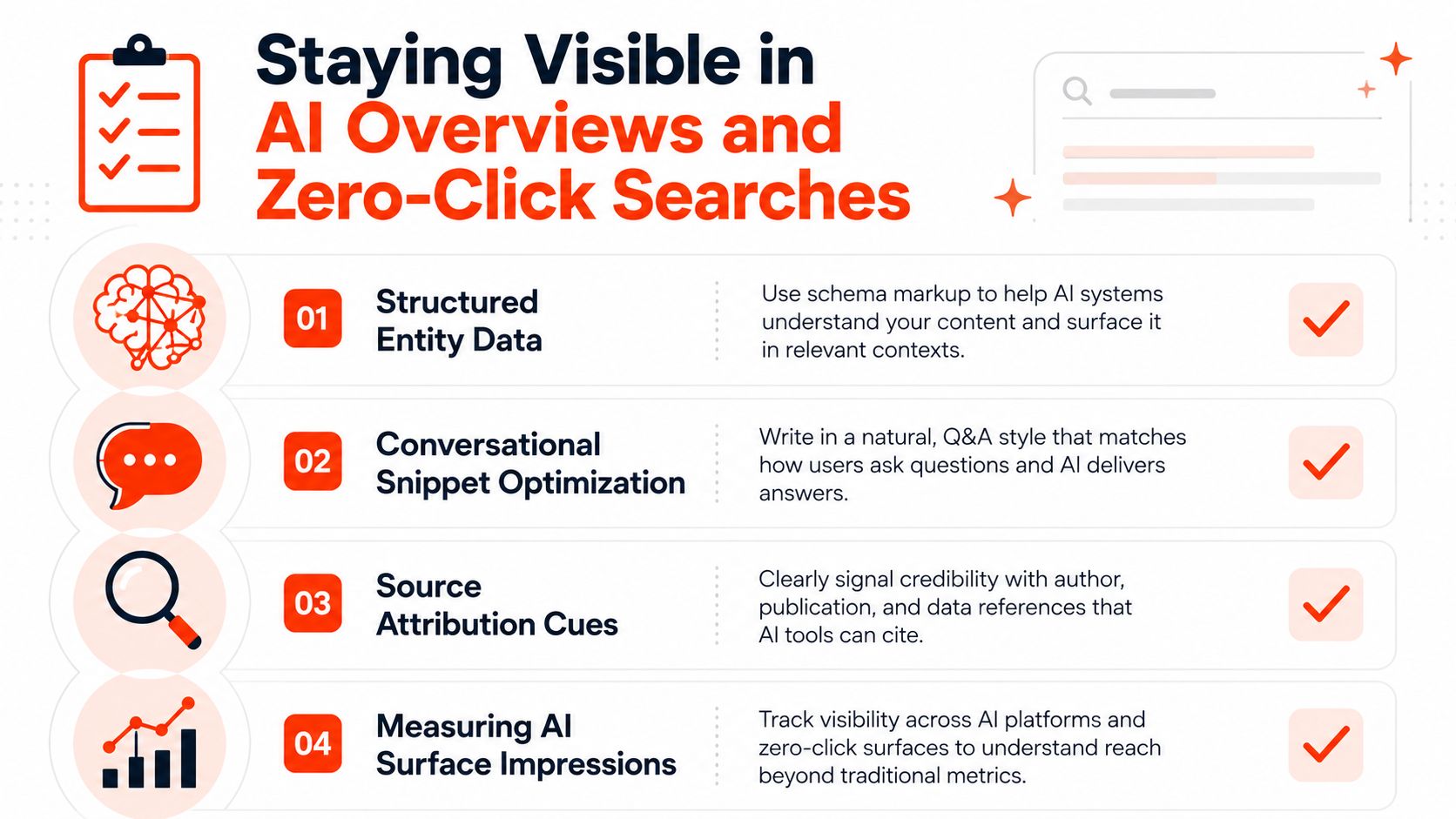
Staying Visible in AI Overviews and Zero-Click Searches
AI Overviews don’t remove the need for SEO. They change what visibility means. AI-generated answers draw on the indexed web, so the strongest foundations remain entity clarity, structured data, useful content, and recognisable expertise, rather than a secret AI ranking shortcut.
UK research indicates that AI Overviews appear on roughly 29% to 42% of UK Google searches, with informational and how-to queries especially affected, according to UK coverage of AI Overview visibility. That range is large enough to make answer-ready publishing a practical consideration for small firms.
Make your business easy to identify
Use Organisation, Person, LocalBusiness, and FAQPage schema where each type accurately applies. Connect the business name, people, services, locations, and official profiles consistently. Add clear author bios that explain relevant experience, and link those bios to genuine professional profiles or company pages.
Write definitions and short answer blocks that stand alone. If a page answers “What does a VAT return include?”, give the direct explanation immediately under a matching heading, then add detail. Avoid hiding the answer inside vague brand copy.
Zero-click search creates a difficult measurement problem. UK and EU coverage reports that organic click-through rates have fallen by 20% to 50% for some informational and how-to queries after AI Overviews expanded, as documented in the UK SME SEO report. The same report says 67% of UK small businesses cite budget constraints and 48% struggle to measure ROI.
That means you shouldn’t judge every informational article by sessions alone. Track branded searches, enquiries assisted by organic visibility, local actions, and whether your business is being surfaced for high-intent questions. Use informational content to support trust, but put your strongest conversion effort into service, location, branded, and purchase-ready pages.
Measuring Results and Building a Monthly SEO Checklist
SEO becomes manageable when you measure the full journey rather than checking rankings whenever you feel anxious. Set up Google Search Console for indexing, queries, impressions, clicks, and click-through rate. Use GA4 to track engagement and conversions, PageSpeed Insights to review performance, and a backlink monitor such as Ahrefs or Semrush to watch referring links.
Use three KPI tiers
Visibility metrics show whether search engines can find and display your pages. Review indexed pages, impressions, query coverage, and average position.
Engagement metrics show what happens after visibility. Monitor click-through rate, useful engagement signals, form submissions, calls, bookings, and sales.
Authority metrics show whether recognition is growing. Review referring domains, branded search demand, relevant mentions, and the quality of sites linking to you.
Don’t make rankings the only success measure. A page can hold a reasonable position and still underperform because the title is weak, the intent is wrong, or the contact path is difficult.
A monthly operating rhythm
At the start of each month, check Search Console for indexing problems, sudden query changes, pages losing impressions, and terms generating impressions without clicks. Inspect the affected pages before changing copy. The problem may be a poor title, an outdated answer, cannibalisation, or a technical issue.
Then work through this checklist:
Index coverage: Resolve errors, inspect important excluded URLs, and confirm new pages are indexed.
Top queries: Improve titles and introductions where impressions are strong but clicks are weak.
Local profile: Review Business Profile services, photographs, hours, posts, and incoming reviews.
Technical health: Test mobile performance, broken links, redirects, certificates, and forms.
Market movement: Check competitor pages, new search-result formats, and missing topics you can cover better.
Every quarter, prune thin or obsolete content and review link gaps. The 2026 UK SEO industry report recommends prioritising indexing hygiene by checking robots rules, canonical tags, XML sitemaps, and Search Console coverage before changing content templates, as outlined in this UK SEO industry report. That order prevents you from polishing pages that search engines cannot properly access.
1stNet AI Ltd provides fast-launch websites for UK small businesses, with domain, SSL, hosting, maintenance, on-page SEO, and AI visibility support included in the managed process. Visit 1stNet AI Ltd to discuss a website that can launch quickly, includes an interactive live chat system for design decisions, and comes with a 30-day money-back guarantee, or call 0204 577 2255.