A café owner in Bristol types “best coffee near me” into Google, finds a promising result, and clicks through. The page opens, but the web address contains a question mark followed by odd-looking words such as ?location=bristol. It looks technical, yet it’s the website receiving extra instructions about what the visitor wants to see.
That small detail leads to a useful answer to what are queries. A query is a request for information, sent to a system that returns a relevant response. People use queries in search engines, websites, databases, URLs and software connections every day, often without noticing.
For a UK business, queries influence which pages appear, which links attract clicks, whether stock and prices display correctly, and whether marketing activity can be measured. Once you understand the basic idea, you can stop guessing what customers want and start responding to the questions they’re already asking.
Why Queries Matter More Than You Think
The Bristol café owner’s search is a search query, but the question mark in the resulting address represents another kind. Google received one request from the customer. The website may then receive a second request telling it to show a particular location, category or filter.
Both actions follow the same pattern. Someone, or something, asks for information, and a system decides what answer to return.
Queries shape discovery
Search queries are the phrases people enter when they need an answer, product or local service. “Accountants Sheffield self-employed” signals a different need from “how to submit a tax return”, even though both searches relate to accountancy. A business that understands this difference can create pages that answer specific needs instead of publishing vague copy about being “professional” or “trusted”.
Google Search Console shows the terms that produced impressions and clicks for a website. That makes query data more useful than a list of ideas invented in a meeting, because it connects language with actual visibility. For UK research, teams can also combine Search Console with Google Keyword Planner and Google Trends filtered to the United Kingdom to examine local wording, demand and seasonality.
Queries do more than help people search
A query can also ask a database for matching products, add filters to a URL, or request availability from another software system. The customer sees a simple booking calendar or product page, while the website handles several structured requests behind the scenes.
Practical rule: Treat every query as a question with a job to do. Your website succeeds when it returns the right answer clearly, quickly and safely.
The most reusable definition is simple: a query is a structured request for information sent from one place to another, with an expected reply. The structure changes between systems, but the idea stays constant.
The One Simple Idea Behind Every Query
Think of a query as asking a librarian for help. You might say, “Please find me a practical book about starting a business in Sheffield.” The librarian interprets the subject, checks the catalogue and gives you a result. You haven’t asked for every book in the building. You’ve described the information you need.
A website query works in much the same way. It carries a request from a person, page or application to a system that can provide an answer.
Four places where queries appear
Search engines handle natural language. A person types “plumber Leeds emergency”, and Google tries to understand the service, location and urgency before presenting results.
Databases hold organised information. A shop’s website might ask its product database to return red shoes in a particular size. The visitor sees products, not the behind-the-scenes request.
URL query strings add instructions to a web address. A link can tell a page to display a category, apply a filter or record where the visitor came from. The part after the question mark is often called the query string.
APIs, or application programming interfaces, allow software systems to request information from one another. A booking widget can ask a scheduling platform for available appointments, then display the response on your website.
The wording depends on the system
The café owner’s search is written for a human-facing search engine. A URL parameter follows a stricter format. An API request follows rules agreed between software systems. A database query uses the structure understood by the storage system.
You don’t need to write code to recognise any of these. Look for three parts:
The requester, such as a person, webpage or application.
The information requested, such as a location, product or time slot.
The response, such as search results, filtered content or availability.
GOV.UK demonstrates how query-based retrieval can operate at public scale. Its search API documentation describes keyword searches that return a default of 10 items per page, can expand to a maximum of 1,000 results per request, and support count=0 for totals-only searches. The transparency-data collection contains over 21,000 releases and records dating back to 1998, showing how queries can help people and programmes work with large records over long periods.
Queries aren’t mysterious technical objects. They’re the questions the web asks on your behalf, with different systems wearing different uniforms.
The Four Query Types You Will Meet Online
The same definition applies across the web, but each system expects a different form of request. A search engine interprets words. A URL reads parameters. An API follows an agreed conversation between applications.
Query Type
What It Is
Example
Where You See It
Search query
Words expressing a person’s need
accountants Sheffield self-employed
Google, Bing and other search engines
Database query
A structured request for stored records
Find matching products in a category
Shops, blogs and booking systems
URL query string
Instructions attached to a web address
example.co.uk/shoes?colour=red&size=9
Filters, campaigns and website links
API query
A request from one software system to another
Ask for current appointment availability
Booking widgets, payment tools and integrations
Search queries
A phrase such as “accountants Sheffield self-employed” contains several clues. “Accountants” identifies the service, “Sheffield” supplies the location, and “self-employed” narrows the audience. Google doesn’t match the complete sentence as though it were a label. It evaluates the words, their relationship and the pages that appear relevant.
Customers may use different wording for the same need. One person searches “tax adviser for freelancers Sheffield”, while another searches “self employed accountant near me”. Your job isn’t to force every variation onto one page. It’s to understand the underlying need and explain it naturally.
Database queries
A database is like a well-organised filing cabinet. When a visitor selects “women’s coats” and a price range, the website asks its stored information to return records that match those choices.
The visitor sees a neat product grid. The website has requested matching records, checked fields such as price and stock, and assembled the response. If that request is poorly designed, pages may load slowly, products may disappear, or prices may display incorrectly. You don’t need to inspect the database yourself, but you should recognise when a visible problem may start behind the page.
URL query strings
Consider example.co.uk/shoes?colour=red&size=9.
The question mark separates the main address from the instructions that follow. colour=red asks for red items, while size=9 adds another filter. The ampersand separates the two parameters.
Campaign links use the same idea. A link from an email newsletter can carry tracking parameters so analytics tools can identify the source and medium. The customer usually sees the same landing page, while the business gains a clearer record of how the visit began.
API queries
An API query is a software-to-software request. A booking widget on a hairdresser’s website might ask a scheduling platform which appointments are available on a selected day. The platform sends back the available times, and the widget displays them.
That exchange depends on agreed rules. If the API changes, stops responding or limits requests, the website may show missing availability or an error message. The four types are different in format, but they all ask for information and wait for a useful response.
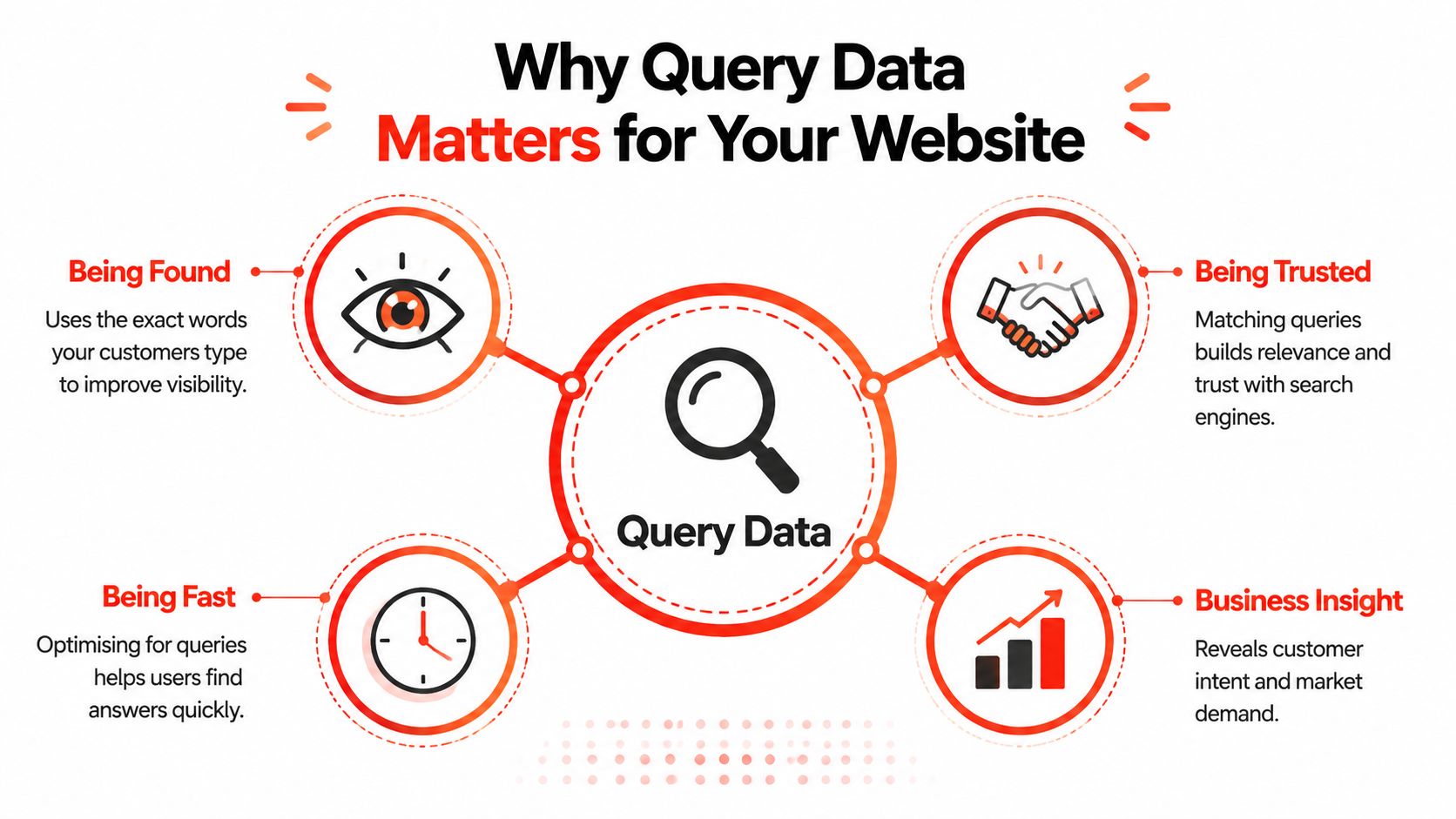
Why Query Data Matters for Your Website
Query data connects the technical side of a website with three everyday business concerns: being found, being trusted and being fast.
Search queries reveal the language customers use. A local roofer might describe their service as “domestic roofing solutions”, while customers search for “roof repair near me”. Those phrases may point to the same business, but they don’t carry the same evidence of customer intent. Search Console data can help the owner choose clearer page titles, headings and descriptions.
Database and API queries affect what happens after someone arrives. Product filters need to return the correct items. Prices should be accurate in pounds. Booking tools should show current availability. When those requests fail, customers don’t blame a database. They leave the website.
URL query strings help a business understand marketing activity. Tracking links can distinguish an email campaign from a social post or paid advert, provided the parameters are set consistently. Without that information, the owner may invest in channels based on assumptions rather than observed visits and enquiries.
A UK search context
The UK’s search market makes local query analysis particularly important. The Competition and Markets Authority reports that Google Search accounted for over 90% of annual query volume in the UK from January 2018 to June 2025 in its assessment of market outcomes. That concentration means UK SEO decisions should be checked against Google-first data, not broad global averages. See the CMA’s market-outcomes analysis for the underlying market context.
A query also expresses intent. It can signal research, comparison, urgency or readiness to buy. YouGov’s report on 2,000 British adults found that 67% still start with a search engine for specific questions, while 21% start with AI, and search engines lead for how-to and troubleshooting queries at 56%. These figures are reported in the YouGov UK web search and AI report.
Read query data as a business signal. It tells you what people ask, what your website returns and where the response needs improvement.
Where to Find Your Own Query Data
You don’t need a developer to begin. The most useful reports are available through familiar tools, although each one answers a different question.
Start with Google Search Console
Open the Performance report and select the Queries tab. You’ll see search terms that produced impressions or clicks for your website. Sort by clicks to find terms already bringing visitors, or by impressions to find searches where your pages appear but may not attract enough attention.
Use filters for United Kingdom and a relevant date range when your customers are UK-based. Look for British spelling, local place names and phrases that reveal intent, such as “emergency boiler repair Nottingham” or “wedding photographer Bath”. Search Console may hide some terms as anonymised queries for privacy reasons, so the visible list won’t represent every search.
Compare search data with analytics
Google Analytics 4 helps you understand what happened after someone arrived. Its Traffic Acquisition reporting can show how visitors reached the site and how different channels contributed to engagement or enquiries. Search terms aren’t always available there in the same way as they are in Search Console, so treat the tools as complementary rather than interchangeable.
For a fuller picture, use a website traffic analysis service to connect acquisition patterns with important actions such as contact-form submissions, calls or purchases.
Inspect your own site search
Internal site search is often an excellent source of intent. A visitor who types “return policy”, “vegan options” or “size guide” has already reached your website and is telling you what they couldn’t immediately find.
Review these searches for repeated gaps. If customers keep searching for delivery information, make that information easier to reach. If they search for a product you sell but can’t find, improve the navigation or create a dedicated page.
Tag campaigns consistently
Tracking parameters such as utm_source and utm_medium identify where a campaign visit came from. Use clear values such as “newsletter” for the source and “email” for the medium, then check that the labels appear consistently in your reports.
Keep personal information out of these links. A campaign label can tell you the channel. It shouldn’t reveal a customer’s email address or order reference.
Handling and Security Considerations You Should Know
Query handling isn’t only a developer concern. You won’t need to repair server code, but you should know which warning signs to raise and which questions to ask.
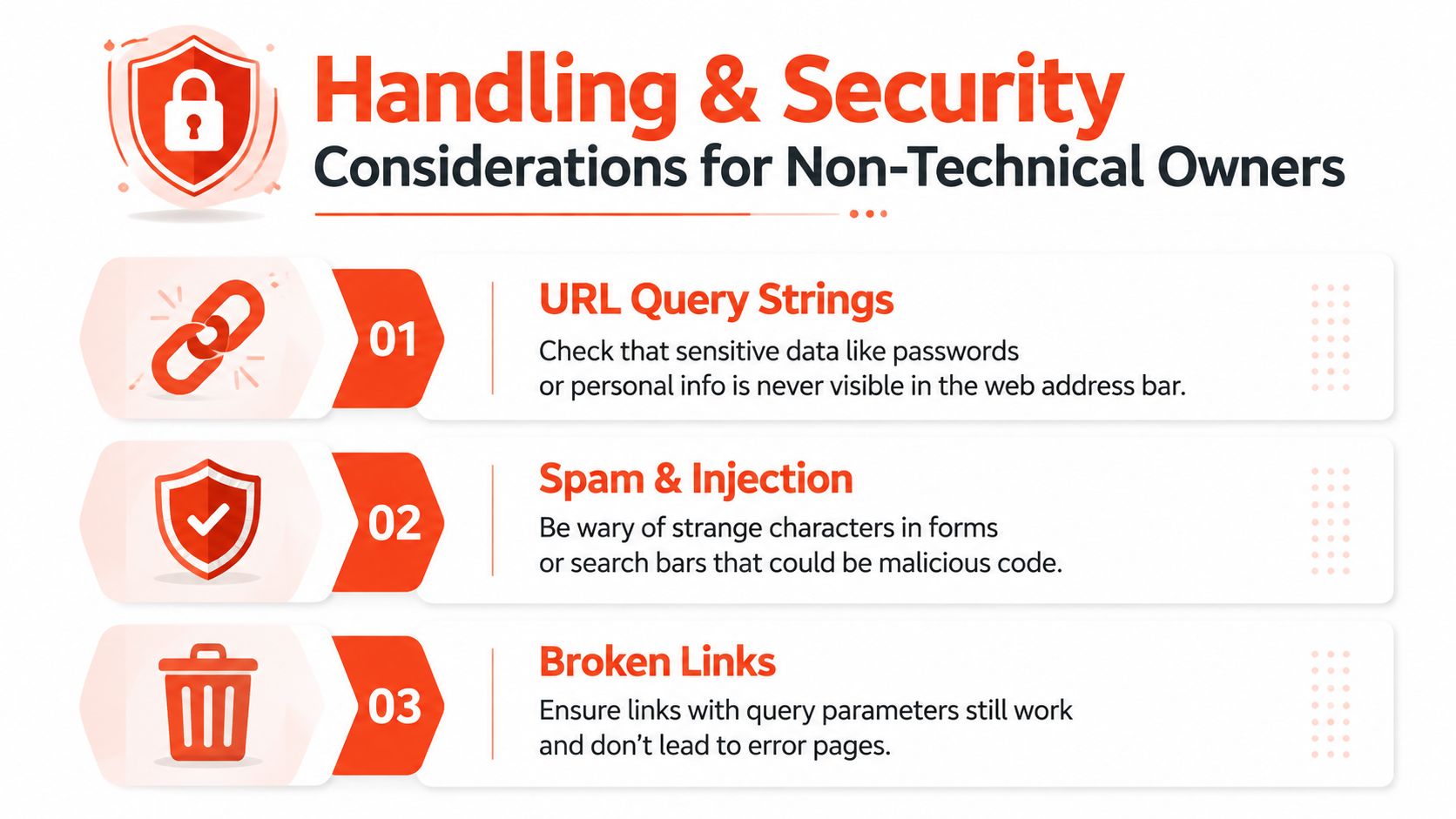
A URL can be copied into an email, browser history, analytics report or support ticket. If a query string contains an email address, customer identifier or order number in plain text, that information may travel further than intended. Tracking links should describe the campaign, not expose private details.
Three practical risks
URL exposure deserves a routine check. Ask whoever creates campaign links to confirm that personal information isn’t placed in the web address.
Spam and malicious input can target internal search boxes and forms. Strange characters, unexpected searches or unusual URL patterns may be harmless noise, but repeated abnormal activity should be reviewed rather than ignored.
Database injection is a technical attack in which a malicious user tries to make an application interpret input as database instructions. Developers should use parameterised handling, which keeps supplied values separate from the database command. You don’t have to implement it, but you can ask whether forms and search functions use safe parameterised queries.
Don’t panic at delayed data
Search Console data isn’t instant. A sudden fall in impressions may reflect reporting delay, a technical issue, seasonality or a genuine change in visibility. Check the date range, compare more than one day and ask for technical help if the pattern persists.
When to Handle Queries Yourself and When to Call a Developer
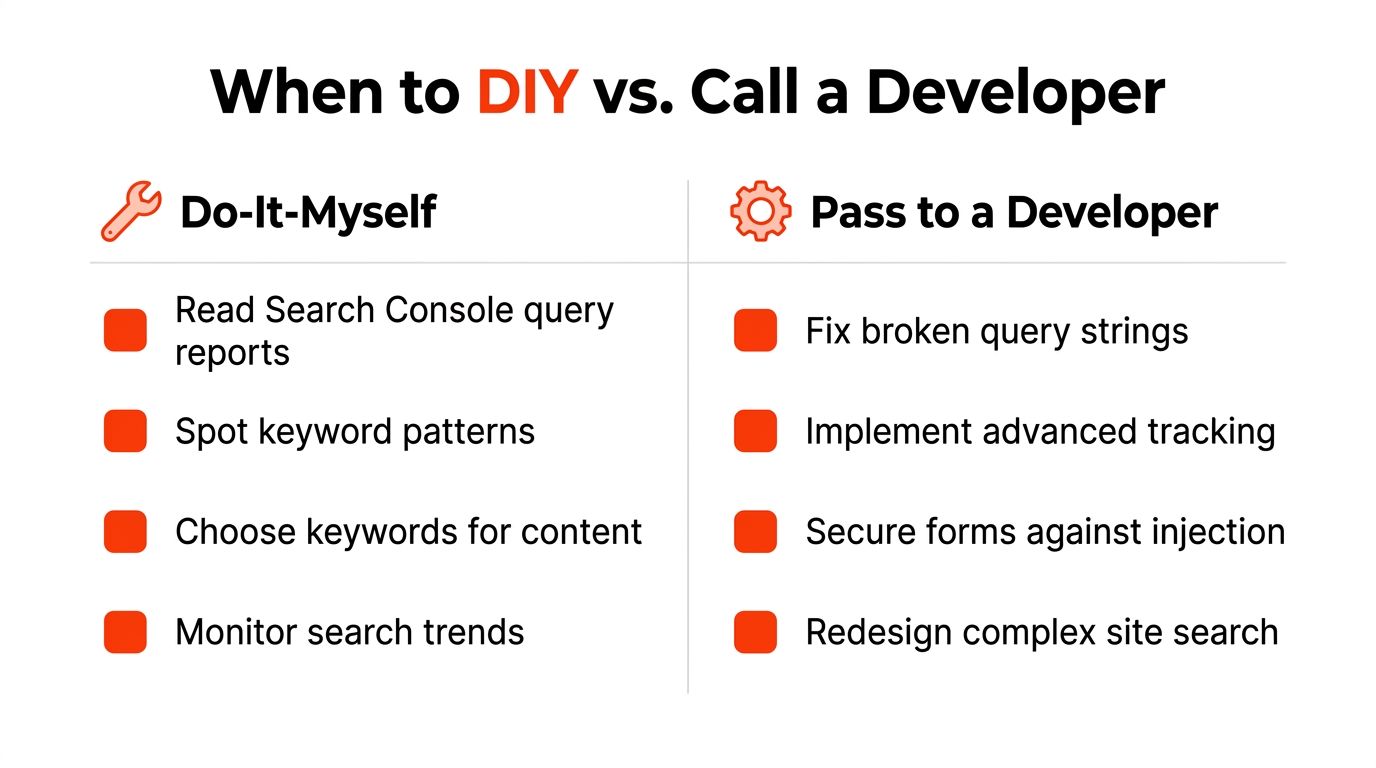
Use a simple dividing line: you can interpret query data, but developers should alter the systems that process it.
You can read Search Console reports, identify recurring phrases, choose topics and improve page titles, headings and helpful content. You can also monitor whether visitors search for information that your navigation hides.
Pass technical faults to a developer when the problem involves code, hosting or server behaviour. That includes broken query strings, redirect loops, API rate-limit problems, custom database queries, server logs and structured-data errors. Security work on forms and search functions belongs in the same box.
A sensible package beats scattered tools
Most small businesses don’t need to purchase and manage every query tool separately. They need a website with sensible tracking, secure forms, reliable hosting and someone who can investigate when a system-level fault appears.
A managed website provider such as 1stNet AI Ltd can combine design, development, domain registration, SSL, hosting, maintenance, SEO-friendly implementation and ongoing support. Its service also includes an interactive live chat system for collaborative website design, so business owners can discuss content and page decisions during the build.
Decision rule: If you’re reading a report, you can probably start yourself. If you’re changing code, server settings or data handling, involve a developer.
Turning Query Awareness Into a Quiet Competitive Edge
A query is a request for information. It appears in a search bar, a database request, a URL parameter or an API conversation. The format changes, but the business question remains familiar: what does the customer need, and does the website return a useful answer?
Owners who pay attention to those questions can improve a website with purpose. They can replace guessed wording with customer language, find missing information, identify broken journeys and give developers clearer instructions. That creates a quiet advantage over competitors who treat their website as a static brochure.
Try three actions this week:
Review Search Console: Look at your top visible queries and note the language customers use.
Improve one page: Answer a real customer question in the page title, headings and body copy.
Book a technical check-up: Ask a developer to investigate any query-related error that keeps returning.
For practical ideas on converting search demand into visits, explore this guide to increasing website traffic.
Launch your website fast with a domain, SSL, hosting & maintenance included. In an hour. The 1stNet.AI website team transforms your online presence with a stunning website, and can help you build a site that handles customer queries clearly and reliably. Call us now at 0204 577 2255, and visit 1stNet AI Ltd to discuss your website; all work comes with a 30-day money-back guarantee, and an interactive live chat system is available to design your website.