You’ve got three maintenance quotes open in separate tabs. One looks cheap, one includes hosting, and the third promises security, edits, reporting and priority support for a fee that feels excessive. The difficult part isn’t finding a package. It’s working out how much protection your website needs.
Monthly website maintenance packages should be treated as risk-right-sized cover, not interchangeable subscriptions. A five-page brochure site, a lead-generation WordPress website and a busy online shop may all need updates, but they don’t carry the same operational or financial risk.
The UK market has moved towards predictable retainers because small businesses need stable budgets for hosting, security, backups, uptime checks, SSL and support. Typical fully managed plans commonly sit around £29 to £99 per month, while broader UK guidance places managed maintenance around £50 to £150 monthly, with e-commerce support often reaching £150 to £400 per month according to this UK website maintenance cost guide.
Website profile
Sensible starting point
Main reason
Small brochure site
Startup or basic managed plan
Core updates, uptime and backups
Lead-generation WordPress site
Pro or standard managed plan
More frequent edits and plugin oversight
WooCommerce shop
Pro or higher
Revenue exposure and larger update surface
Multi-site or security-sensitive platform
Max or specialist managed service
Stronger monitoring, support and recovery controls
Where Most UK Small Businesses Go Wrong on Maintenance
A Bristol-based accountancy firm recently reaches the same point many owners do. Its website works, the contact form is live and nobody has touched the WordPress dashboard for months. Three quotes arrive. One is a cheap freelancer update plan, another bundles maintenance with hosting, and the third comes from an agency offering what appears to be everything.
The prices vary sharply, but the descriptions don’t make comparison easy. “Updates” might mean an automated plugin task. “Support” might mean an email reply when somebody has time. “Security” might mean a certificate renewal, or it might include monitoring, malware checks and recovery planning.
The owner’s instinct is to compare the monthly fee. That’s the wrong starting point. The useful question is, what would happen if this website failed, became compromised or needed urgent changes?
A low-cost update-only plan may be perfectly reasonable for a static brochure site that changes rarely and generates little direct revenue. It becomes a poor decision for a WooCommerce shop carrying customer details, payment integrations and a large plugin stack. At the other end, a high agency retainer can be wasteful for a five-page site that receives a few text edits each year.
Practical rule: Buy cover for the consequences of failure, not for the number of features printed on the proposal.
Under-buying and over-buying are the same mistake. Both ignore the relationship between site complexity, change frequency, revenue dependency and internal capability. A business that chooses solely on price may pay for emergency repairs later, while one that accepts an oversized retainer may fund unused hours and unnecessary process.
Owners who want a clearer view of the work involved can use this guide to managing a website as a practical reference. Before comparing providers, identify the tasks that must happen every month, the tasks that happen occasionally and the tasks that should be quoted separately.
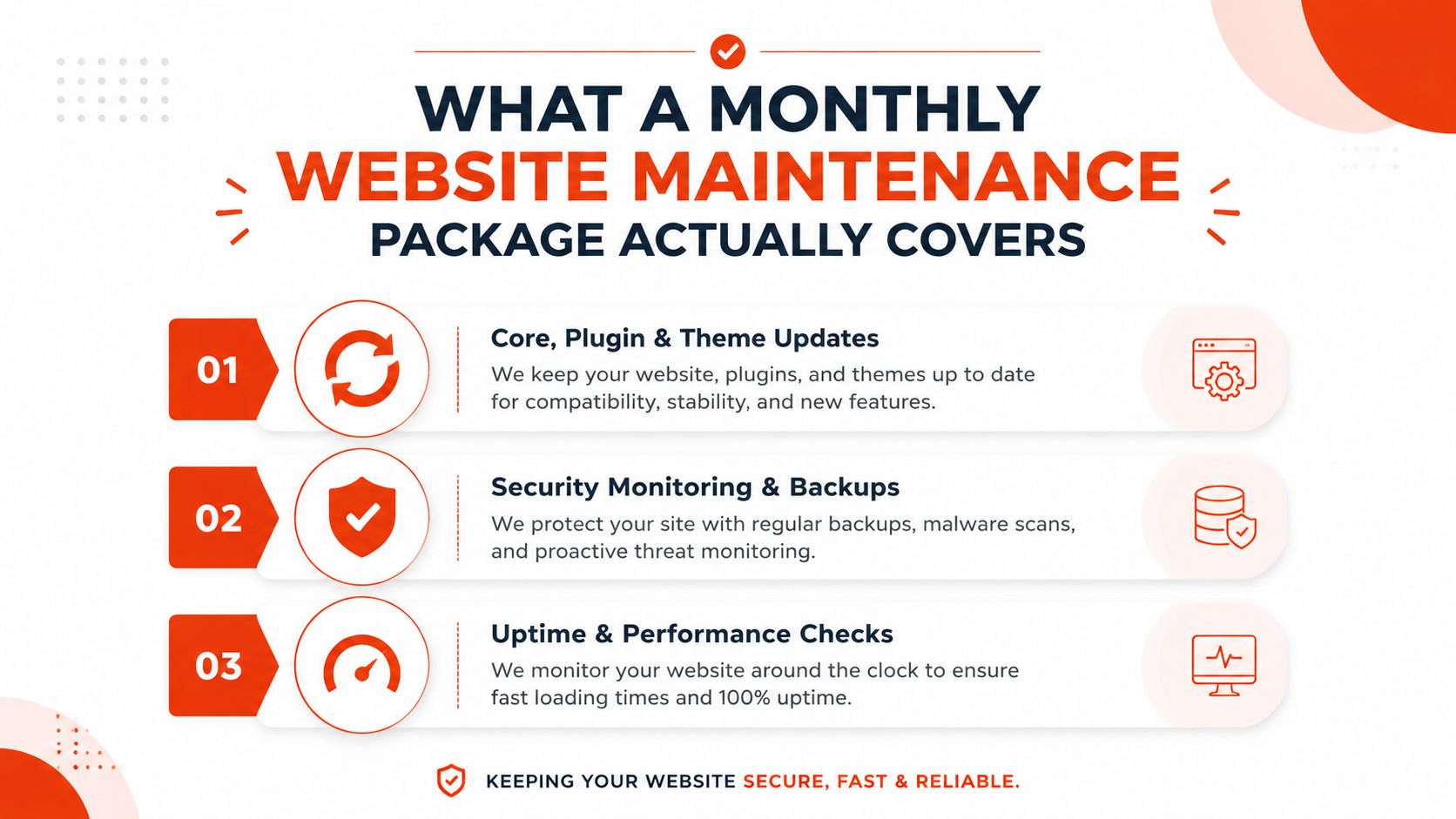
What a Monthly Website Maintenance Package Actually Covers
A credible package should describe operational work in plain English. You should be able to see what gets updated, what gets monitored, how recovery works and how content changes are handled.
The technical baseline normally includes CMS, plugin and theme updates. Updates should be reviewed for compatibility rather than applied blindly, especially where a WordPress site uses WooCommerce, booking tools or custom integrations. The National Cyber Security Centre recommends fixing software vulnerabilities within a reasonable timeframe based on priority, while signing and thoroughly testing updates before deployment, as explained in its secure deployment and maintenance guidance.
Hosting oversight should also be clear. Some providers manage hosting directly, while others coordinate with your host. Either model can work, but you need to know who handles server issues, SSL renewal and escalation when the site stops responding.
How UK Businesses Structure Maintenance Package Pricing
UK providers set maintenance prices based on who handles the work, how many websites they support, whether they include hosting, and how they manage the service. The market commonly separates into several broad bands.
Provider type
Monthly fee band
Typical site profile
What’s usually included
Freelancer update-only retainer
£15 to £60
Small brochure or low-change WordPress site
Basic updates, occasional backups and limited edits
Small agency care plan
£75 to £200
Lead-generation site, blog or growing SME website
Managed updates, monitoring, backups and support
Full managed service
£200 to £500
WooCommerce, membership or business-critical site
Broader security, performance work, recovery and defined support
Enterprise-grade retainer
Above £500
Multi-site, complex integrations or high-risk operation
Formal processes, stronger service management and escalation
The protection layer
Backups should be off-site, automated and supported by restore testing. A backup that has never been restored is only an assumption, not a recovery plan. Ask how long they retain copies, whether they back up the database, and who can authorise a rollback.
Security monitoring should cover suspicious activity, malware detection and firewall management where appropriate. Uptime monitoring should alert the provider when the website becomes unavailable, while performance checks should identify page-speed regressions, oversized assets and broken functionality.
A defined allowance for content edits matters too. Specify whether the package includes text, images, links, product changes or only technical maintenance. New features, redesigns, copywriting, paid advertising and third-party software licences generally sit outside the monthly fee.
Before signing, ask:
Response times: What acknowledgement and resolution targets apply?
Restore objectives: How quickly can the provider recover a working version?
Billable extras: What counts as an edit, development task or emergency charge?
Backup testing: When did you last complete a restore test?
Reporting: Will you receive a clear record of updates, scans and checks?
A package that answers these questions gives you operational clarity. The UK website maintenance service overview is useful for checking whether a provider has included ongoing care rather than selling occasional updates.
The lowest band often depends on automation and limited human intervention. That can be adequate when the website is simple, stable and non-critical. It won’t necessarily provide tested restores, careful staging, detailed reporting or rapid troubleshooting.
Small agency plans cost more because a named team usually carries responsibility for several operational areas. Hosting coordination, security patching, uptime monitoring, and content support all require time, even when no visible changes appear on the website.
Full managed packages rise again when the website handles orders, memberships or sensitive customer journeys. A small-looking shop can still have a substantial plugin surface, payment dependencies and revenue exposure. The design doesn’t determine the risk. The functions do.
Consider a three-page solicitor website. It may need secure hosting, SSL, backups, core updates and occasional text changes. A standard managed plan is likely more appropriate than a large retainer. Compare that with a 200-product Shopify-hybrid store, where catalogue changes, payment connections, stock flows and customer data create a much greater need for controlled updates and monitoring.
Use this UK website maintenance cost breakdown to compare inclusions, but don’t select a tier from price alone. First decide what failure would cost your business, then check whether the provider’s process addresses that risk.
Comparing 1stNet AI Tiers With Typical UK Retainers
A direct comparison helps, but it must distinguish between verified inclusions and assumptions. Typical UK retainers vary considerably, so the table below treats freelancer, agency and managed-service entries as market categories rather than fixed product specifications.
Provider
Monthly price
Hosting
Security and monitoring
Updates and backups
Content edits
Support hours
SLA response
Best for
1stNet AI Startup
Package pricing to confirm
Included
Included monitoring and hardening
Managed updates and backups
Transparent allowance
Defined package allowance
Written SLA
Brochure sites under 10 pages
1stNet AI Pro
Package pricing to confirm
Included
Broader managed cover
Managed updates and backups
Higher transparent allowance
Defined package allowance
Written SLA
WordPress or WooCommerce with weekly edits
1stNet AI Max
Package pricing to confirm
Included
Advanced cover for higher-risk sites
Managed updates and recovery support
Larger transparent allowance
Defined package allowance
Written SLA
Multi-site operations or e-commerce with PCI exposure
Typical UK freelancer retainer
£80 to £150
Sometimes
Often limited or provider-dependent
Updates and basic backups may be included
Usually capped
Usually limited
Contract-dependent
Low-change sites with internal capability
Small agency care plan
£200 to £400
Often available
Monitoring and patching commonly included
Managed updates and backups
Usually capped
Defined by contract
More formal
Growing SMEs and active websites
Large managed services contract
£500+
Usually managed
Broader operational coverage
Formal update and recovery processes
Often separate
Contract-specific
Formal SLA
Complex or business-critical estates
For a brochure website under ten pages, Startup is the sensible default. Paying agency-level pricing for a site that rarely changes doesn’t create proportionate protection. You need reliable updates, backups, hosting oversight, SSL and a clear route to support.
Pro fits a WordPress or WooCommerce website that receives weekly edits. That frequency creates more opportunities for conflicts, broken layouts and performance regressions, so content support and monitoring matter alongside routine patching.
Max is aimed at multi-site operations and e-commerce with PCI exposure. It’s the right direction when downtime affects orders, several properties share an operational workflow or the business needs more structured escalation.
The meaningful differentiators are UK-based support, bundled monitoring under one contract and transparent hourly edit limits. Those details make budgeting easier than a retainer where every small request becomes an overage. 1stNet AI also combines website delivery with domain, SSL, hosting, maintenance and ongoing support, which can reduce handoffs between separate suppliers.
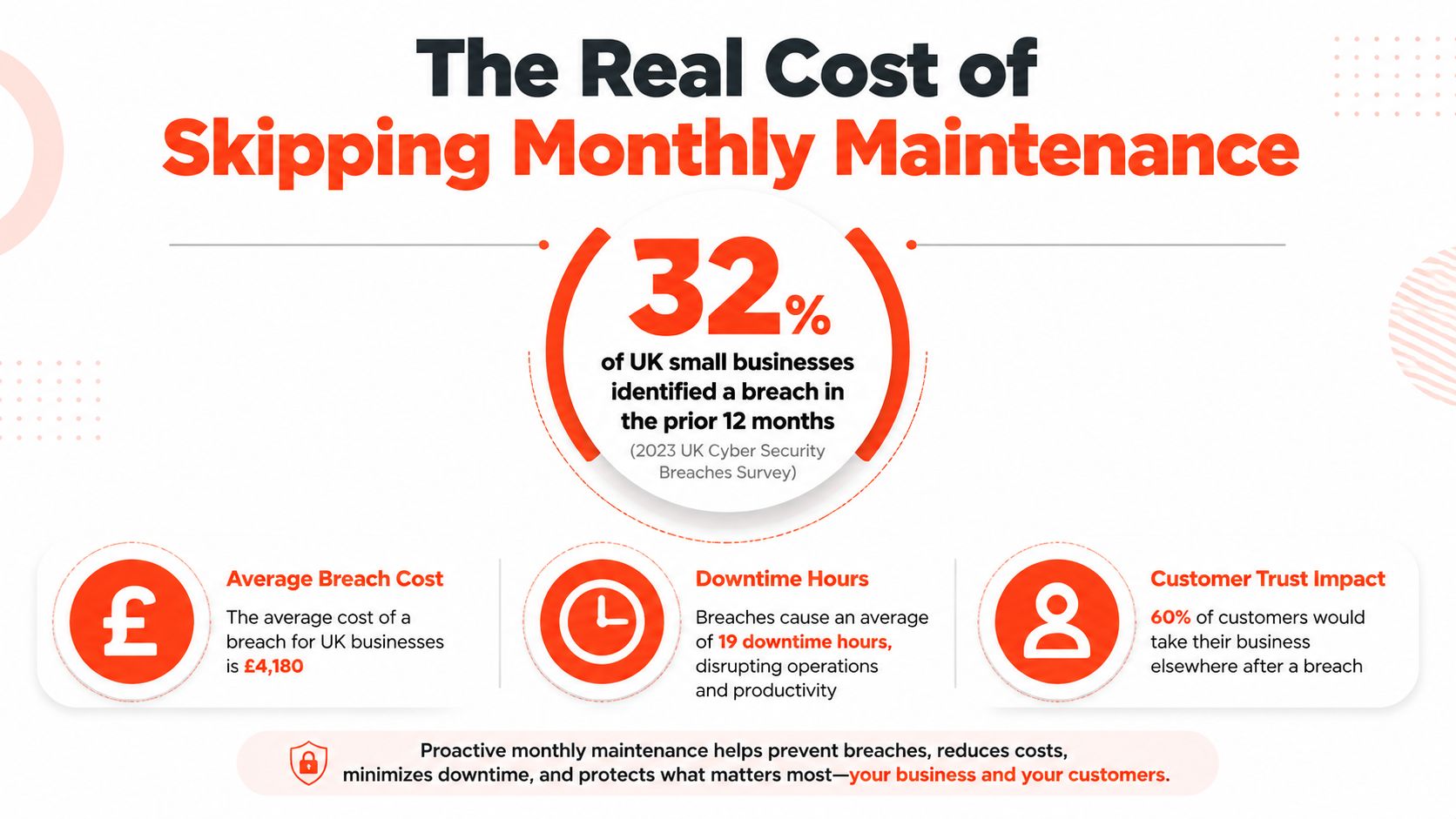
The Cost of Skipping Monthly Maintenance
A plugin update breaks the checkout on a Friday afternoon. The backup has not been tested, the SSL certificate needs attention and nobody knows which supplier should fix it. Customers see a broken website, while your team handles support requests instead of sales.
Skipping maintenance creates technical and commercial exposure. Outdated software, unmanaged certificates and untested backups can turn routine changes into downtime or a security incident. Customers experience the result as an unavailable checkout, a broken page or a contact form that never reaches your team.
UK cybersecurity data makes the risk difficult to dismiss. Amvia’s 2025 report put the average cost of a breach at £6,400, compared with £4,200 in 2024, a 52% increase, according to UK SME cybersecurity reporting from Amvia. The same source reports that 43% of UK businesses experienced a cyber breach or attack in the previous 12 months.
These figures do not mean every website needs an expensive retainer. They show why patching, monitoring, backup checks and security hardening belong in a maintenance plan. A risk-right-sized monthly package can cost less than an emergency recovery exercise and gives you a defined response route before a problem reaches customers.
Performance is part of maintenance
Website health needs regular attention too. UK small-business sites in one dataset recorded an average load time of 0.90 seconds, while 10.5% loaded in more than 2 seconds and the slowest observed site reached 19.22 seconds, as reported in this UK small-business website health research.
Monitor speed after updates, review heavy images and scripts, and investigate regressions before slower performance becomes normal. New plugins, tracking tools and unoptimised content can gradually make a site harder to use, even when each change appears harmless.
A maintenance fee is easier to justify when it prevents a known operational failure rather than merely promising “peace of mind”.
Emergency work also disrupts the business. An urgent repair may require diagnosis, restoration, compatibility checks and customer communication. Even if the invoice remains manageable, your team loses time and confidence. Monthly cover puts that work into a planned routine, with support matched to how often the site changes and how much revenue depends on it.
How to Choose the Right Monthly Maintenance Package
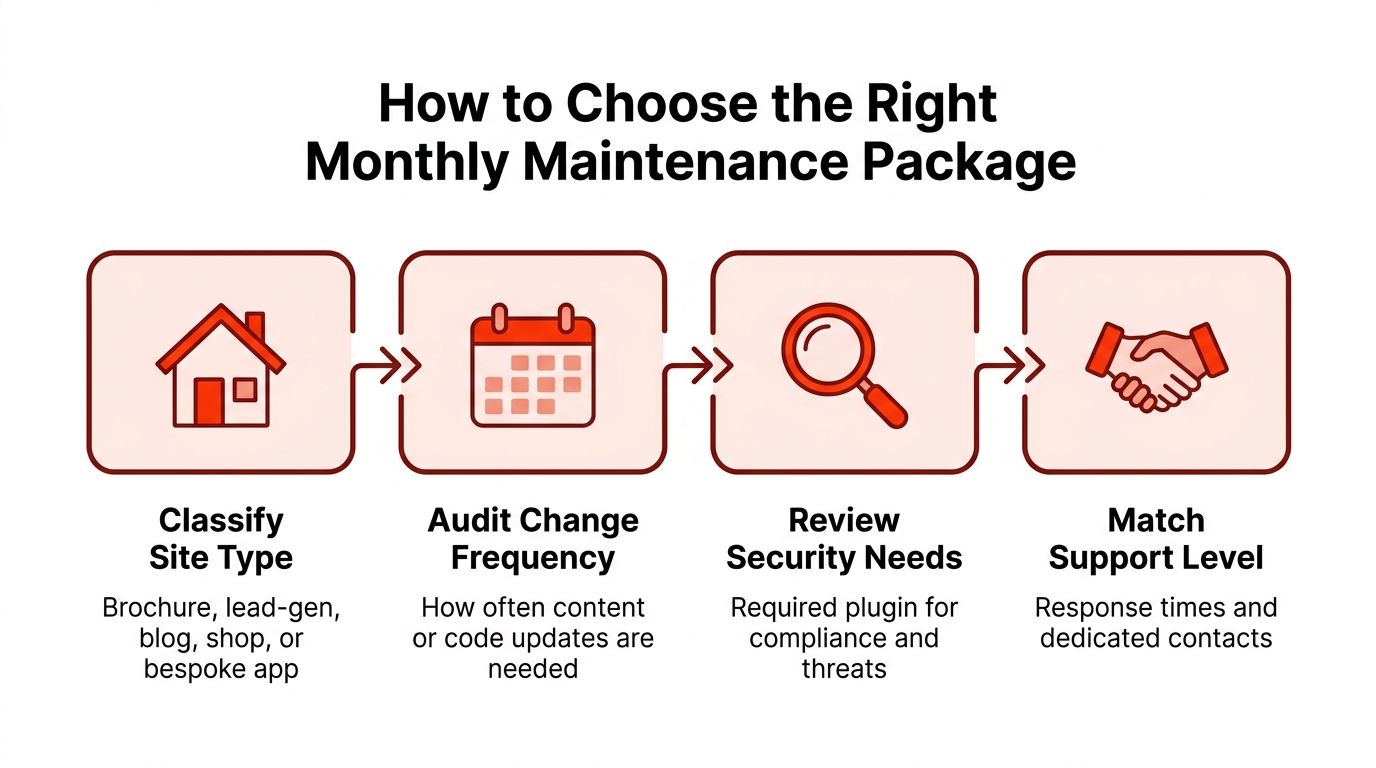
Right-sizing starts with four questions. Don’t begin with the provider’s tier names, because “Pro” means different things from one supplier to another.
Classify the website
Separate the site into one of five practical categories:
Brochure: A small site that explains the business and provides contact details.
Lead generation: A site where forms, calls or bookings drive commercial activity.
WordPress publishing: A blog or content-led website with regular additions.
WooCommerce shop: A store with products, payment journeys and order data.
Bespoke application: A platform with custom code, accounts or complex integrations.
Next, audit change frequency. A site receiving a blog post once every few months has different support needs from one with weekly landing-page edits or daily product changes. Count both content changes and technical changes, including plugin additions, integrations and tracking scripts.
Then score revenue dependency. A website that supports brand credibility can tolerate a different recovery process from one that handles every enquiry or order. Finally, assess internal capability. A marketing team that can safely edit WordPress needs less hands-on content support than a sole trader who relies entirely on the provider.
Site type and operating pattern
Recommended tier
Reason
Brochure site, rare changes, low direct revenue
Startup
Essential protection without excessive edit capacity
Lead-generation site, regular campaign changes
Pro
More support for forms, content and compatibility
WordPress blog, frequent publishing
Pro
Ongoing updates and content workflow
WooCommerce shop, active catalogue
Pro or Max
Greater revenue and integration exposure
Multi-site or security-sensitive e-commerce
Max
Broader monitoring, recovery and escalation needs
Before signing, ask about SLA response times, the definition of an edit, backup retention and exit terms. Confirm who owns the domain, where backups are stored and how access will be transferred if you change provider.
Which 1stNet AI Package Fits Your Business
A sole trader with a WordPress brochure site should start with Startup. The trigger is simple: the site needs core updates, SSL, uptime cover and dependable backups, but it rarely changes. If speed becomes a concern, the site begins receiving more than two minor updates per month or the owner has experienced a security incident, move towards Pro.
A service business with booking forms, regular landing-page changes or a small WooCommerce catalogue belongs on Pro. The site is doing more than presenting information. It supports enquiries, appointments or transactions, so content allowances and compatibility checks have practical value. Move up when the plugin count rises above 40, the catalogue becomes operationally important or edits become too frequent for the included allowance.
An online retailer or membership platform with daily orders, customer data and PCI scope should choose Max. Here, downtime can interrupt revenue and customer access, while security failures create a wider recovery problem. Max becomes more appropriate when several sites need coordinated care, custom integrations require closer oversight or the business can’t accept a slow response to an incident.
The package should also be judged by how the provider works. Relevant differentiators include:
UK-based support: A named contact can be more useful than an anonymous ticket queue.
Fixed monthly pricing: Clear allowances reduce uncertainty around routine requests.
Written SLAs: Response and fix expectations should be visible before an incident.
Daily off-site backups: Confirm the stated 30-day retention and ask whether restores are tested.
Separate security patching: Security work should not disappear inside a hosting-only promise.
Interactive communication: A live chat workflow can help owners make design decisions during a build.
1stNet AI offers Startup, Pro and Max tiers alongside website design, domain registration, SSL, hosting, maintenance and support. Its stated launch proposition is fast, with a website capable of going live within 24 hours, and its work carries a 30-day money-back guarantee. It also promotes an interactive live chat system for website design.
The practical next step is a 20-minute scoping call. Share your website URL, explain how often the site changes and provide available traffic or revenue context. Ask for a written recommendation that states the tier, included work, response expectations and any exclusions.
Common Questions UK Buyers Ask About Maintenance Packages
Is monthly maintenance tax-deductible?
Maintenance is generally treated as a business operating cost when it’s incurred wholly and exclusively for business purposes, but the correct treatment depends on your business structure and circumstances. Ask your accountant to confirm the position and keep the invoice, agreement and payment record with your business accounts.
What happens if the site goes down outside SLA hours?
The contract should state whether monitoring continues outside office hours and whether urgent incidents receive an out-of-hours response. Don’t accept “priority support” without written timings. Ask whether a four-hour response window applies continuously or only during working hours, and what happens when the incident falls outside it.
Are content edits included?
Some packages include a defined allowance for text, image, link or product edits. Others cover technical upkeep only. Ask what counts as one edit, whether unused time rolls over and when a request becomes billable development. Get the answer in writing before you rely on the allowance for campaigns or launches.
How long does onboarding take?
Onboarding should cover access, backups, monitoring, hosting details and a baseline health check. A straightforward site may be ready within a seven-day onboarding target, but complex integrations can require more planning. 1stNet AI can scope the existing website first, so you’ll know whether the current host needs to change.
What evidence proves work was completed?
Request a monthly report showing updates applied, backups completed, security checks, uptime events and performance observations. The report should identify outstanding issues rather than presenting a vague “all clear”. If restore testing is included, ask for the date and result, not just confirmation that backups exist.
Can I switch providers without losing access?
You should retain control of your domain, hosting account, administrator access and backup exports. Check the exit clause for notice periods, transfer fees and the format of any handover. Before signing, confirm that the new provider can receive the site and backups without making you rebuild the website.
1stNet AI Ltd provides UK website design, hosting, SSL, security updates, monitoring and ongoing maintenance through Startup, Pro and Max plans. Visit 1stNet AI Ltd to request a 20-minute scoping call, share your website details and receive a written recommendation for the level of cover your business needs.