

You’ve got a site that’s live, getting enquiries, and becoming one of the most important parts of the business. The problem is that the work never really ended at launch. Pages get stale, plugins drift out of date, forms break, search visibility slips, and the site starts to feel less like an asset and more like something you have to babysit when it misbehaves.
In the UK, that shift is no longer optional. The government’s 2025 Small Business Survey reported that 99% of SMEs had a website or some form of online presence, and 67% of SMEs used digital tools to market their business, which means website management now sits inside day-to-day operations, not around the edges of them (Lucky Orange summary of the UK survey). If your site handles leads, sales, bookings, or customer data, then managing a website means protecting revenue continuity, not just keeping pages online.
Table of Contents
- What Managing a Website Actually Means in 2026
- A Realistic Maintenance Schedule for a Small Site
- Backups, SSL and Security Hardening Without the Jargon
- Performance Monitoring You Can Actually Use
- On-Page SEO, Content Updates and AI-Search Visibility
- Analytics, Conversion Tracking and the Few Numbers That Matter
- Hosting, Edit Requests and Keeping the Site Lean to Run
What Managing a Website Actually Means in 2026
You know the moment. The site is live, the logo looks right, and the first few enquiries come through. Then the work begins, someone wants a new service page, a plugin update breaks a layout on mobile, the contact form stops sending emails, or a checkout page feels slow on a weekend when nobody’s watching. That’s the point where a website stops being a launch project and starts behaving like a business system.
For a UK small business, website management now includes the boring things that keep revenue and trust intact. That means hosting, SSL, updates, content changes, search visibility, analytics, accessibility, and the customer-facing details that prove the business is real and contactable. The UK’s online environment makes that unavoidable, because 26% of all UK retail sales were online in 2024, and 92% of UK adults were online, so most sites are serving a broad, always-on audience (ONS retail sales context, Ofcom Online Nation 2024 context).
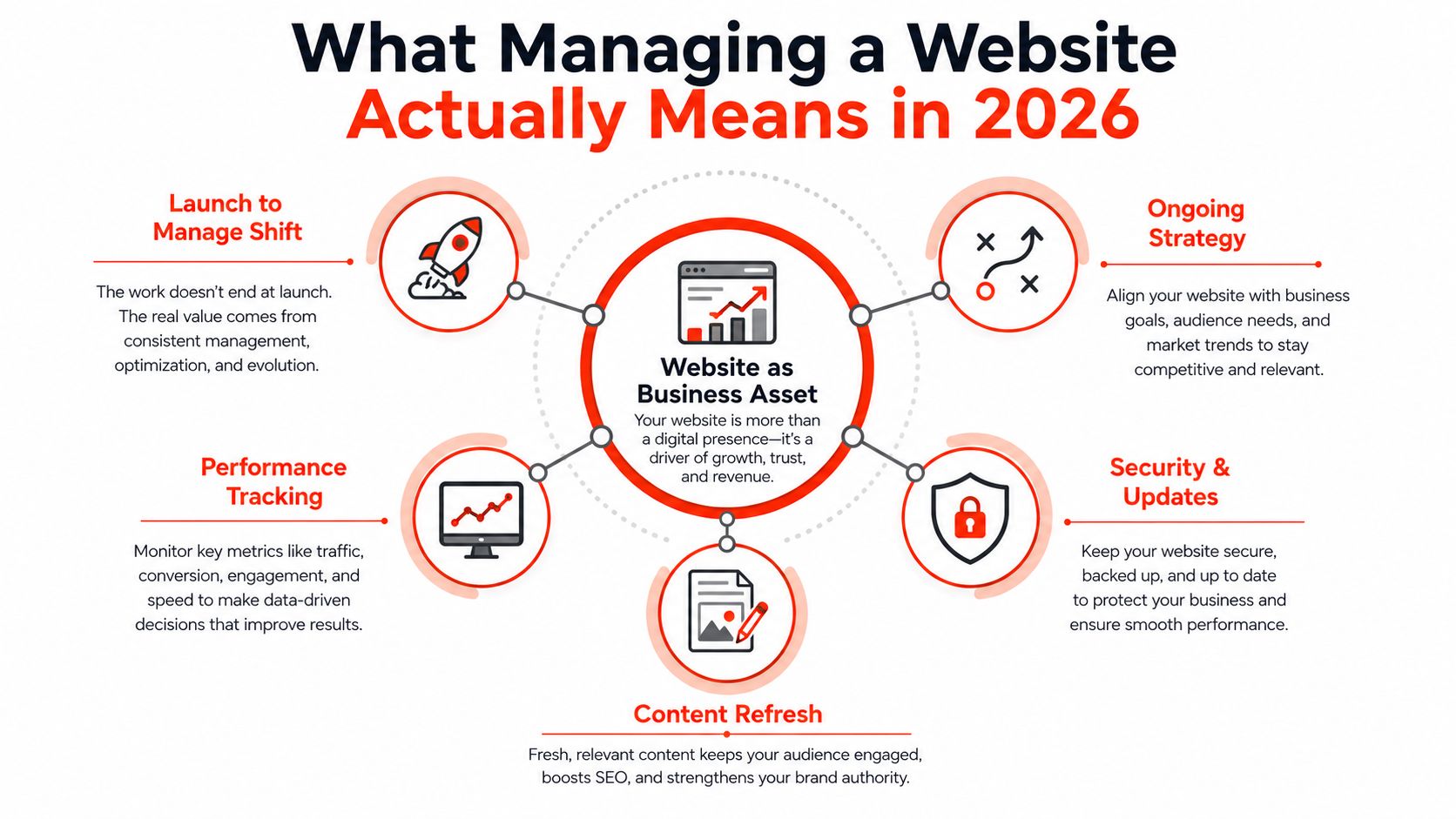
The site is now a working asset
A brochure site can sit still for months. A lead-generating or e-commerce site can’t. Each page needs to earn its place through clarity, speed, search visibility, and conversion. The operational question isn’t “is the website up?”, it’s “is the website still doing its job this week?”
Practical rule: if a page affects leads, sales, or trust, it has to be maintained like any other business process.
That’s where most generic advice falls short. It treats management as a checklist you complete once, then forget. In practice, the work is recurring, and the cadence matters more than the tool stack. Pages, forms, tracking, policies, and performance all need light but regular attention because neglect doesn’t usually produce one big failure. It produces a few leaks.
For UK owners, this is also a budgeting issue. Website management isn’t just time; it’s an ongoing spend on support, updates, content work, and performance checks. If the site is central to enquiries or orders, then the cost of leaving it untouched is usually higher than the cost of keeping it in shape.
A Realistic Maintenance Schedule for a Small Site
A small site does not need a huge operations calendar, but it does need a steady rhythm. The simplest way to keep it healthy is to split the work into weekly, monthly, quarterly, and annual tasks, then put each one with a person who can do it. If everything is handled ad hoc, updates drift, pages go stale, and nobody is clear on who owns the next fix.
| Cadence | Owner | Core tasks |
|---|---|---|
| Weekly | Site owner or marketer | Check forms, scan for obvious page errors, review new enquiries, confirm key pages still load properly |
| Monthly | Owner with developer support if needed | Update plugins or themes, review content freshness, check broken links, confirm backups and security alerts |
| Quarterly | Owner and SEO or developer support | Review top pages, update metadata, check internal links, inspect schema, assess page speed and conversion drop-offs |
| Annually | Owner, with specialist help where needed | Review offers, legal pages, analytics setup, hosting plan, and whether the site structure still matches the business |
A simple workflow works well for most UK SMEs. Set aside 30 minutes a week for user-facing checks, then use a monthly block for the technical jobs that should not be left longer. The quarterly review is where deeper changes happen, because that is when you compare content with what is generating leads and decide what needs rewriting.
The actual technical audit is easier than it sounds. A practical operating model is to run a quarterly technical audit and work through the backlog over the following quarter, which suits small teams that do not have a dedicated analyst or webmaster (UXCam website analysis guide). That same cadence works for top-page updates too, because the pages that bring in enquiries usually need the closest attention.
Keep the annual review separate from routine maintenance. That is the point where you decide whether the service pages still match what you sell, whether the site hierarchy still makes sense, and whether hosting or support arrangements still fit the business. A lot of sites run into trouble because nobody revisits those bigger decisions.
If you want a managed structure rather than piecing this together yourself, the maintenance offer described at 1stNet AI’s website maintenance services shows the kind of bundled setup many small firms now prefer.
A site that is maintained monthly stays cheaper to fix than one that is rescued yearly.
That is the part many guides understate. Nielsen Norman Group’s guidance puts annual maintenance at roughly the same level as the initial build cost, with 50% as an absolute minimum (NNG web management advice). For a UK small business, that does not mean every site costs the same. It means ongoing care is a real operating expense, not an afterthought.
Backups, SSL and Security Hardening Without the Jargon
Security is the area most non-technical owners avoid until something breaks. That’s understandable, because the language is cluttered with jargon and worst-case warnings. In practice, the routine is straightforward. You need backups you can restore, SSL that doesn’t lapse, software that stays patched, and access control that keeps the wrong people out.
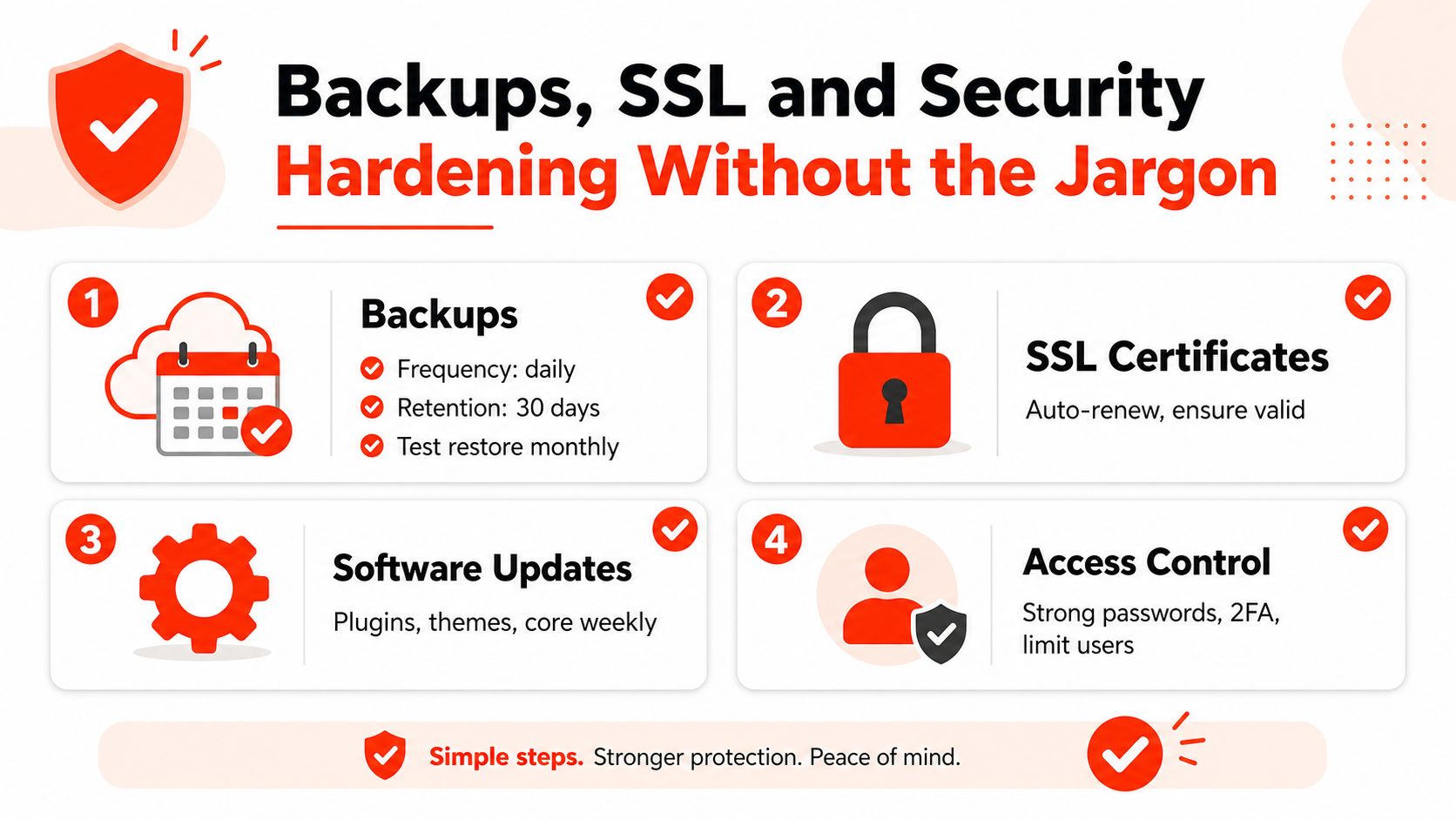
Build security as layers
Backups should not be “we think the host does them”. You want a named backup routine, a retention window, and a restore test. If a backup can’t be restored quickly, it’s not protection; it’s a comforting email. The person managing the site should know where the backup lives, how often it runs, and how to request a restore without scrambling.
SSL should be boring. It should renew automatically, stay valid, and be checked after any major hosting change or domain update. If visitors see browser warnings, trust drops immediately. On the compliance side, the UK’s Electronic Commerce regulations require online service providers to provide clear business information, including a geographical address, an email address, and details that enable direct communication, plus easy access to terms and conditions (UK content and contact guidance). That makes trust signals part of site management, not decorative footer content.
What to hand to a developer
A small business can usually own the policy and access questions, while a developer or managed provider owns the technical hardening. The useful checklist is simple:
- Backups: confirm they run automatically, are retained long enough to be useful, and can be restored on request.
- SSL: make sure renewals are automatic and the certificate matches the live site after changes.
- Updates: keep core software, plugins, and themes current, especially on WordPress builds.
- Access control: remove old editors, use strong passwords, and limit admin rights to people who need them.
If a provider can’t explain those four points clearly, that’s a warning sign.
The non-technical owner’s job is to ask for evidence, not to become the engineer. Ask when the last restore test happened, who has admin access, and whether updates are applied on a schedule or only after something breaks. That’s usually enough to expose weak practice.
Performance Monitoring You Can Actually Use
A slow site is rarely “just a technical issue”. It affects enquiries, sales, and how trustworthy the business feels on a phone. The useful shift is to treat performance as part of day-to-day site management, not as a one-time audit after launch.

Set a target that the team can defend
For a UK business site, a sensible headline benchmark is Largest Contentful Paint under 2.5 seconds (NitroPack performance guide). That matters because LCP reflects how quickly the main visible content loads. Alongside that, track INP for responsiveness and CLS for layout stability, because a page that jumps around or reacts sluggishly feels broken even when the speed test looks fine.
The practical mistake is relying on one test and calling it done. PageSpeed Insights is useful for synthetic testing, but it will not show every issue caused by real devices, variable network conditions, or script bloat after deployment. The better habit is to set a performance budget, test the pages that matter most, and then watch field data over a rolling monitoring window, since aggregated Core Web Vitals data is best read over time rather than from a single run.
Turn performance into a release check
Use this sequence before and after changes:
- Test the main landing pages in PageSpeed Insights.
- Compare lab scores with RUM from real visitors.
- Block releases that push LCP, INP, or CLS outside your target.
- Recheck after deployment, especially on mobile.
Performance problems often show up first on your highest-intent pages, not your homepage.
That is why the checkout, enquiry, and service pages deserve priority. If those pages slow down, the business pays for it immediately. A well-managed workflow catches regressions early, when they are still cheap to fix, and avoids the familiar pattern where a site feels “a bit off” for weeks before anyone investigates.
On-Page SEO, Content Updates and AI-Search Visibility
Search work gets messy when people treat it as a separate discipline from website maintenance. In reality, content freshness, metadata, linking, and page structure are part of the same upkeep loop. If the site is supposed to bring in local enquiries, those pieces need quarterly attention, not a one-off optimisation pass.
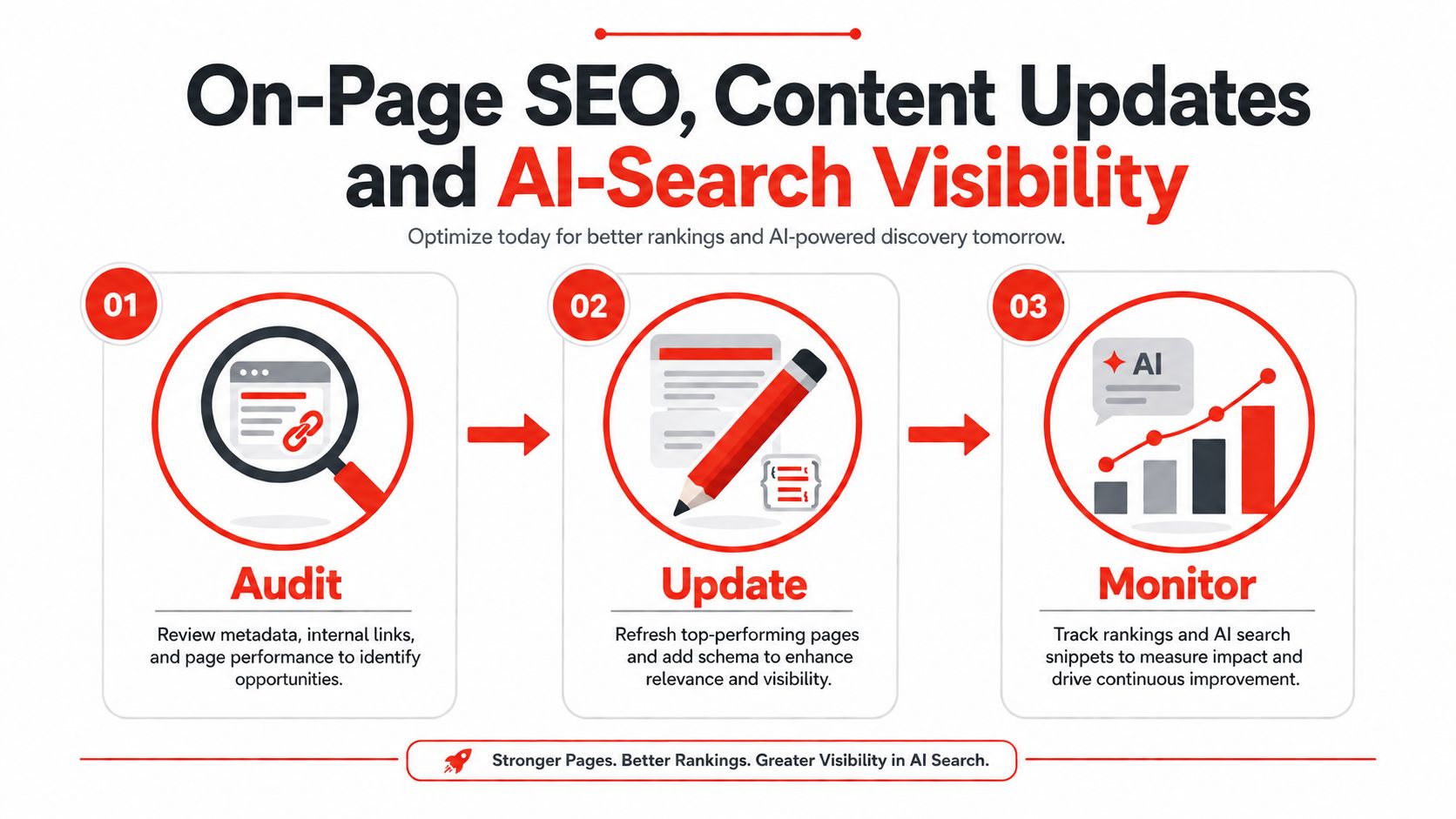
Refresh what already works
Start with the pages that already earn traffic or leads. Update page titles, meta descriptions, headers, and internal links before you create anything new. If a service page is ranking but under-converting, improve the offer language, add clearer calls to action, and make the page easier to scan.
Structured data belongs in the maintenance cycle, too. Google’s structured data options for blogs and content systems help search engines understand article-type pages, but duplicated schema can cause problems, so it should be checked rather than blindly activated (HubSpot blog settings documentation). That’s a good example of why management is not the same as creation. A setting that helps one template can hurt another.
Manage for local discovery and machine readability
For small UK firms, local SEO still matters because much discovery starts with a map result, a branded search, or a service page that confirms the business serves a specific area. The quarterly pass should include Google Business Profile consistency, service-area wording, and internal homepage links to the pages that matter most. The same review should check whether the site’s page structure is clear enough for search systems and AI tools to read properly.
That AI angle is the part many generic guides miss. If you want a practical example of how a small business can think about visibility across search formats, 1stNet AI’s AI-search visibility guidance is one way to frame the work. The broader point is simple. Pages, FAQs, and service descriptions should be written so they answer real questions cleanly, because machine-readable content is usually clearer for people, too.
Keep the page useful enough that an answer engine could quote it, and clear enough that a customer doesn’t need to.
Analytics, Conversion Tracking and the Few Numbers That Matter
A small site does not need a wall of charts to stay under control. It needs a short set of numbers that shows whether visits are turning into enquiries, calls, or sales, and whether the site is making money or just collecting traffic. If a metric does not change a decision, it is noise.
Track the actions that pay you back
The basic setup is plain enough: an analytics tag, search console, and one clear way to measure leads, whether that is a form submit, a click-to-call event, or checkout completion. Once that is in place, focus on the actions that support the business:
- Form submissions: because they usually show direct lead intent.
- Phone clicks: especially for local services where a call closes work faster than email.
- Checkout steps: because drop-off at the wrong stage can point to a broken flow or a weak offer.
- Key page exits: because they show where people leave before converting.
The aim is not to count everything. It is to see which pages drive revenue and where the funnel leaks.
For smaller UK businesses, that usually means tying the numbers back to how the site is managed month to month and to the cost of keeping it live. A site that needs constant paid fixes, unclear reporting, or manual checking in several systems is not cheap just because the hosting bill looks low. A clearer setup, such as the approach described in 1stNet AI’s small business hosting guidance, gives you one place to review the site, the tracking, and the upkeep.
Pair numbers with behaviour
Analytics shows outcomes. Behavioural monitoring shows where people get stuck.
Session replays on priority pages fill in the gaps that standard reports do not explain on their own. They show hesitation, rage-clicking, and form abandonment, which is useful when a page has traffic but the enquiries are not following. Pair the quarterly technical audit with ongoing behavioural checks so you notice a broken field or interaction before it has a chance to sit there for weeks.
That matters most on the two or three pages that drive the business. If a service page starts attracting more visits but fewer enquiries, the answer is usually on the page itself, not in broad dashboard theory. Check the funnel, inspect the forms, and fix the friction point. Small sites get better results from a narrow, disciplined measurement plan than from trying to look elaborate.
Hosting, Edit Requests and Keeping the Site Lean to Run
The easiest site to manage is usually the one with fewer moving parts. A lean stack means fewer plugin conflicts, fewer update surprises, and fewer people with the power to break something by accident. That’s not minimalism for its own sake; it’s a way to keep operating costs and support time predictable.
Choose the stack like a long-term operator
Hosting, SSL, and maintenance should be reviewed together, not as separate purchases made at different times. If renewals are spread across multiple vendors, you end up with avoidable fire drills. If they’re bundled, the business gets one place to check status, one point of support, and fewer handoffs when something goes wrong. That’s why managed website services often work better for non-technical owners than piecemeal arrangements, especially when the site needs both uptime and regular content care. A bundled hosting approach such as the one described in 1stNet AI’s small business hosting guidance fits that logic.
usually save more money than they cost. That’s the operating logic behind good website management.
Keep edit requests under control
Ad hoc edit requests are where good sites get messy. A staff member wants a banner changed, a customer spots a typo, someone forwards a request in WhatsApp, and suddenly nobody knows what’s been approved. Use a lightweight workflow instead, one inbox or form, one reviewer, one person who publishes changes.
Keep legal content visible, too. The site should present the business identity, contact details, and terms in a way that’s easy to find, as these are trust signals and part of the operating standards for UK sites. The Consumer Rights Act 2015 gives consumers a 30-day short-term right to reject faulty goods, and site guidance also recommends including guarantees, payment terms, complaint procedures, governing law, and dispute resolution information (Liquid Web content checklist). That kind of content isn’t a launch-only task. It belongs in ongoing management, alongside reviews of hosting, editor access, and the number of plugins the site really needs.
A simpler stack, fewer editors, and a clear request process usually save more money than they cost. That’s the operating logic behind good website management.
If you want a website that stays fast, maintainable, and easy to manage, choose 1stNet AI Ltd. We design, host, secure, and maintain your website while providing ongoing support through one managed service. Our all-in-one approach helps UK businesses avoid juggling multiple suppliers and keeps their websites running smoothly. Visit 1stNet AI Ltd to see how our managed website service works.