54.7% of UK web traffic comes from mobile devices, so on-page SEO is the practice of optimising individual web pages to rank higher and earn more relevant traffic from search engines. Off-page SEO covers what happens away from your site, like links and mentions, but the page itself is where most UK small businesses can make the fastest, most controllable improvements.
If you’ve ever felt stuck trying to “be on Google” without knowing where to start, you’re not alone. The good news is that the page in front of you, your homepage, service pages, and key blog posts, already contain most of the levers that matter: the words, structure, speed, and clarity that help people decide whether to call, book, or buy.
Many UK business owners reach the same point. They know they need visibility, they know competitors are showing up on Google, but they don’t know whether the problem is their website copy, their pages, or something “technical” they can’t see. On-page SEO is the part you can control, and that makes it the best place to start.
For a local plumber, solicitor, salon, or consultant, the page itself has to do a lot of work. It has to explain what you do, signal where you work, and reassure a visitor quickly enough that they stay on the page. Search engines read those signals, too, which is why a page that looks clear to a customer often performs better in search results.
The click distribution makes that worth taking seriously. The top three organic Google results capture 68.7% of all clicksin AIOSEO’s UK SEO statistics, so the difference between a muddled page and a well-structured one isn’t cosmetic; it can change how many people even see your business.
Practical rule: if a page doesn’t explain itself in seconds, it’s usually underperforming for both visitors and search engines.
That’s why on-page work is more than “adding keywords”. It’s the page-level job of proving relevance, building trust, and making it easy for someone to act. For small and growing UK firms, especially those relying on local search leads, that’s often where significant commercial upside lies.
Understanding On-Page SEO: The Simple Way
Think of your website like a shop. On-page SEO is the part where you arrange the window display, label the aisles, and make sure the products are easy to understand. Off-page SEO is the equivalent of flyers, local press, and word of mouth that bring people to the door in the first place.
A clear title tag is your shop sign. Headings are the aisle labels. The content on the shelves is the display, and it needs to answer the customer’s question without making them hunt for basic details. That’s why a service page that clearly states what it offers usually beats one that buries the point in vague marketing language.
Many people often misunderstand this point. They assume SEO means tricking Google, but the better approach is to make each page obviously useful to a real person. If a visitor lands on your “boiler repair in Leeds” page and can’t quickly confirm the service, location, and next step, Google won’t be the only one losing interest.
A separate guide on SEO copywriting for small business pages is useful here, because the writing itself is part of the optimisation. Search engines don’t just look for a keyword; they look for a page that feels complete, readable, and suited to the query.
A page that reads like a helpful answer is easier to rank than a page that reads like a brochure.
The simple test is this. If a stranger opened the page and asked, “What is this about, who is it for, and what should I do next?”, your page should answer all three without effort. If it can’t, the on-page basics need work.
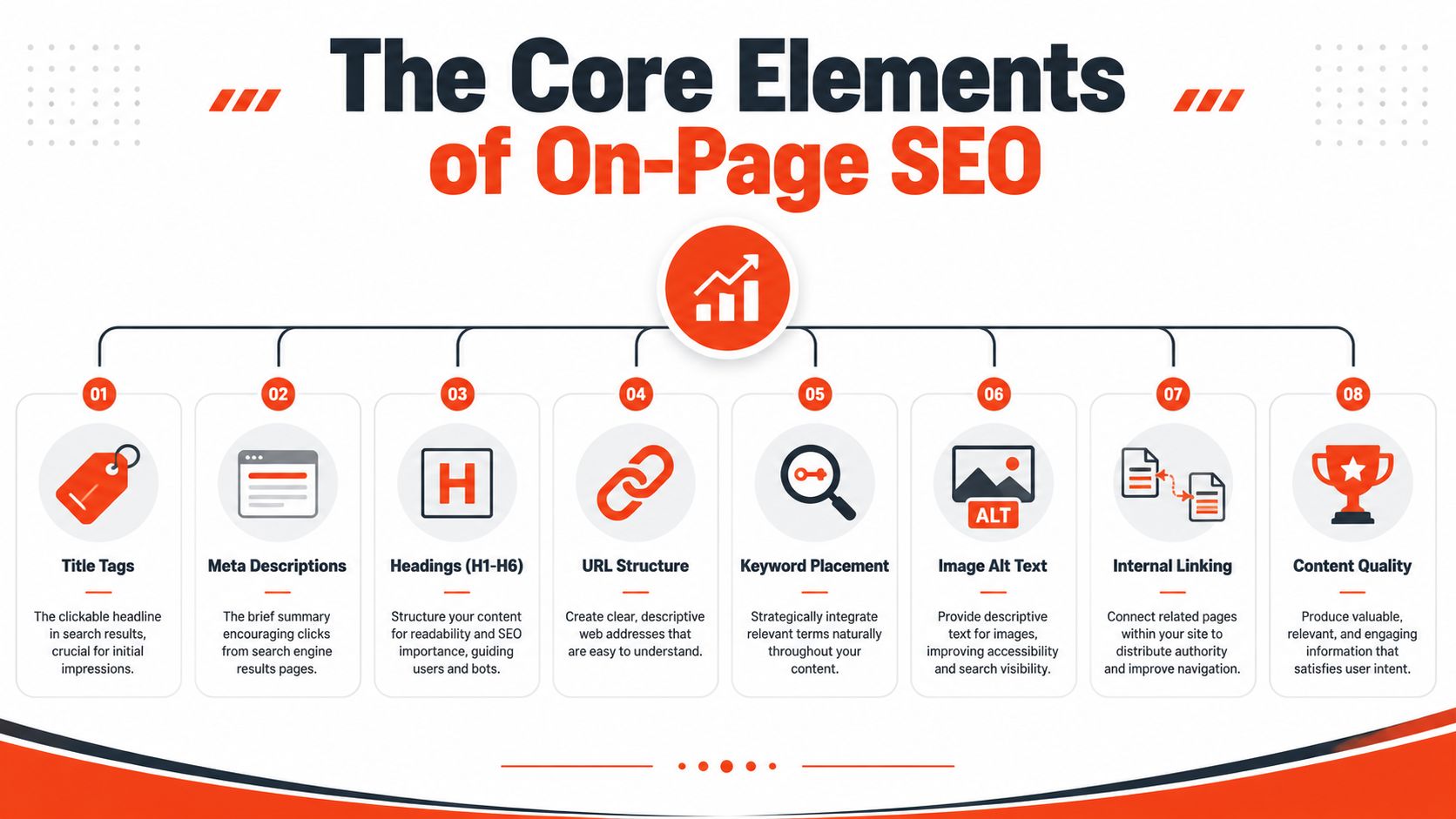
The Core Elements of On-Page SEO
A page works best when it reads clearly to both people and search systems. A customer wants a quick answer, and Google wants enough context to understand what the page does. If those two things line up, the page has a better chance of bringing in the right enquiries.
For a UK small business, that means treating on-page SEO like a set of practical business choices, not a technical puzzle. A service page should help someone decide whether to call, book, or ask for a quote. That is also why SEO-friendly web design matters, because the layout, headings, and content all shape how easily a visitor can trust what they see.
Title Tags
The title tag is the clickable line in search results. It should tell people what the page covers without forcing them to guess, and it should be specific enough that the right buyer recognises it straight away. For a small business, that often means naming the service and, where it helps, the location.
A weak title feels vague, like “Home” or “Services”. A stronger one works like a clear shop sign, such as “Emergency Boiler Repair in Manchester”. The aim is not to stuff in every keyword. It is to help the right person spot the page fast.
UK guidance recommends keeping title tags under 60 characters and meta descriptions under 160 characters to reduce the likelihood of being cut off in search results. Bizgrow Digital’s UK on-page SEO tactics. That is a useful habit, especially on mobile, where there is less space to work with.
Meta Descriptions
Meta descriptions do not usually decide rankings, but they can help a page win the click. They work like the short line on a leaflet under the headline. They should confirm the page’s value, use plain language, and make the next step obvious.
A good description reads like a promise a business can keep. If the page is about kitchen fitting, the description should say what makes it useful, such as pricing guidance, service areas, or what happens when someone enquires. Keep it natural. Keyword stuffing reads badly to people and to search tools.
Heading Structure
Headings are the signposts inside the page. One H1 should set the main topic, then H2S and H3S should divide the page into clear sections. That helps visitors skim on mobile, and it helps search systems understand how the content is organised.
If a heading could stand on its own as a section label in a brochure, it is probably clearer than something vague like “Our Approach”. A better heading says exactly what the section covers, such as “How Our Fencing Service Works” or “What’s Included in a Kitchen Quote”. Clear headings also make it easier for AI-driven search tools to pull the right answer from the page, as they can more easily identify the page’s topic boundaries.
Content Quality
Content quality is where on-page SEO stops being a checklist and becomes a trust signal. UK guidance now places greater weight on first-hand experience, with pages using images, videos, screenshots, and other evidence of expertise to demonstrate real-world knowledge in SEOWorks’ on-page SEO guide. That matters for trades, services, and local businesses, because buyers often want evidence, not just claims.
Rule of thumb: write for a customer who is comparing you with three other businesses and wants the clearest reason to trust you.
AI-driven search rewards pages that are easy to quote, well structured, and written in natural language, and short paragraphs help. Clear answers help. Proof of experience helps too. For a UK small business, that means answering the question quickly, then adding the details that show you can do the work properly.
Technical SEO Your Customers Can Feel
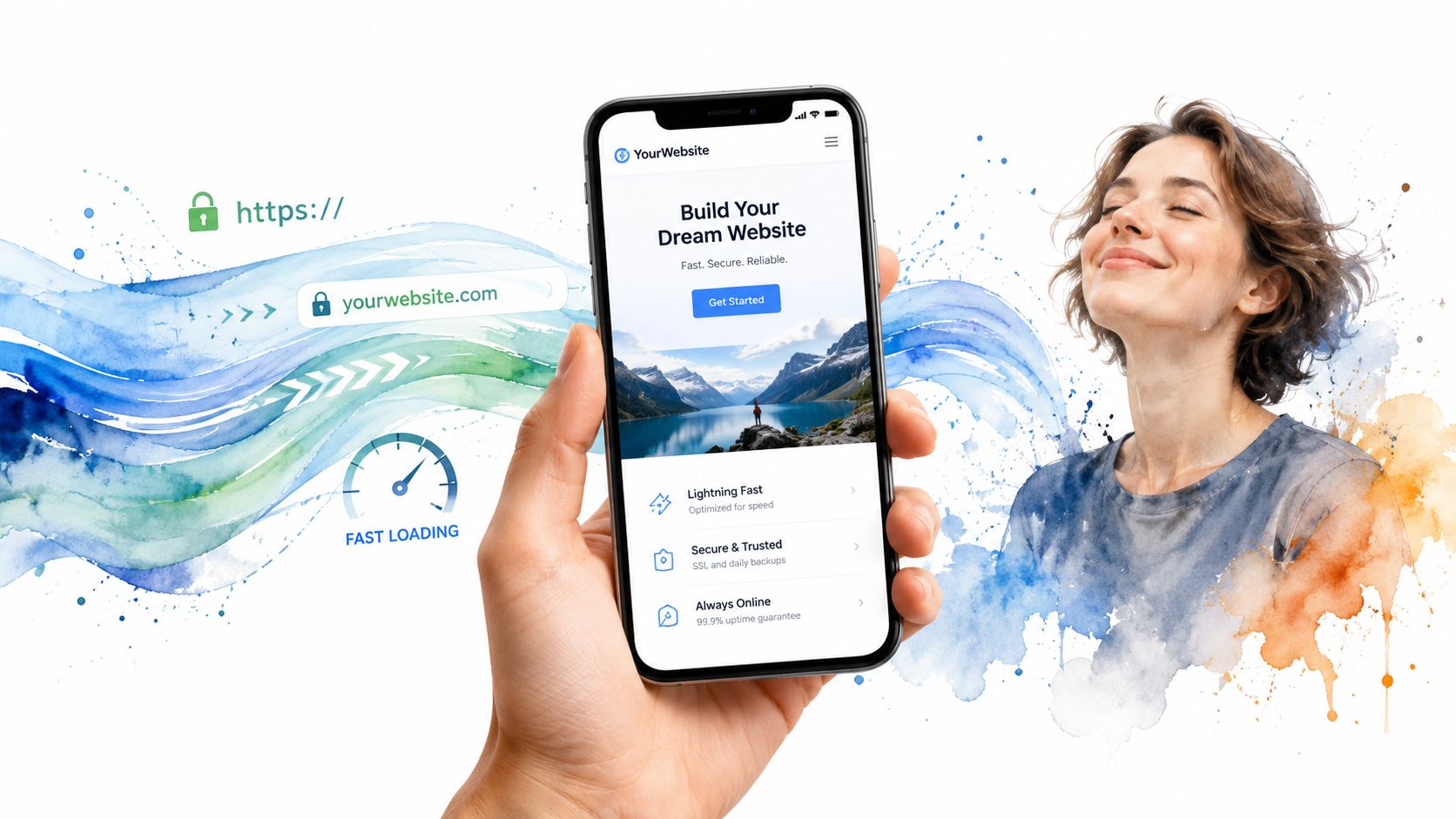
A fast page feels professional before a visitor has read a single word. A clunky one feels risky, especially on mobile, where many UK visitors now arrive. Technical on-page work is not just for developers; it shapes whether someone stays long enough to enquire.
The most useful technical benchmarks are easy to remember. Largest Contentful Paint under 2.5 seconds, Interaction to Next Paint under 200 ms, and Cumulative Layout Shift under 0.1 are the core Web Vitals targets that support a better page experience, according to Amrita SEO’s UK guide. In plain English, the page should appear quickly, respond smoothly, and stop jumping around while people try to tap a button.
If your site loads slowly, the customer notices that delay before they notice your offer. If the mobile layout is cramped, they struggle to call you, read your service details, or submit a form. That becomes a lead problem, not just a design problem.
A local electrician’s page is a good example. Large images, a messy URL, and a form that shifts as it loads can stop people from reaching the contact button. A cleaner page with compressed images, readable URLs, and a layout that behaves properly on a phone makes the buying process feel easier.
The mobile-first reality matters as well. UK guidance notes that 54.7% of UK web traffic comes from mobile devices.Whitehat SEO’s on-page SEO guide, so many pages are judged on a small screen first. Clean layout and speed are part of the sales process, not a side issue.
One practical support option for businesses that want the basics handled in one place is 1stNet AI Ltd, which builds websites with an SEO-friendly structure, hosting, SSL, and maintenance included. A site built that way still needs good content, but it starts from a cleaner technical base.
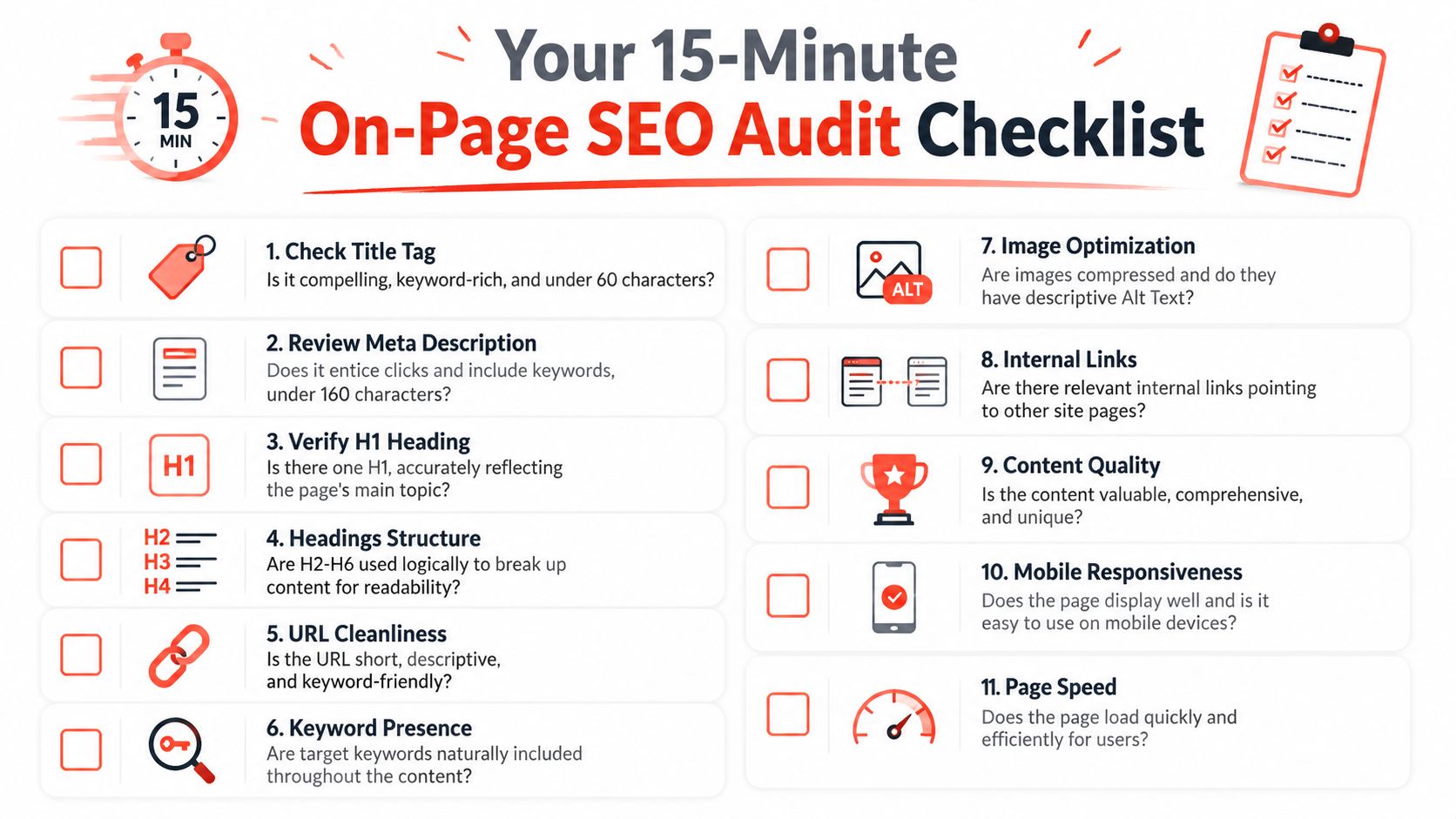
Your 15-Minute On-Page SEO Audit Checklist
A short audit is enough to spot the most obvious problems on your homepage or best service page. You don’t need specialist tools for the first pass, just your own page, a phone, and a critical eye. If the page fails here, it’s probably failing for customers too.
Use this order on your most important pages first, especially pages that should rank for your main services or pages already sitting near page two of Google. A structured workflow like that is a practical way to prioritise the pages most likely to deliver returns, Hedgehog Digital’s on-page SEO tips.
Quick checks
Title tag clarity: Does it say what you do in plain English, with the main topic visible at a glance?
Meta description quality: Does it invite the click without sounding forced or vague?
One H1 only: Does the page have one clear main heading that matches the page topic?
Logical headings: Are H2S and H3S used to break the page into sections a human can skim?
Readable URL: Is the address short, descriptive, and easy to say out loud?
Natural keyword use: Does the main phrase appear in sensible places without sounding repetitive?
Image usefulness: Do your images support the page, rather than just filling space?
Alt text in place: Can someone using a screen reader understand what the image shows?
Internal links: Does the page point people to related pages they may need next?
Mobile usability: Can you tap the phone number, read the text, and navigate the handset easily?
Load speed: Does the page feel quick enough that you’d trust it with a paying customer?
If a page passes the audit on desktop but feels awkward on mobile, the mobile version is the one that matters most.
A simple way to stay organised is to keep an on-page document for each important page. Note what’s missing, what’s weak, and what needs updating first. That turns SEO from guesswork into a list of fixes you can finish.
From Knowledge to Action: Your Next Step
A page earns trust when it makes a visitor feel they are in the right place. Clear titles, useful headings, sensible structure, fast mobile delivery, and real signs of expertise all help a customer decide your business is worth their time.
That matters even more now that pages need to work for search engines and AI-driven search features. Pages written in plain language, with short paragraphs, question-led sections, and visible evidence of expertise, are easier for systems to understand and reuse, as noted earlier in LocalIQ’s UK on-page SEO guide. The page has to read well for a person and stay clear enough for a machine to summarise.
A practical way to start is with the page that has the highest chance of generating leads or sales. Check the title first, then the main heading, the copy order, and how the page works on a phone, because that is often where small problems cost real enquiries. If you want a more guided route, 1stNet AI’s traffic-focused website support is one option for building and maintaining the website as a single project, including domain, SSL, hosting, and maintenance.
Keep the process simple. Use one page as your working document, note what is missing, what feels weak, and what needs attention first, then fix the items that affect visibility and customer confidence before anything cosmetic. That turns on-page SEO from a vague task into a short list of changes you can complete.