
You’ve got a website nearly ready. The pages look right, your service is clear, and customers can finally find you online. Then one practical question stops everything: how will people pay you?
That’s where many UK small business owners lose time and money. They compare headline transaction rates, pick the cheapest-looking option, and only later realise the actual bill includes monthly charges, PCI fees, chargeback costs, awkward checkout journeys, and sometimes expensive foreign exchange mark-ups for overseas sales. A website payment gateway isn’t just a technical add-on. It’s part of your sales process, your risk control, and your customer trust.
Table of Contents
- Your Website’s Digital Till: What Is a Payment Gateway
- How a Transaction Travels from Cart to Your Bank Account
- Choosing Your Type Hosted vs Integrated Gateways
- Decoding the True Cost, Fees, Security, and Compliance
- How to Select the Right Gateway for Your Business
- Your Fast-Launch Implementation Checklist
Your Website’s Digital Till: What Is a Payment Gateway
You can think of a website payment gateway as the digital version of the card machine on a shop counter. In a physical shop, a customer taps or inserts a card, and the machine checks whether the payment can go through. Online, the Gateway does the same job. It securely collects payment details, sends them to the appropriate banking systems, and returns an approval or a decline in seconds.
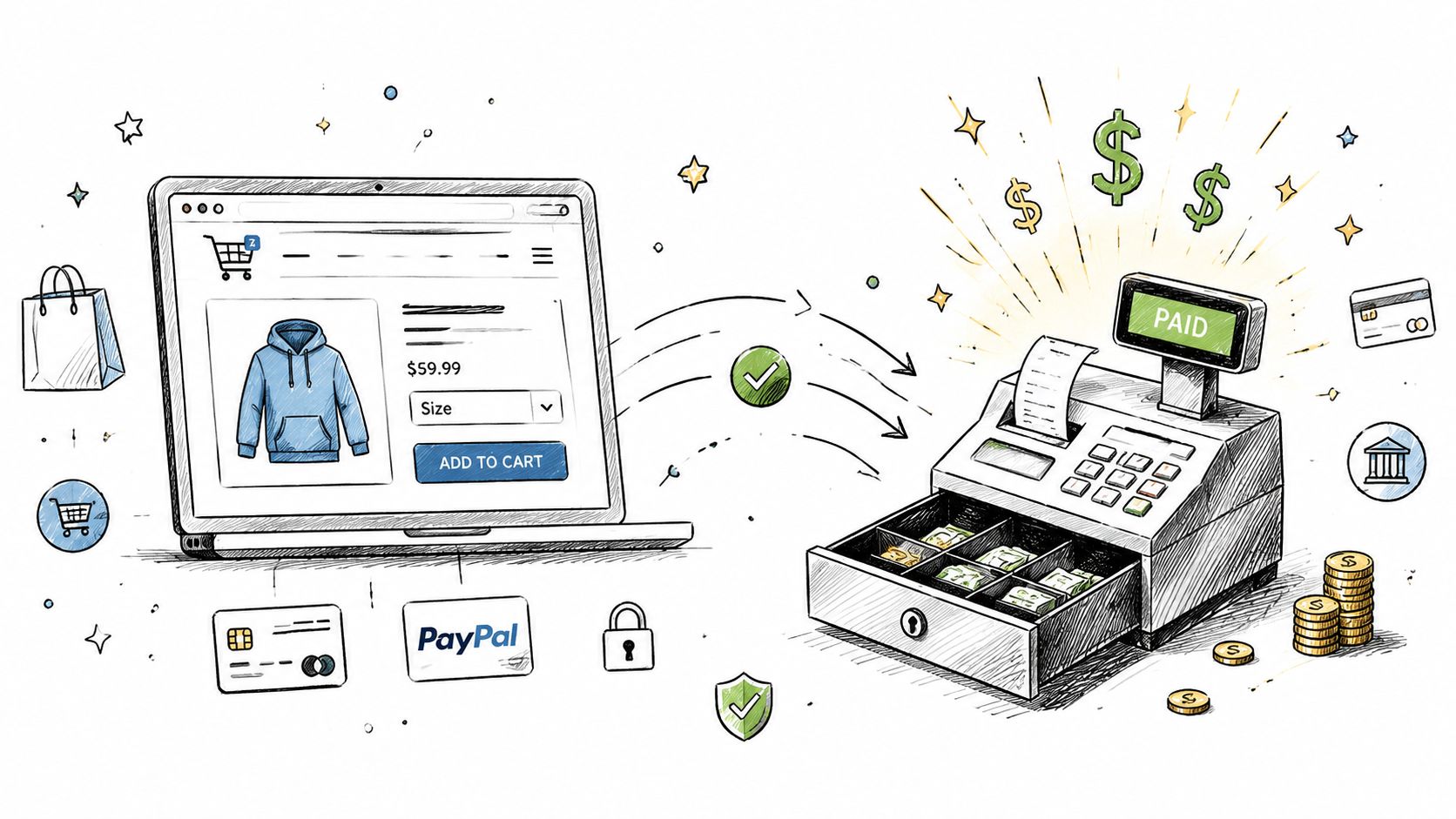
For a small business owner, the important point is simple. If your website can’t take payment smoothly, it isn’t just missing a feature. It’s missing the final step that turns interest into revenue.
What the Gateway actually does
A payment gateway usually handles four practical jobs:
- Collects details securely so customers can enter card or wallet information without exposing sensitive data.
- Checks the transaction with the relevant bank and card network.
- Returns a result quickly, so the customer sees approval or denial instead of waiting and abandoning the basket.
- Supports trust signals such as secure checkout flows and recognised payment methods.
That last point matters more than many owners expect. Customers judge your business by the checkout. If it looks clumsy, redirects strangely, or fails on mobile, they don’t blame the Gateway. They blame your business.
Why does this matter so much in the UK?
Online checkout is already the normal path for many UK businesses. In 2025, web-based checkouts captured 54.67% of the United Kingdom payment gateway market, and hosted payment gateways accounted for 67.54% of that share, according to Mordor Intelligence’s UK payment gateway market analysis. That tells you two things. First, this is standard business infrastructure. Second, many smaller firms prefer hosted options because they’re easier to launch and maintain.
Practical rule: If you sell online, your payment setup should feel as routine and reliable as your phone line or business banking.
Many owners assume this part will be highly technical. It doesn’t have to be. Most modern setups are manageable if you choose the right provider and website platform from the start. That’s one reason businesses often build on a small business website service that already includes checkout, SSL, hosting, and ongoing updates, rather than treating payment as a last-minute afterthought.
How a Transaction Travels from Cart to Your Bank Account
Payment processing feels mysterious because the customer sees one button. Behind that button is a short chain of checks and messages.
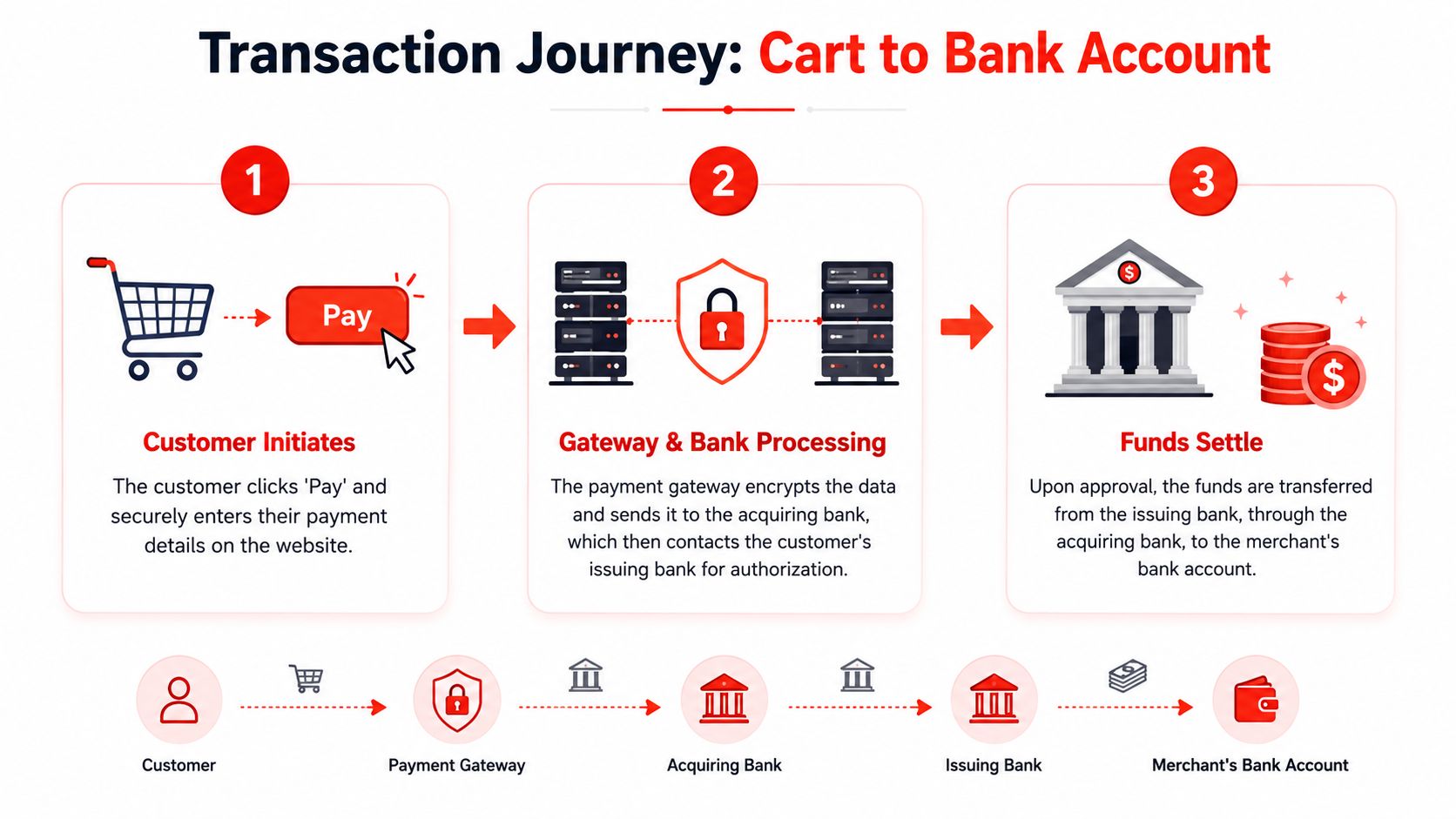
The easiest way to understand it is to picture a secure courier carrying a sealed envelope between your customer, the banks, and your business. The courier doesn’t keep the money. It ensures the request reaches the right place, safely and in the correct order.
Early in the process, this flow helps:
Step one Authorisation
The customer clicks Pay and enters card details or another supported method. The Gateway encrypts that information and sends it through the acquiring side of the payment chain so the issuing bank can decide whether to approve the transaction.
At this point, the system is checking practical things. Is the card valid? Are the details correct? Are funds available? Should extra verification be applied?
If the bank approves, the transaction moves forward. If it declines, the customer sees a failure message, and you may lose the sale unless the checkout makes it easy to retry.
Step two Capture
Approval doesn’t always mean the money lands in your account instantly. In many setups, the approved amount is effectively reserved and then captured in line with your business’s operating practices.
For a straightforward online store, capture often happens automatically. For other models, such as made-to-order work or certain service bookings, the business may want more control over when the approved payment is finalised.
The best checkout flows reduce doubt. Customers should know whether they’ve paid, whether the order is confirmed, and what happens next.
Clarity here prevents a lot of support emails. If the customer receives a vague message after payment, they may buy again, call your office, or assume the order failed.
A simple visual walkthrough can help if you’re discussing this with your developer or gateway provider:
Step three Settlement
Settlement is the final movement of funds into your business account, with approved transactions transferred through the banking system to you.
For the business owner, settlement affects cash flow more than design. A gateway with awkward payout timing can create pressure even when sales are healthy. That’s why experienced operators don’t just ask, “Can it take a payment?” They ask, “When do I receive the money, and in what currency?”
Why this flow matters in practice
Understanding the journey helps you ask sharper questions when something goes wrong. A failed payment could come from customer input, bank decline, fraud filters, or a poor integration. If you know the path, you can identify where friction is happening instead of blaming the whole website.
Here’s the short version:
- The customer submits payment through your checkout.
- Gateway passes the request securely to the banking side for approval.
- Approved funds are captured and settled into your account.
That’s the working engine behind every smooth online checkout. When it’s set up well, customers hardly notice it. That’s exactly what you want.
Choosing Your Type Hosted vs Integrated Gateways
The first real choice most businesses face isn’t brand. Its structure. Do you want a hosted payment gateway or an integrated one?
This decision affects setup speed, customer experience, security responsibilities, and the level of control you have over the checkout design.
Hosted gateways
A hosted gateway sends the customer to a payment page run by the provider, or presents a provider-controlled checkout experience that keeps most of the sensitive handling on their side.
That’s popular with smaller firms for a reason. It reduces technical complexity and usually reduces the compliance work your site has to shoulder. If you want to get online without turning your website into a software project, hosting is often the sensible starting point.
Typical upsides include:
- Quicker setup because the provider handles more of the secure payment environment.
- Lower maintenance burden for your team.
- Simpler updates when card scheme rules or authentication requirements change.
The drawback is customer experience. Redirecting a buyer away from your website, or dropping them into a checkout that feels visually different, can create hesitation.
Integrated gateways
An integrated gateway keeps the payment experience closer to your own website through API-based connections or embedded checkout components. The process usually feels smoother to the customer because they stay in your branded environment.
This works well when checkout is a core part of the buying experience. If you run a higher-trust service brand, a polished e-commerce shop, or a customised booking flow, integrated payment can look more professional and reduce friction.
The trade-off is effort. Integration needs cleaner implementation, more careful testing, and ongoing attention when site changes are made.
| Feature | Hosted Gateway (e.g., PayPal Standard) | Integrated Gateway (e.g., Stripe API) |
|---|---|---|
| Checkout location | Provider-led or redirected flow | On your site or tightly embedded |
| Setup effort | Lower | Higher |
| Design control | Limited | Stronger |
| Security handling on your side | Reduced | More involved |
| Speed to launch | Faster | Slower if custom work is needed |
| Best fit | Startups, simple shops, non-technical teams | Growth brands, custom checkout, and firms wanting more control |
What usually works best for small firms
Many small businesses don’t need a fully bespoke payment experience on day one. They need a checkout that works, looks trustworthy, accepts the right payment methods, and doesn’t create compliance headaches.
That’s why hosted and hybrid models are often the practical answer. They remove a lot of avoidable risk. You can still move to a more integrated setup later if your checkout becomes a competitive advantage rather than just a function.
Choose the least complicated setup that still protects the customer experience.
If your site is being built professionally, ask how the payment method fits the wider build. A team offering web design and development should be able to explain whether a hosted, integrated, or hybrid checkout suits your platform and your sales process without drowning you in technical jargon.
Decoding the True Cost, Fees, Security and Compliance
A gateway that looks cheap at signup can become one of the more expensive parts of your checkout once monthly bills, support overhead, and cross-border costs start to show up.
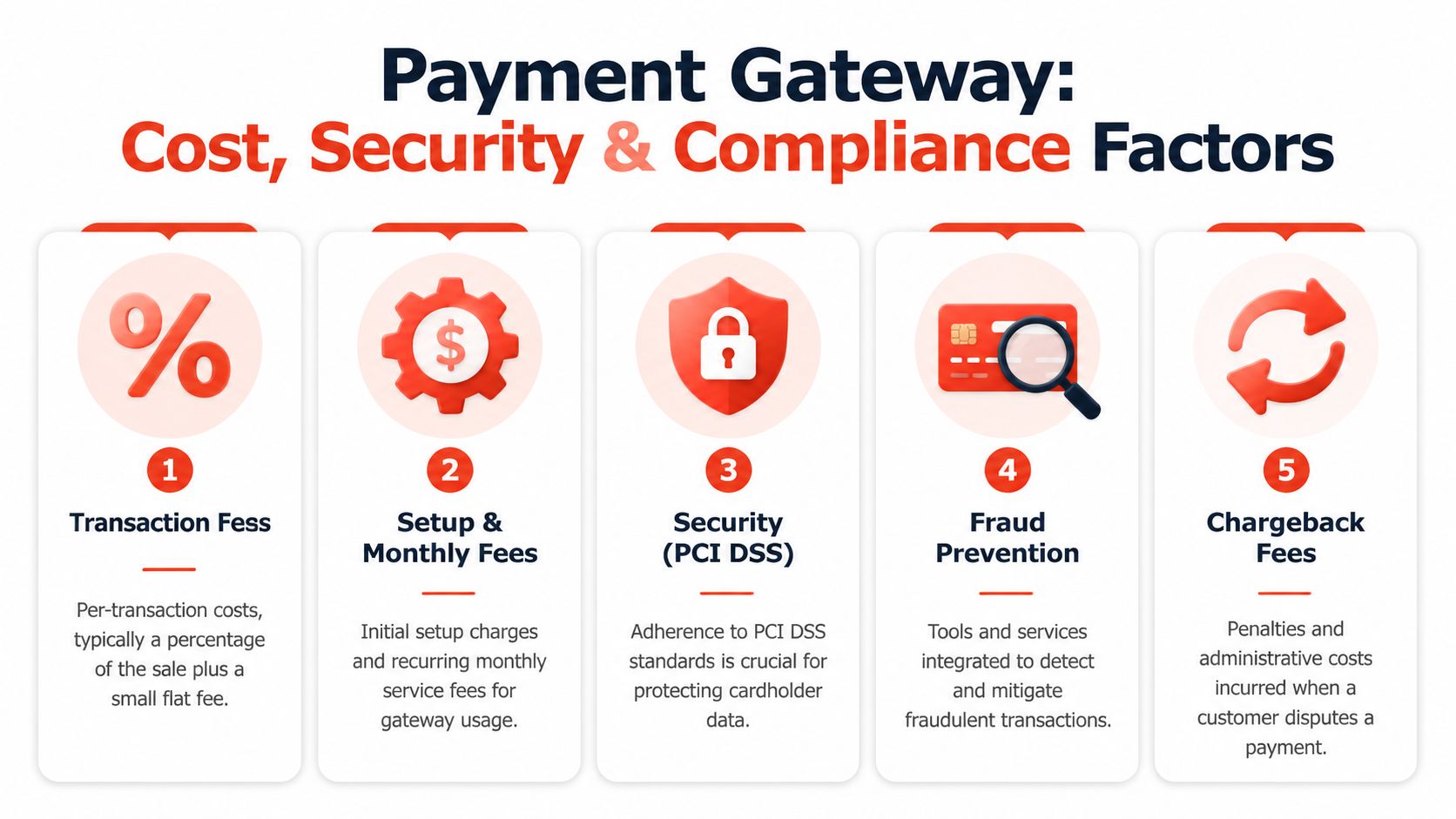
That is why the useful question is the total cost of ownership. For a UK small business, that means more than the headline card rate. It includes monthly service charges, PCI-related fees, refund and chargeback costs, fraud exposure, and what happens when foreign currency settlements subtly cut into margin.
The advertised fee is only the front label.
For domestic UK card payments, gateways often charge around 1.5% plus about 20p per transaction. However,h rates vary by provider and card type, as outlined in myPOS’s explanation of payment gateway costs and architecture. That gives you a starting point, not a full comparison.
The higher cost often sits in the small print. GoCardless’s guide to low-cost online payment systems in the UK notes that some providers add monthly gateway fees, PCI DSS service fees, and minimum monthly charges. For a smaller firm, those fixed costs can matter more than a tiny difference in per-transaction rates, especially in quieter months.
Ask for the full fee schedule before you commit:
- Monthly account or gateway charges
- PCI or compliance service fees
- Refund and chargeback fees
- Cross-border and non-UK card surcharges
- Minimum monthly billing commitments
- Payout or settlement fees
A gateway works like a business van lease. The monthly payment looks manageable until fuel, insurance, servicing, and penalties show you the actual running cost.
Security and compliance affect sales as much as risk
Security is not just a technical requirement. It affects whether customers trust the checkout enough to finish paying.
A UK gateway should support PCI DSS Level 1 compliance, Strong Customer Authentication under PSD2, and 3D Secure 2.0, alongside encryption and tokenisation, as explained in Netclues’ guide to UK payment gateway security requirements. In plain terms, that helps protect card data, confirm the cardholder’s identity, and reduce avoidable fraud and disputes.
Fraud losses remain a real commercial problem. UK Finance’s fraud report reported £1.17 billion stolen through authorised and unauthorised fraud in 2024.
Poor setup has a cost. Failed authentication can block valid orders. Weak fraud controls can increase disputes. A clumsy checkout can make genuine buyers hesitate right at the point of payment.
If the wider website setup is already being handled properly, including domain, SSL, and hosting, that removes one common source of trust problems at checkout. It does not replace gateway compliance, but it helps keep the payment journey secure and credible.
The hidden cross-border problem
Consequently, many UK SMEs lose margin without noticing it at first.
If you sell in euros or dollars, the card fee may be only part of the picture. Some gateways accept foreign currencies but settle everything back into sterling, adding an FX mark-up on the way. Unlimit’s UK payment gateway discussion highlights how FX fees can become a major hidden cost for businesses trading internationally.
I have seen this catch growing firms out. They focus on shaving a few basis points off card processing, then give away far more through forced conversion and poor settlement options.
Ask one blunt question before signing: Can you collect and settle in the same currency?
If the answer is no, check the FX mark-up and work out the annual cost in pounds. That number is often more important than the advertised transaction fee.
How to Select the Right Gateway for Your Business
A common UK small business mistake looks like this. You pick the Gateway with the lowest published card rate, get it live, then find out later that refunds are awkward, payouts take too long, or overseas orders lose margin on currency conversion.
Selection is really a total cost decision. The Gateway has to fit how you sell, how your site is built, and how much admin your team can realistically absorb each week.
Questions worth asking before you sign up
Start with customer behaviour. UK online buyers expect the payment methods they already use every day, especially debit and credit cards, and many will drop off if checkout feels unfamiliar or clumsy. A gateway that technically accepts cards but adds extra steps can still hurt conversion.
Then work through the points that affect sales and workload:
- Does it match your sales model? One-off orders, booking deposits, subscriptions, and emailed payment links all need different features.
- Does it work properly with your website platform? A good WooCommerce plugin is very different from a clean integration on Shopify or a custom build.
- How much staff time will it create? Check how refunds, failed payments, chargebacks, and reporting are handled in the dashboard.
- What does it really cost each month? Look beyond the headline transaction fee and check monthly charges, payout fees, chargeback fees, and any extra cost for premium features.
- How are failed payments handled for customers? Clear retry options and sensible messaging recover sales that would otherwise be lost.
- If you sell outside the UK, how are foreign payments settled? A low card fee can be wiped out by FX mark-ups and forced conversion back to sterling.
That last point matters more than many owners expect.
I have seen businesses spend days comparing differences of a few tenths of a per cent on card processing, then ignore a monthly platform fee or a poor FX rate that costs far more over a year. If your average order value is healthy, hidden charges usually beat headline pricing.
A quick fit check by business type
A short, simple list often works better than comparing 20 feature pages.
- Local service business: Prioritise easy deposit taking, reliable payout timing, and a setup that does not need regular developer input.
- Small e-commerce shop: Focus on mobile checkout, straightforward refund handling, and payment methods your customers already trust.
- Subscription or membership business: Choose a gateway with proper recurring billing, failed payment recovery, and clear customer account management.
- Cross-border retailer: Put multi-currency collection, same-currency settlement, and FX terms near the top of the decision, not in the small print.
One practical test helps here. Ask someone outside your business to buy from your site on their phone. If they hesitate, ask questions, or get stuck at the payment stage, customers will do the same.
The right Gateway is the one that protects margins, keeps admin in check, and lets customers pay without second thoughts. That usually produces better results than chasing the lowest advertised fee.
Your Fast-Launch Implementation Checklist
A payment gateway setup often stalls at the same point. The website looks ready, but payments are still waiting on account checks, plugin choices, test transactions, and a final review of what happens when something fails.
That delay has a cost. Every extra day without working checkout means missed orders, more admin, and more pressure to rush decisions you will pay for later through monthly platform charges, support retainers, or a gateway that looked cheap until FX and service fees showed up.
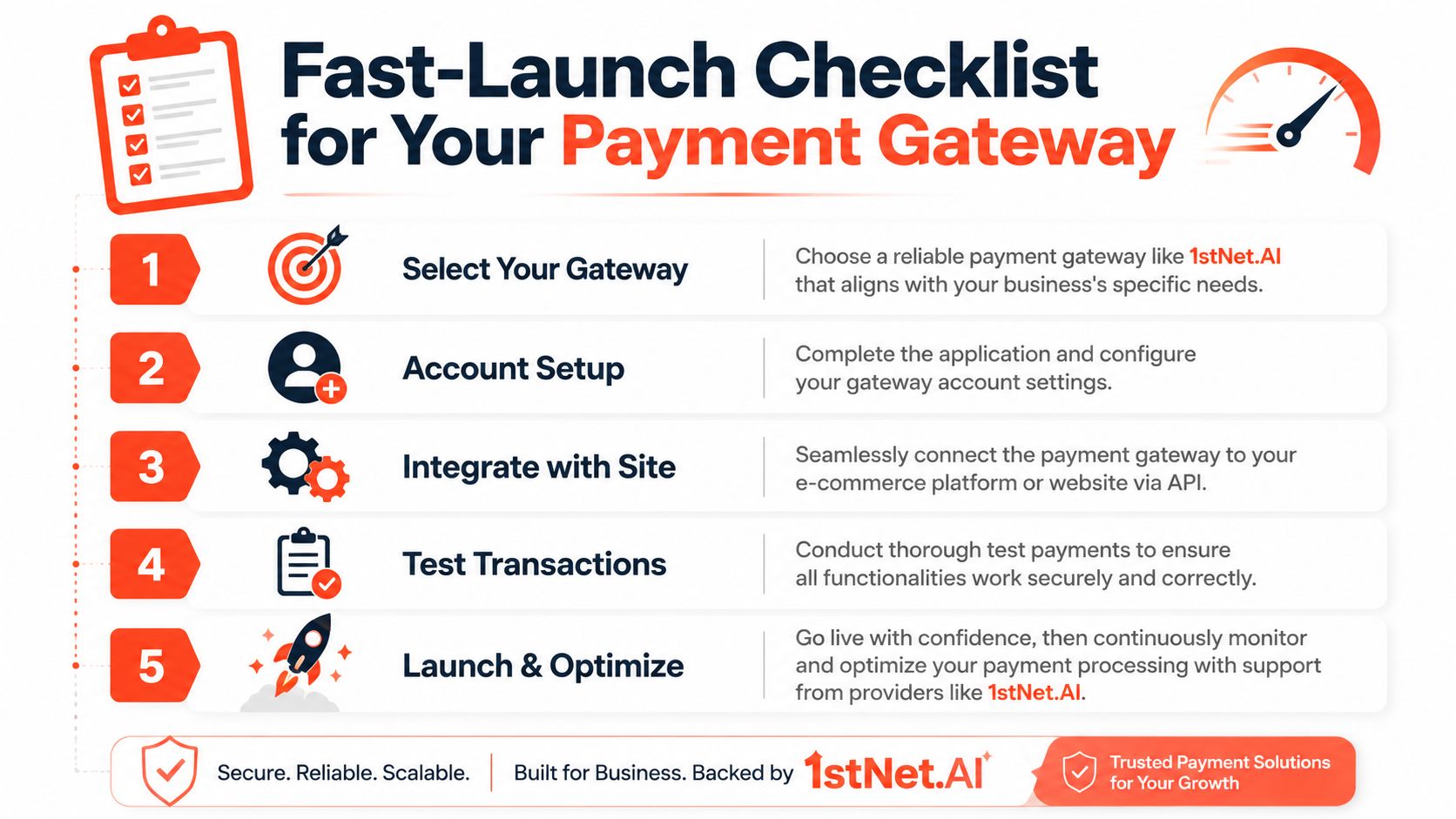
The five jobs that have to happen
Choose the Gateway
Pick one that fits how you sell, what your site runs on, which payment methods your customers expect, and whether you need to take or settle payments in more than one currency.Open and configure the account.
Set up business verification, payout details, tax information, refund rules, and fraud settings. This part often takes longer than owners expect.Connect it to the website.e
Use a plugin, hosted checkout, or a custom integration based on your budget and the level of control you need.Test payments
Check successful payments, declines, refunds, confirmation emails, and mobile checkout. Test the awkward cases, not just the happy path.Launch and monitor
Watch the first batch of live transactions closely. A failed email, a slow mobile form, or an unexpected 3D Secure step can quickly hurt conversion.
Why do many owners hand this over
Small businesses usually outsource this for one reason. Time is expensive.
If your designer builds the site, your developer handles the plugin, your host handles SSL, and the gateway support team handles account questions, simple jobs turn into a chain of handoffs. Each handoff adds delay. It also adds cost, whether that is billed developer time or your own time chasing updates.
Typical UK website projects can take weeks to complete, as noted by Ready Salted’s UK web development timeline benchmarks. If you need to start accepting deposits or online orders quickly, a managed setup can reduce both launch time and the risk of paying multiple suppliers to solve a single problem.
A managed route also makes the total cost easier to see. Bundling hosting, SSL, maintenance, and payment-ready setup into one service can be cheaper than choosing a low-fee gateway, then paying separately for technical fixes, updates, and support every time the checkout needs attention.
1stNet AI Ltd offers done-for-you website builds for UK small businesses with domain registration, SSL, hosting, maintenance, and payment-ready setup included, plus an accelerated launch option for time-sensitive projects.
If you want a practical route to getting a website payment gateway live without juggling separate suppliers, 1stNet AI Ltd provides UK-focused website design and development with hosting, SSL, maintenance, and ongoing support included. That gives small businesses one place to manage the site, the infrastructure, and the process for accepting payments online.