

You’ve probably had this thought already. “I know I need a website, but I don’t know what kind, how much it should cost, or whether I’m about to waste money.”
That’s a normal place to be.
Most small business owners don’t start with a web strategy. They start with pressure. Customers ask for a link. A competitor shows up in Google. A social media page no longer feels like enough. Then the options arrive all at once: DIY builders, freelancers, agencies, bundled plans, hosting, SSL, SEO, content, maintenance. It quickly stops feeling simple.
A professionally designed small business website is one of the most valuable investments for any growing company. Whether you own a local shop, startup, service business, or online brand, a small business website helps you build trust, attract customers, and generate leads around the clock.
A good small business website doesn’t need to start complicated. It needs to match your main constraint. If you’re short on time, you need a fast route to launch. If you’re tight on money, you need a setup that doesn’t create hidden costs. If you care most about control, you need a system you can update without waiting on someone else.
This guide is built for that decision. Plain English, UK context, and a clear path from “I’m not sure where to begin” to “I know what my business needs”.
Table of Contents
Your Business Needs a Digital Front Door
A small business without a website often feels harder to trust, even if the business itself is excellent. People want a reliable way to check what you do, where you are, how to contact you, and whether you look credible.
That matters more now because most UK small businesses are already online. As of 2026, 78% of UK small businesses have a website, while 22% still don’t, with cost and complexity among the main barriers, according to Wix’s small business website statistics. If you’ve delayed your own site because the process feels technical or expensive, you’re not alone. But waiting does create a real gap between you and businesses that are easier to find.
Your website is your digital front door. It gives people a place to arrive when they search your name, compare options, or click from social media. Without it, they have to work harder to understand your business. Many will not bother.
A social profile can introduce your business. Your website is where people decide whether to trust it.
This doesn’t mean you need a huge site on day one. A cleaner, smaller website that answers the right questions usually does more for a new business than a bloated one full of filler.
If you’re deciding what to do next, start with one question. What’s your biggest constraint right now?
Time: You need something live quickly so customers can find you.
Money: You need predictable costs and no unnecessary extras.
Control: You want to edit text, swap images, and update offers yourself.
That lens makes the decision easier. It stops the website project from becoming abstract and turns it into a practical business choice.
What Is a Small Business Website
A small business website isn’t just a few pages sitting online. Done properly, it works like a member of staff who never clocks off.
A website is more than an online brochure.
Think of your website as your digital shop front. If someone walks past a physical premises, they judge what they see. Online, the same thing happens in seconds. Visitors look for signs that your business is active, organised, and easy to deal with.
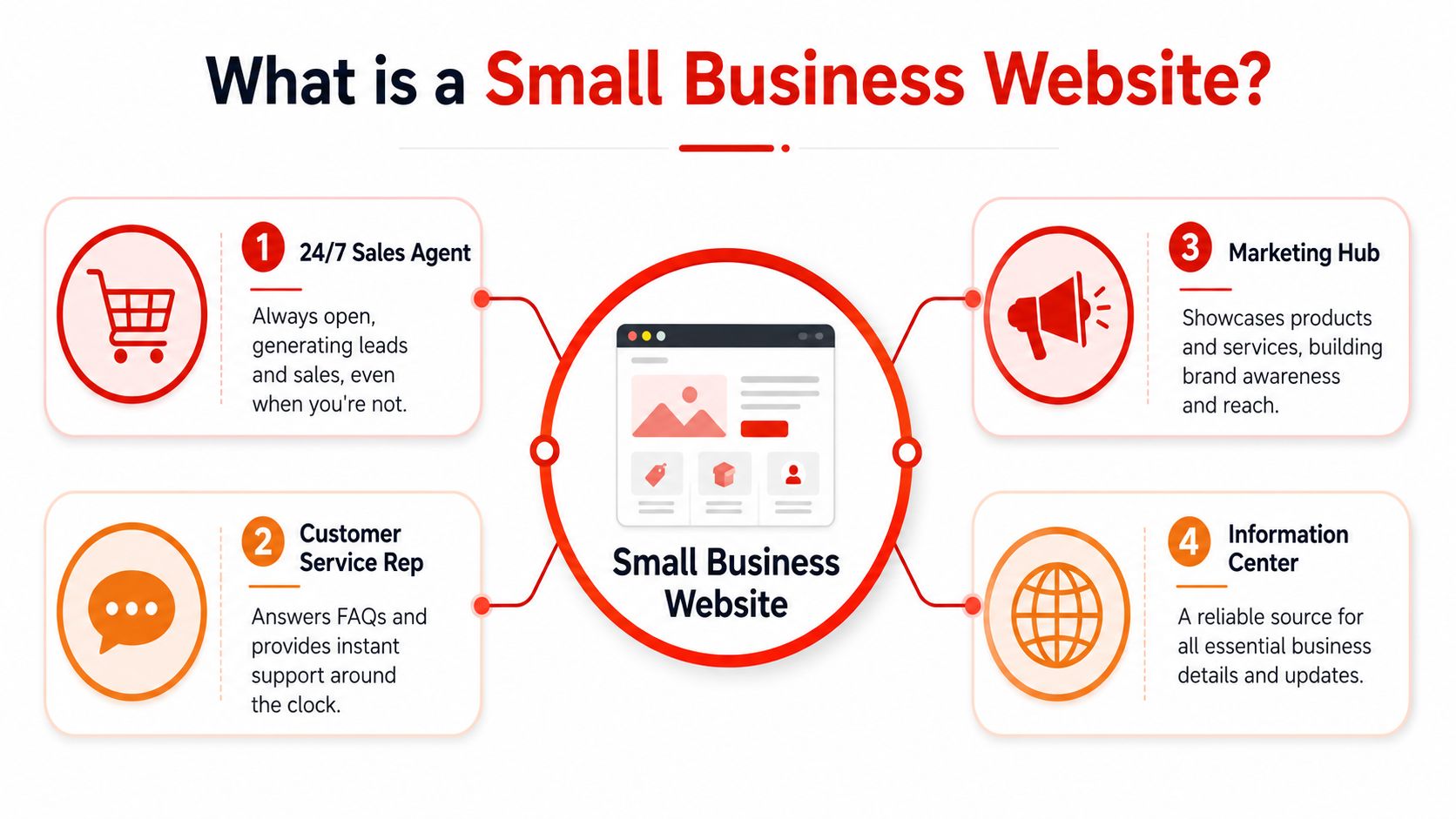
A useful way to think about a small business website is through four roles:
Sales agent: It explains what you sell and helps people take the next step.
Customer service rep: It answers common questions before someone needs to phone or email.
Marketing hub: It gives you somewhere to send traffic from Google, social media, leaflets, or ads.
Information centre: It holds the details people expect to find, such as opening hours, service areas, and contact methods.
For a plumber, that might mean clear service pages, a phone number, and local area coverage. For a consultant, it might mean a sharper About page, trust-building service descriptions, and a contact form. For a retailer, this may include product pages and the checkout process.
The pages most small businesses need first.
Many owners get stuck because they think they need dozens of pages. Most don’t. They need the right few pages doing the right jobs.
| Page | What it should do | Common mistake |
|---|---|---|
| Home | Explain who you help and what action to take next | Looking nice but saying very little |
| About | Build trust and show the human side of the business | Making it all about the business, not the customer |
| Services or Products | Show what’s available in a clear, organised way | Being too vague about what’s included |
| Contact | Make it easy to call, message, or enquire | Hiding contact details |
Here’s the simple version.
The Home page is your welcome mat. It should answer three things quickly: what you do, who you do it for, and what someone should do next.
The About page is your handshake. People want to know who they’re dealing with, especially if you’re a local business or solo founder. A short origin story, your approach, and a real photo often do more than polished corporate copy.
The Services or Products page is where confusion usually costs enquiries. If visitors can’t tell what you offer, they won’t guess. Break services into clear categories and use plain language.
The Contact page is your open sign. Phone, email, contact form, service area, and business hours should be obvious. Don’t make people hunt.
Practical rule: If a new visitor lands on your site and can’t work out what you do within a few seconds, the site isn’t clear enough yet.
Essential Features for a High-Performing Website
A small business website can look attractive and still fail at its job. Design matters, but performance matters just as much.
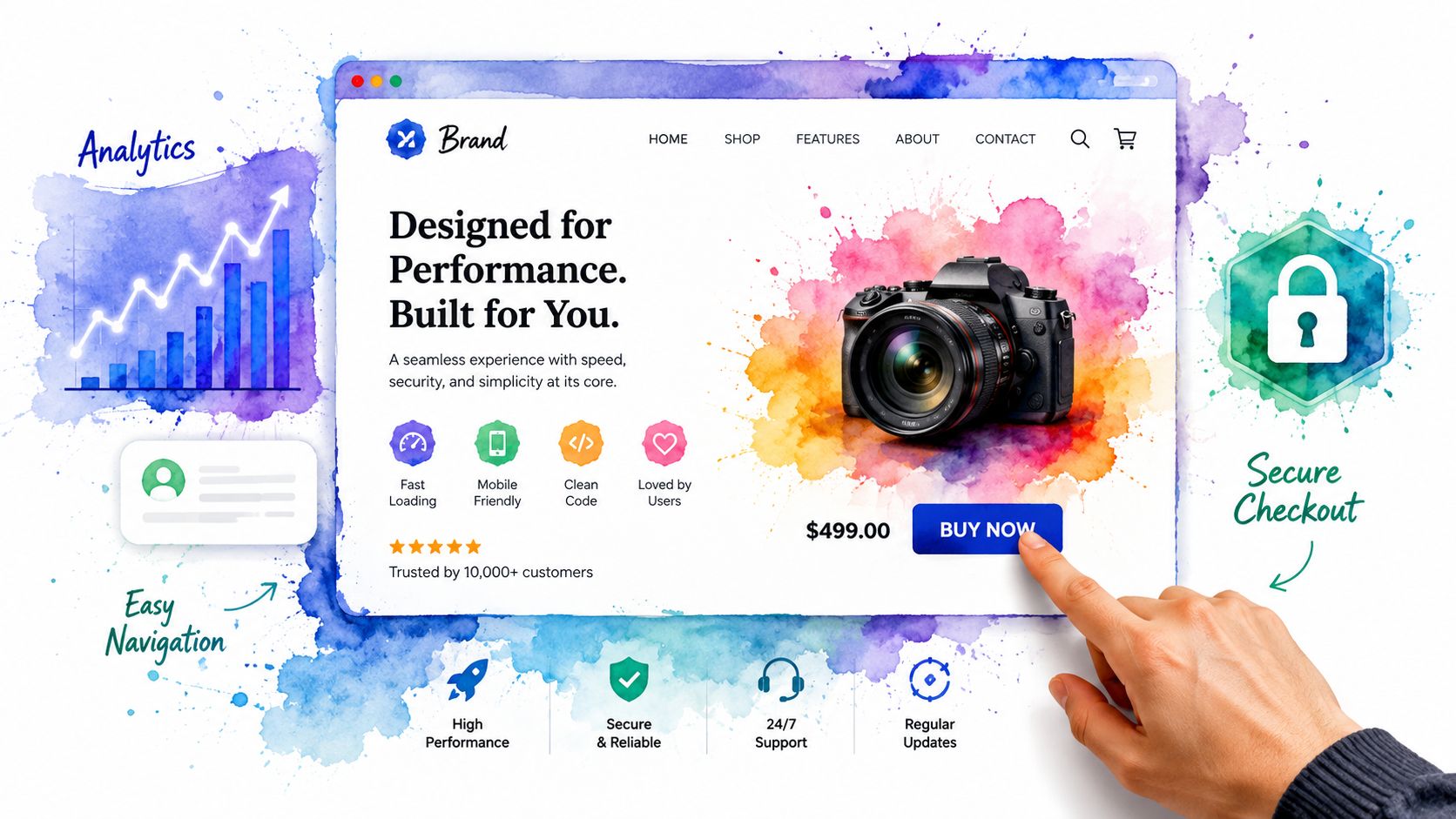
The features that affect trust and sales
Some features aren’t optional because they directly affect whether people stay, trust you, and act.
Verified UK-focused guidance shows that nearly 94% of first impressions are design-related, and a 1-second delay in page load time can reduce conversions by up to 20%. The same verified data states that a fast, responsive site is a basic requirement for a startup, not a luxury.
That has a clear business meaning. If your site feels slow, cramped on mobile, or awkward to use, people leave before they’ve really considered your offer. This is why mobile responsiveness, clean layout, readable text, and fast loading all belong in the same conversation. They shape first impressions and buying behaviour.
A site also needs the basics behind the scenes. That includes secure hosting, an SSL certificate, and a reliable update and uptime setup. If those terms sound technical, think of them as the parts that make your website feel safe and stable. If you want a simple explanation of the foundations, domains, SSL, and hosting basics for business websites, they are worth reviewing before you choose a provider.
What visitors should be able to do easily?
Visitors shouldn’t have to think hard on a small business website. They should be able to do a few things quickly.
Understand your offer: Say what you do in plain English, not industry jargon.
Take action: Every key page should have a clear next step, such as call, book, enquire, or buy.
Use the site on a phone: buttons need to be tappable, text needs to be readable, and layouts need to be clean.
Trust the site: HTTPS, consistent branding, and a polished design help people feel safe.
A weak call to action is one of the most common issues on first websites. Owners spend time choosing colours and wording, then forget to ask for the enquiry. “Learn more” can work in some places, but service businesses often need something firmer, like “Request a quote” or “Book a call”.
This short video gives a useful visual sense of what a modern business website should prioritise.
One more point often gets overlooked. A secure, fast, mobile-friendly website not only helps users. It reduces friction for your business: fewer missed enquiries, fewer complaints about broken pages, and fewer manual phone explanations.
Comparing Your Build Options and Real UK Costs
Most founders choose a website route before they choose a website goal. That’s backwards. Start with your main constraint, then choose the build option that fits it.
The UK cost range is wide. Verified data shows that a custom website from a UK agency typically costs between £2,000 and £9,000, while DIY website builders can start as low as £16 per month. That price gap is why the decision often comes down to trade-offs rather than a single right answer.
If your biggest constraints are money, time, and control.
DIY builders such as Wix or Squarespace are often the cheapest way to get started. They can make sense if your site is small, your budget is tight, and you’re comfortable setting it up yourself.
The trade-off is that you become the project manager, copywriter, image editor, and part-time troubleshooter. That’s manageable for some owners. For others, it means the site stays half-finished for months.
Traditional agencies can produce bespoke work, but the process is usually slower. Briefs, revisions, approvals, and content collection all take time.
An all-in-one service sits in the middle. It bundles the parts many owners would otherwise piece together separately, such as design, hosting, SSL, and maintenance. For founders who need a site to live without managing five suppliers, this route can be more practical. One example is 1stNet AI’s website design and development service, which combines build and ongoing setup into a single service model.
Some owners want full editing access and the freedom to make regular updates themselves. That’s a valid priority, especially if you change prices, add services, or refresh offers often.
Control doesn’t always mean building everything alone. It can also mean choosing a provider that gives you a manageable system and clear support when you need it.
Here’s a side-by-side comparison.
Website Build Options Compared
| Factor | DIY Builder (e.g., Wix) | All-in-One Service (e.g., 1stNet AI) | Freelancer / Agency |
|---|---|---|---|
| Upfront cost | Usually lower | Usually moderate and bundled | Usually higher |
| Time required from the owner | High | Lower | Moderate to high |
| Technical setup | Mostly self-managed | Usually handled for you | Usually handled for you |
| Design quality | Depends on the template used and your skill | More guided and structured | Can be highly customised |
| Ongoing support | Limited or platform-based | Usually included in the service scope | Varies by contract |
| Scalability | Can be restrictive over time | Better if the service includes growth support | Often strong, but it can cost more |
| Best fit | Budget-first owners | Time-poor founders wanting simplicity | Businesses needing a custom scope |
Choose the route that matches the way you actually work, not the route that sounds most impressive.
A local tradesperson who needs leads quickly may value speed over custom features. A consultant with a tight budget may accept a simpler launch and refine later. A business with complex booking or e-commerce needs may need more build depth from the start.
The Hidden Work: Hosting, Maintenance and SEO
A website launch feels like a finish line. In practice, it’s the point where upkeep begins.
What happens after launch
Three areas usually surprise first-time owners.
Hosting is where your website lives. If hosting is poor, the site can feel slow or unstable. You can think of it as the rent for your place online.
Maintenance is the routine care that keeps the website working properly. That includes updates, security checks, backups, and fixing issues before they become bigger problems.
SEO is the work that helps people find you through search. This includes page structure, site content, service wording, and ongoing improvements that make the website more useful and discoverable.
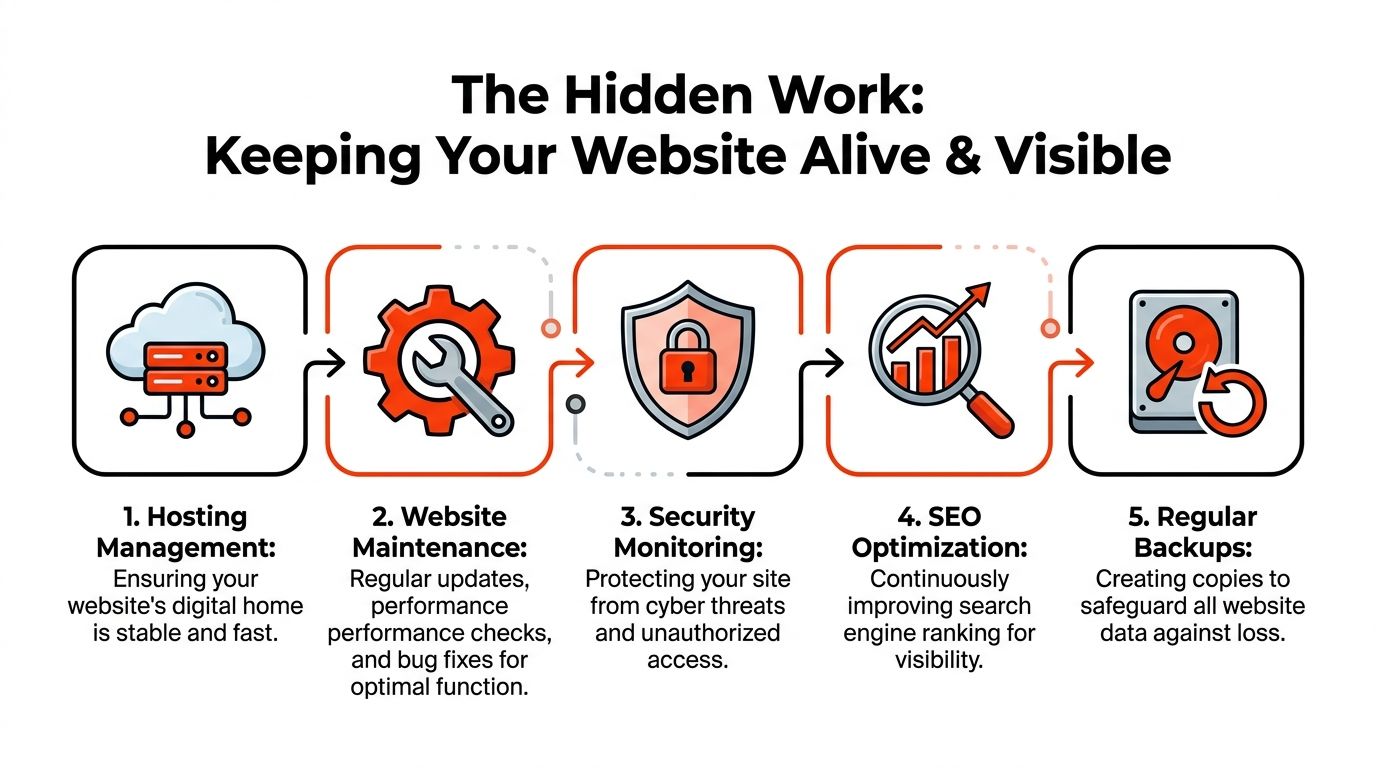
Many owners assume the website itself is the hard part and everything after that is minor. Usually, it’s the opposite. Launch is visible. Ongoing upkeep is quieter, but it gradually affects speed, security, and search visibility.
Why fast launch can still lead to a ghost site
A common error in much “quick website” advice is its focus on speed. While speed is useful, it alone doesn’t make the website effective.
Verified data shows that 70% of UK small businesses fail to rank their 1st website because of thin content. That’s where the idea of a ghost site comes from. The site is live, but people still can’t find it because it lacks enough useful, focused content.
That doesn’t mean fast-launch services are a bad idea. It means a quick launch should be paired with an ongoing content and optimisation plan. A five-page site can be a smart start. It just can’t be treated as the whole strategy.
A website can be technically finished and commercially unfinished at the same time.
For example, a home-based accountant might launch with Home, About, Services, Contact, and one tax return page. That gets the business online quickly. But if they want to appear for more searches over time, they may later need pages for bookkeeping, self-assessment, company accounts, and local service areas.
That’s why hosting, maintenance, and SEO belong together. They aren’t separate add-ons. They support the same business goal: keeping the site live, safe, and visible. If you want a closer look at that visibility work, search optimisation for small business websites is where the long-term value usually develops.
How to Choose a Provider and Avoid Cost Traps
The website itself isn’t the only thing you’re buying. You’re also buying a working relationship, a support model, and a pricing structure.
That’s why the cheapest-looking deal can turn out to be the most expensive later.
Verified data shows that an FSB study found 45% of UK small businesses face surprise hosting renewal costs of 30% to 50% after the 1st year. That same verified finding underscores why bundled deals need scrutiny, especially when the first-year offer appears unusually low.
The questions to ask before you sign anything
Ask these before you commit.
What happens at renewal? Ask for the normal price after any introductory period, not just the first-year rate.
What exactly is included? Clarify whether hosting, SSL, backups, edits, and support are part of the price.
Who owns the domain and website files? You need a clear answer if you ever want to move providers.
How are updates handled? Find out whether small text or image changes are included or charged separately.
What support do I get? Email-only support may feel very different from phone, chat, and email access.
A provider should be able to explain these points plainly. If answers stay vague, that’s useful information.
Signs of a healthy website service
A sensible service doesn’t need to be the fanciest one. It needs to be understandable.
Look for:
Transparent pricing: You should be able to see what you’re paying for now and what you’ll pay later.
Clear scope: The provider should state what pages, revisions, and services are included.
Reasonable flexibility: If you want to leave, migration shouldn’t feel impossible.
Ongoing care: Maintenance matters because websites aren’t static assets.
If a bundled website plan sounds simple, but you still can’t tell what renews, what’s optional, or what you own, it isn’t simple enough.
You should also ask how maintenance is delivered after launch. Some businesses discover too late that “support” only covers major faults, not routine help. Before you sign, review what website maintenance support for small businesses includes and compare that with any alternative provider you’re considering.
Your Simple Pre-Launch Checklist
Launch day feels better when the final checks are boring. Boring means nothing obvious is broken.
Before your small business website goes live, go through these basics carefully.
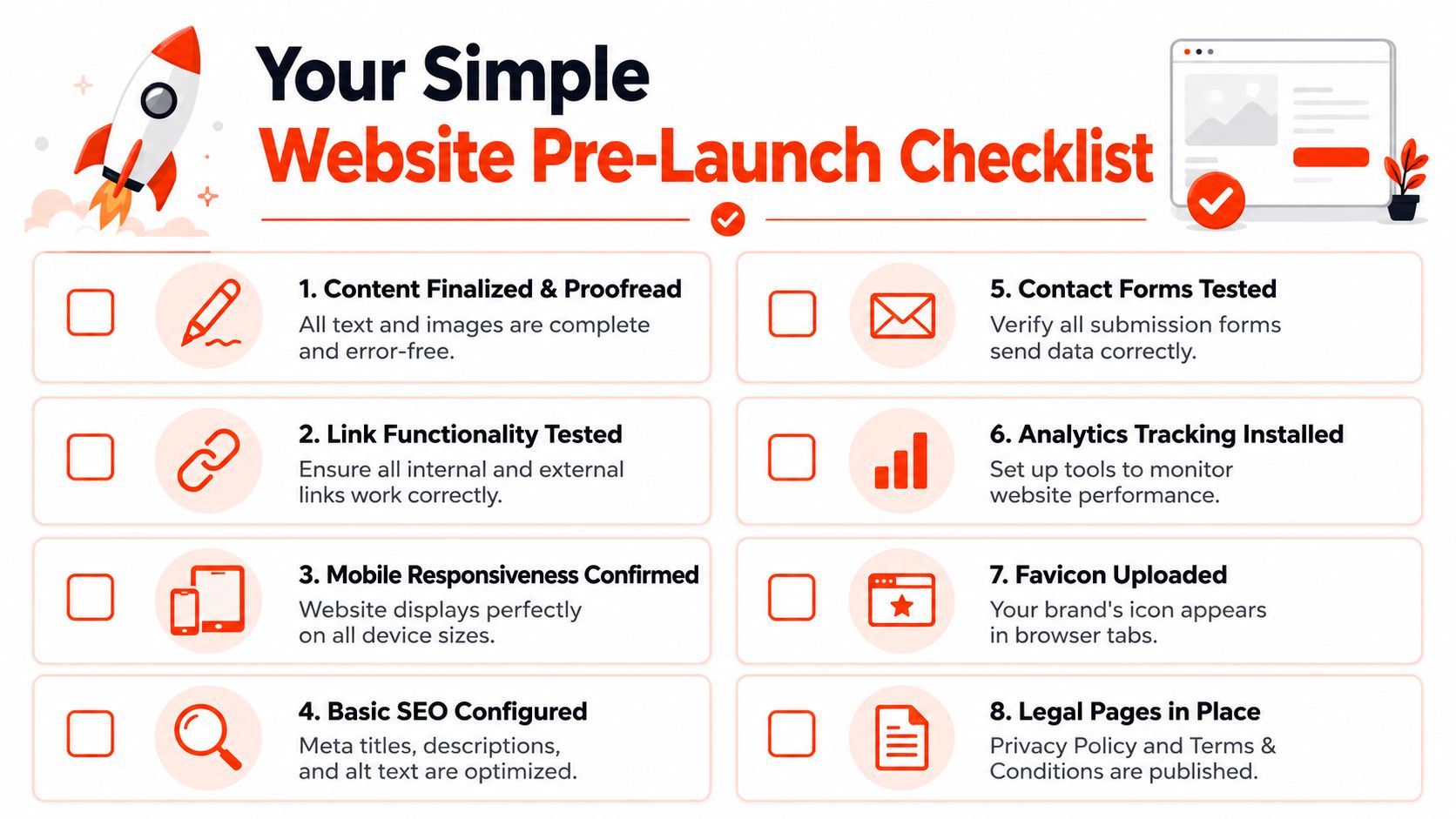
Proofread every page: Check spelling, phone numbers, pricing wording, and service names.
Test every link: Internal buttons, menu items, social links, and email links should all work.
Check the mobile view: read the site on your phone, not just on a desktop screen.
Submit the contact form: Make sure messages arrive where they should.
Review your calls to action: Every main page should guide visitors to the next step.
Confirm legal pages: Privacy and terms pages should be present where relevant.
Check branding details: Logo, colours, and images should feel consistent.
Install tracking: Basic analytics help you learn what people do after launch.
If possible, ask someone who’s never seen the site before to test it. Fresh eyes catch odd wording and confusing navigation faster than the owner usually can.
A pre-launch checklist doesn’t need to be technical. It just needs to reduce avoidable mistakes and help you open your digital front door with confidence.
Frequently Asked Questions
What is an SSL certificate in simple terms?
An SSL certificate helps secure the connection between your website and your visitors’ browsers. In practical terms, it’s what supports HTTPS and helps your site appear trustworthy. For most small businesses, it isn’t optional. People expect to see a secure website, especially when filling out forms or making payments.What’s the difference between a domain name and hosting?
Your domain name is your web address. It’s the name people type in or click.
Your hosting service stores your website and makes it available online. A simple way to remember it is this: the domain is the address, and hosting is the property at that address.
Can I update my own website after it’s built?
Yes, if the site is built on a system designed for owner access. You might be able to change text, swap images, add blog posts, or update service details yourself.What varies is how easy that process is. Some systems are owner-friendly. Others technically allow editing, but feel so awkward that you avoid touching them.
How can a website be built in 24 hours?
A fast launch usually works when the scope is controlled. That means a clear brief, a manageable number of pages, ready-to-use content, and a standardised process.It doesn’t usually mean a complex, customised platform appears from scratch in a day. It means the provider has a setup that removes delays and keeps decisions focused.
Do I need a blog on my first website?
Not always. If your priority is getting a credible site live, your first version may only need core business pages.
A blog becomes more useful when you want to build out helpful content over time and support search visibility. What matters is not having a blog for the sake of it, but having a plan for useful content when you’re ready.
Should I choose based solely on price?
Usually not. Price matters, but so do renewal terms, support, maintenance, and whether the service matches your time and skill level.A cheaper plan can cost more overall if it creates delays, hidden fees, or a site you can’t confidently use.
If you’re weighing a first website or redesign and want a simpler route, 1stNet AI Ltd offers a UK-based all-in-one service covering website build, hosting, SSL, maintenance, and search optimisation for small businesses that need a practical launch path without juggling multiple providers.