

You’ve got the website live, the invoices are ready, and now you’re staring at the last annoying detail, the email address. Don’t treat it like a throwaway admin job. How to set a email address properly is a branding choice, a compliance choice, and a deliverability choice, all rolled into one.
Use the wrong inbox, and you look amateurish. Skip the authentication setup, and your messages are more likely to be ignored, filtered, or spoofed. Pick the right setup now, and you save yourself a lot of pain when customers, suppliers, and official notices start landing in the same place.
Why Your Business Email Decision Matters from Day One
A lot of UK founders make the same move. They launch the site, print the cards, file the company, then keep using a personal Gmail or Outlook address because it feels easy. It is easy, until the first quote goes missing, the first supplier email lands in spam, or a customer hesitates because the footer doesn’t match the business name.
That’s the point where email stops being personal and becomes infrastructure. The Office for National Statistics said 86% of adults used email in 2019, making it the most common internet activity among adults in Great Britain that year, and the 2025/2026 DSIT Public Engagement Survey found 96% of respondents had sent or received emails. That scale is exactly why email isn’t optional background noise, it’s a default identity channel for business contact, notifications, and verification. UK internet access and email use data and the UK national digital engagement update make the point plainly.
The three decisions hidden inside one inbox
You’re not just picking an address. You’re choosing the brand face people see, the technical setup that decides whether your mail gets through, and the official inbox that sits behind Companies House and other business correspondence. If you blur those together, you end up with a mess that looks fine on day one and causes trouble later.
Practical rule: if the inbox matters to the business, treat it like a business asset from the start.
The security side matters too. The National Cyber Security Centre said the Suspicious Email Reporting Service received over 10.5 million suspicious email reports since launch and that those reports helped lead to the takedown of 76,000 online scams. In a separate update, UK users and organisations submitted 7.1 million suspicious emails and URLs in 2022 alone, about one report every five seconds. That’s the threat environment your new address enters on day one, so password strength, recovery options, and limited sharing aren’t nice-to-haves, they’re basics. The NCSC email security guidance makes the staged authentication approach clear.
Choosing Between a Domain Email and a Third-Party Provider
There are only two sensible routes for a UK business. You either use a domain-hosted mailbox through Microsoft 365, Google Workspace, or a host such as Fasthosts or 34SP, or you lean on free webmail and accept the trade-offs. I’d be blunt about it, free webmail is acceptable for a solo operator sending the odd quote, but once the business has staff, handles client data, or needs a proper anything@companyname.co.uk identity, the domain address wins.
The reason is simple. Branding matters, and an address in your own domain looks like a real company because it is one. Deliverability matters too, because hosted email gives you the structure to configure SPF, DKIM, and DMARC properly before you start sending campaigns or invoices. Control matters as well, because domain-hosted email lets you use aliases, shared mailboxes, and retention rules without building your business around somebody’s personal free-mail account.
| Factor | Domain-hosted (M365 / Workspace) | Third-party webmail (Gmail / Outlook free) |
|---|---|---|
| Branding | Custom domain looks professional and matches the business name | Generic address looks personal, not company-owned |
| Cost | Usually a paid monthly service, often sensible for teams | No subscription cost, but weaker fit for business use |
| Deliverability | Better control over SPF, DKIM, DMARC and sender reputation | Harder to present a clean business sending identity |
| Control | Aliases, shared mailboxes, retention, access control | Limited business control, awkward to manage at scale |
| Best fit | Any serious UK business, especially Ltd companies | Very small solo work, short-term side projects |
For a UK Ltd company trading with the public sector, I’d go domain-hosted without hesitation. You need the address to look credible, be monitored properly, and support authentication from the start. If you’ve registered a domain but never point mail at it, you’ve also created a parked-domain risk, which is exactly the sort of thing that gets ignored until someone tries to spoof you.
The UK-specific legal wrinkle matters too. Companies House requires a registered email address, and GOV.UK says it’s used for official communication and isn’t published on the public register. That doesn’t mean you need a custom-branded inbox for compliance, it means you need a reliably checked inbox. The Companies House registered email guidance is much more useful than most setup guides because it separates legal need from branding vanity.
Picking Your Address and Setting Up the Mailbox
Start with the address itself, because this part affects how the business feels to everyone who sees it. A sole trader can use firstname@ if that’s all they need. Once the firm is bigger than one person, I’d move to role-based addresses like hello@, info@, or accounts@, then keep personal mailboxes behind the scenes for actual staff accounts.
Use the right domain and don’t overcomplicate it
For UK businesses, a .co.uk usually makes more sense than a .com if the name is available. It signals local presence, it looks familiar to UK customers, and it lines up with how most small firms present themselves. If you register the domain, renew it properly. A .uk domain is typically registered for a minimum of 1 year and a maximum of 10 years, with renewal usually in 1-year increments, so don’t treat it like a one-off purchase. The GoDaddy UK domain registration overview is a useful reminder that domain ownership is ongoing, not permanent.
Buy the domain through a provider that gives you proper DNS control. Then point it at your email service, create the primary mailbox, and add aliases for the roles the business uses. Don’t create separate logins for every public-facing address unless you need them. A forwarding alias is cleaner, easier to manage, and much safer than giving staff a pile of shared passwords.
Best practice: one real mailbox, several purpose-built aliases. That keeps the inbox tidy without turning every role address into a separate identity.
A sensible migration also needs a safety net. Forward anything still coming to your old personal address into the new inbox for a while, and set a polite out-of-office reply on the old address telling people where to send future messages. That’s not glamorous, but it stops enquiries falling through the cracks in week one. If you’re deciding on the wider domain setup, the domain name basics guide and the domain registration guide are the right background reading.
Configuring DNS Records and Connecting Your Devices
Once the mailbox exists, the actual work starts. If you skip the DNS side, you’ve only built half an email system. The NCSC recommends a staged authentication setup, publish SPF first with every authorised sender included, add DKIM signing next, then start DMARC at p=none so you can monitor before tightening policy. GOV.UK’s email security standards also show the same move from monitoring to enforcement, using p=none first and then moving to quarantine or reject when everything is working. The government email security standards and DMARC domain standards are the right references here.
Set up authentication before you send anything important
Add the three records in your domain DNS panel, in this order:
- SPF TXT record: list the systems allowed to send for the domain.
- DKIM TXT record: publish the key your mail host gives you for signing.
- DMARC TXT record: start with a monitoring policy, then tighten it after you’ve checked reports.
That sequence is not bureaucracy, it’s what stops spoofed mail from looking legitimate. It also helps with deliverability when you begin sending invoices, quotes, and campaigns from the new address.
For devices, use IMAP unless you have a very specific reason not to. IMAP keeps mail on the server and syncs across devices, which is exactly what a business needs when the owner checks email on a laptop and a phone. POP downloads mail and removes it, which is how people create mystery inbox problems for themselves.
For most business mail clients, the standard setup is straightforward:
| Client | IMAP Host | IMAP Port | SMTP Host | SMTP Port | Encryption |
|---|---|---|---|---|---|
| Outlook | Your provider’s mail server | 993 | Your provider’s mail server | 587 | TLS or SSL |
| Apple Mail | Your provider’s mail server | 993 | Your provider’s mail server | 587 | TLS or SSL |
| Gmail app | Your provider’s mail server | 993 | Your provider’s mail server | 587 | TLS or SSL |
On phones, go to Settings, then Accounts, then Add Account. Don’t hunt around in the provider’s website for mobile setup, because the device usually handles it locally. If the inbox doesn’t sync correctly, check that you used IMAP, the correct TLS setting, and the provider’s current server details.
Securing the Inbox Against Real UK Threats
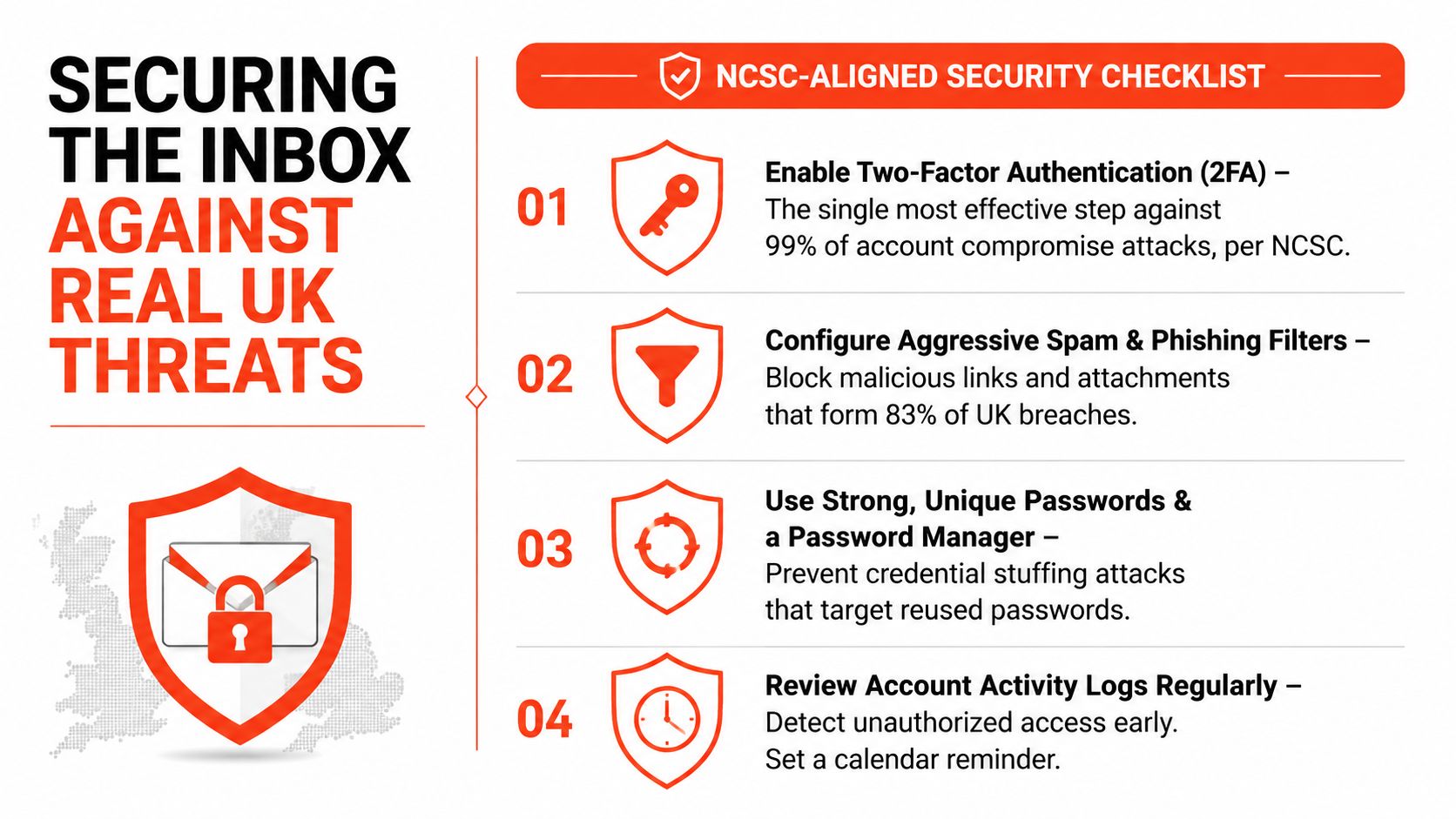
Email security isn’t a separate project after setup, it’s part of setup. The UK remains a heavy target for phishing and spoofing, and Microsoft said the UK was the most-attacked country in Europe in its 2025 X-Force Threat Index, accounting for 25% of monitored incidents in the region. That’s the environment your new address lands in, so the right response is to harden the inbox before staff start relying on it for payments, credentials, and customer data. The IBM X-Force UK threat update shows why complacency is expensive.
Lock in the habits that actually reduce risk
Use a unique password for the mailbox and store it in a password manager. Do not reuse a personal password just because the account feels low stakes. Turn on app-based two-factor authentication if the provider supports it, because it’s stronger than SMS in normal business use.
Keep a separate recovery email and phone number that aren’t shared across staff. If somebody else can reset the inbox through a route you don’t control, the account isn’t really secure. Also, create an out-of-band verification habit for payment changes. If a supplier suddenly says their bank details have changed, verify the request by another known route before you touch a transfer.
Verify payment change requests on a separate channel every time. Email is too easy to fake, especially when the sender name looks familiar.
If a message looks wrong, report it to report@phishing.gov.uk and revoke active sessions after any suspicious sign-in. That session review matters because one stolen login can outlive a password change if you leave old access tokens alive. For businesses handling customer information, the data protection guidance is worth keeping close because email and personal data tend to collide quickly.
Mistakes That Catch UK Business Owners Out
The biggest mistake is confusing the registered email address with the branded inbox customers see. Companies House wants a reachable address for official communication, it does not force you into a polished marketing mailbox. That distinction matters because too many owners buy software they don’t need, or worse, assume a nice-looking inbox alone covers compliance.
The small errors that create big headaches
A parked domain with no proper mail setup is another easy way to cause trouble. If the domain exists but no MX or SPF setup points to a legitimate mail system, spoofers have a cleaner target and your business can look sloppy. Free webmail is another trap when client work starts to grow, because migrating later means chasing old contacts, rewriting signatures, and untangling access.
The smaller mistakes are the ones that sting in practice:
- Forgetting renewal dates: a forgotten domain renewal can cost you the address itself.
- Using a personal Gmail for invoicing: it works until finance, audit, or handover makes it messy.
- Skipping DMARC: legitimate business mail can suffer when authentication isn’t set up properly.
- Leaving aliases untested: mails to hello@ or sales@ disappear into someone’s personal inbox.
- Mixing roles and logins: shared passwords make it hard to know who saw what and when.
You should also resist the temptation to treat info@ as a one-size-fits-all fix. It only works if it forwards cleanly to a real inbox, and somebody checks that inbox every day. If you’re using a .uk domain, keep an eye on the renewal cycle too, because losing the domain is a self-inflicted wound.
Before you call the domain production-ready, check three things. The mailbox is live, aliases deliver correctly, and the domain authenticates properly with SPF, DKIM, and DMARC. If those three are right, you’ve done the part most businesses get wrong.
Your Email Setup Checklist and Next Steps
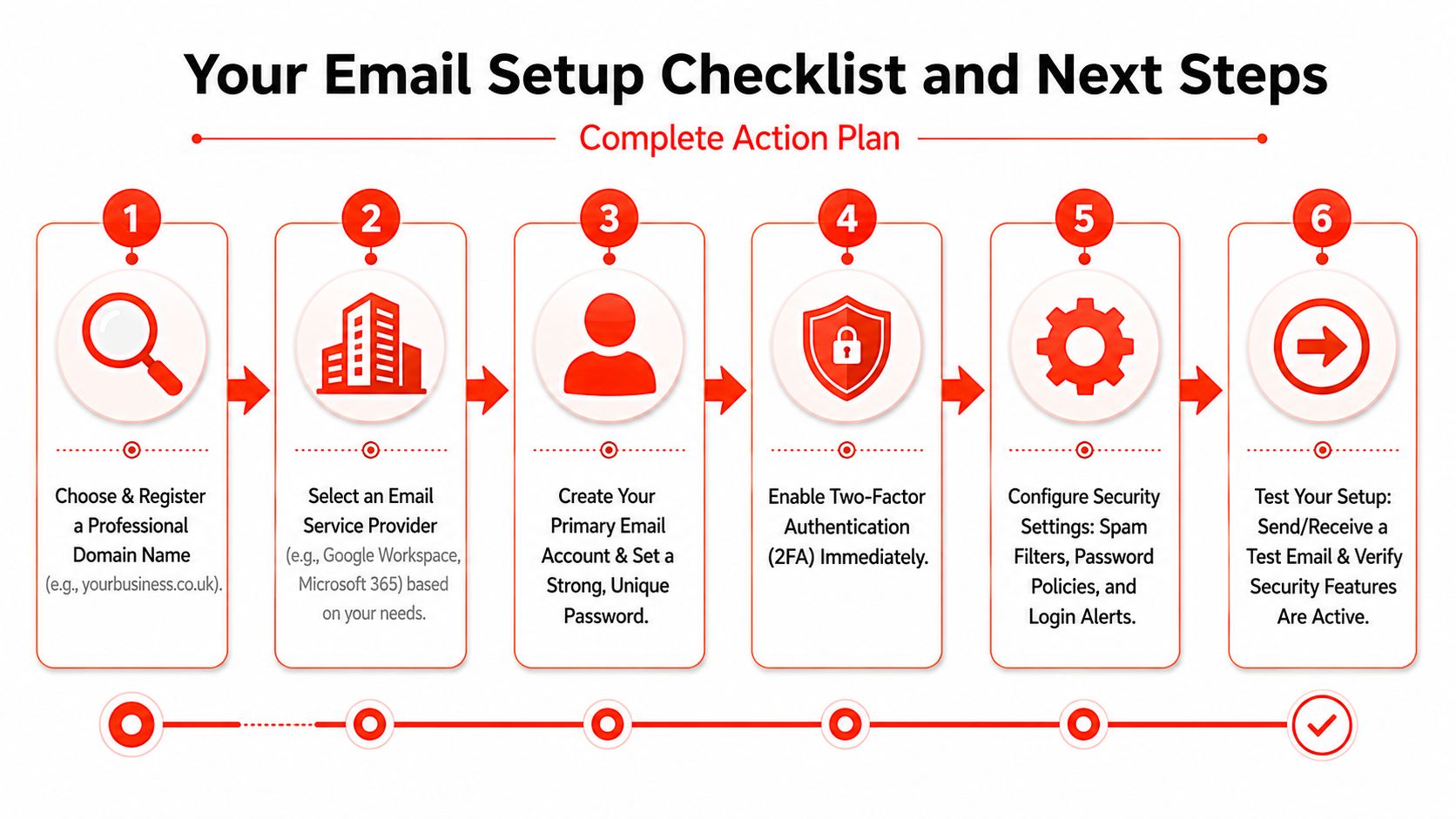
The simplest way to do this properly is to work in order and not skip ahead. First choose the domain, then pick the provider, then create the primary mailbox, then add the authentication records, then connect devices, then harden the account. If you do it in that order, you avoid the common mess of having a live address that can’t authenticate or a domain that nobody can receive on.
Keep it as a routine, not a one-off job
Use this list as your working checklist:
- Choose and register the domain: pick the address that matches the business and make sure renewal is tracked.
- Select the email provider: choose hosted mail if the business needs proper control and authentication.
- Create the primary mailbox: set the main login and keep the public roles as aliases.
- Add SPF, DKIM, and DMARC: start in monitoring mode, then tighten policy once reports look clean.
- Connect phone and laptop devices: use IMAP, not POP, so everything stays in sync.
- Enable 2FA and recovery: lock the account down before the first real campaign or invoice goes out.
The maintenance part is just as important. Review passwords regularly, check authentication settings again before your .uk renewal cycle, and make sure the Companies House registered email still points to a live inbox every year. If a supplier, customer, or HMRC message starts looking odd in 2026, assume phishing first and verify second. That discipline keeps a simple email setup working as the business gets busier.
If you want this done properly without the usual technical faff, 1stNet AI Ltd can build the website and email foundation around it, including domain setup, SSL, hosting, and maintenance. If you’re launching fast and want the email side handled with the same level of care, visit 1stNet AI Ltd and get a setup that’s ready for real business use.