
You’re probably here because something on your Google Business Profile is wrong right now. Your opening hours have changed. You moved unit numbers. Your phone line switched. Or Google is showing an outdated detail that customers keep repeating on calls.
That’s where most UK small businesses get caught. Editing a profile looks simple, but the actual outcome depends on what you edit, where you edit it, and whether your business details already match across the web. A quick change can fix visibility. The wrong change, made too quickly, can cause delays or trigger review issues.
Table of Contents
Understanding the Importance of Profile Updates
A missed Google Business Profile edit usually shows up as a real-world problem first—a missed call. A customer is at the wrong unit. A one-star review that says “closed” when the business was open, but the hours were wrong on Google.
That is why I treat profile updates as part of day-to-day operations, not a box-ticking SEO task. For many UK small businesses, the profile is the first thing a customer sees in Search or Maps. If the phone number, opening hours, or address is off, the damage is immediate. You lose the lead before anyone reaches your website.
Google also uses profile accuracy as a trust signal. If your business details stay aligned across your profile, website, and major citations, Google has fewer reasons to question what it should show. If those signals conflict, edits can take longer to stick, and visibility can wobble, especially after bigger changes such as a relocation or phone number switch.
The riskiest edits are usually NAP edits. Name, address, and phone. They matter because they affect rankings, directions, and calls, and can also trigger additional Google reviews. In some UK cases, I have seen businesses update an address or primary phone number for valid reasons, only to spend days dealing with suspended edits, duplicate listings, or reviews that appear to drop from view while Google reprocesses the profile. That hidden review loss paradox catches owners off guard. The edit is necessary, but the timing and method matter.
Smaller fields still affect conversions. Holiday hours stop wasted journeys. A correct category helps Google match you to the right searches. Updated services, photos, and business description give customers enough confidence to call. Good local SEO copy on the profile also works best when it matches the messaging on your site, which is why clear SEO copywriting for local service pages supports profile edits rather than sitting separately from them.
In practice, the goal is simple. Keep every customer-facing detail accurate, and make changes in a way Google is likely to accept on the first pass. That means choosing the right editing route, checking supporting signals before you touch core details, and treating major edits with more care than minor ones.
Preparing to Edit Your Google Business Profile
A typical UK edit goes wrong before the form even opens. The owner wants to change a phone number, logs into the wrong Google account, finds the profile is tied to a former employee, then updates the website, but forgets the listing. Google sees mixed signals,s and the edit stalls. I once spent a week tracking down a founder’s old personal Gmail to change a main number. Check access first.
Check access and admin control.
Confirm the exact Google account that has owner or manager rights for the profile. If the listing is visible in Search or Maps but the edit options are missing or restricted, public visibility is not the problem. Access is.
This catches small businesses constantly. An old agency may still hold primary ownership. A receptionist may have manager access but not enough control to handle a transfer. A founder may have set up the profile years ago with a personal Gmail account that no one else can access now. Sort that out before touching any high-risk field.
For multi-location businesses, bulk edits only work if the account is set up properly inside a business group and each location has its own store code. Google’s own guidance on bulk upload for Business Profile explains the store code requirement clearly. If those basics are messy, bulk edits become manual cleanup.
Sync your business details before you edit Google.
For UK businesses, I check three places first. The website, the live Google Business Profile, and the main external references customers or Google are likely to compare against, such as Companies House and established directories, where relevant.
This matters most for NAP edits. If you change an address or primary phone number on the profile before your site reflects it, Google will have less support for the update. That is when valid edits can sit in review, revert, or trigger duplicate problems. It also feeds the hidden-review-loss paradox mentioned earlier. Reviews may not be gone for good, but they can appear to drop from view while Google reprocesses identity signals.
Use a simple order of operations:
- Update your website first. Header, footer, contact page, and schema if you use it.
- Check business references. Companies House, key directories, and social profiles should match where appropriate.
- Standardise the wording your team uses. Invoices, email signatures, booking confirmations, and contact forms often get overlooked.
- Keep service and location wording aligned. If your profile says one thing and your site says another, trust drops.
Clear site wording helps here more than people realise. If your service pages, contact page, and location cues are inconsistent, approval gets harder and local relevance weakens. This guide to SEO copywriting for local business websites covers that side well.
Choose the editing route before you start.
Different edits suit different workflows. That choice affects speed and risk. A desktop is usually best for planned edits across several fields because you can review everything in one sitting and catch conflicts before saving. Mobile is fine for quick hour changes or photo updates, but it is easier to miss a field or push through an edit too quickly. In Search editing is handy for fast changes, especially if you are already logged into the managing account. However, I would still use the fuller dashboard-style approach for anything involving names, addresses, phone numbers, categories, or ownership.
Treat preparation as part of the edit, not admin overhead. The businesses that get changes approved fastest usually do the boring checks first.
Performing Edits on Desktop and Mobile
You spot the problem on a Monday morning. Your Google Business Profile still shows the old phone number, the address has changed, and customers are already calling the wrong line. These minor inaccuracies quickly become costly. A rushed edit can trigger a review delay, and a badly handled NAP change can create a stranger problem in the UK. You fix the listing, but Google temporarily rewrites parts of the profile, pauses visibility on key fields, or detaches older trust signals while it checks the update.
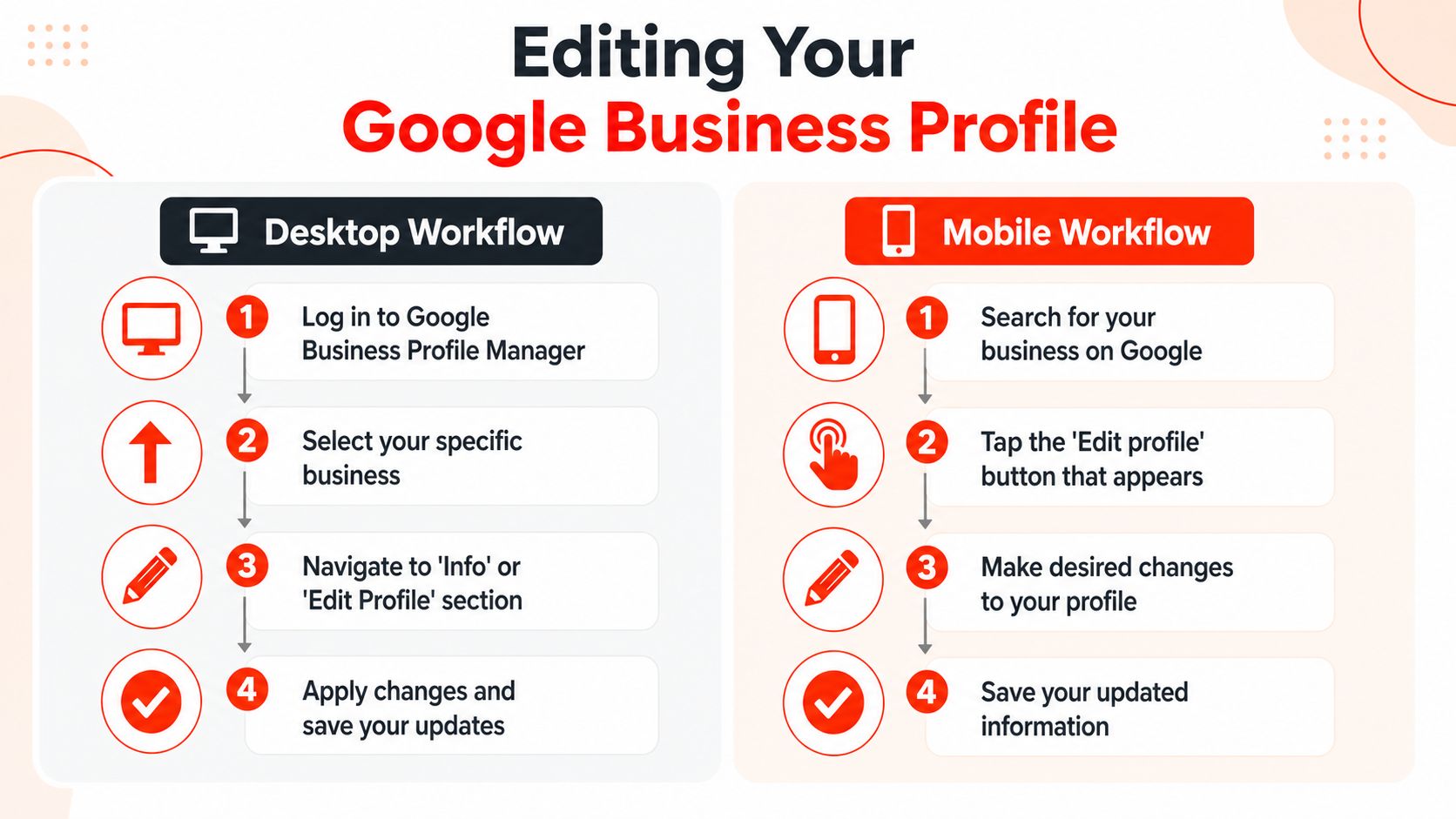
Google now offers three practical editing options. You can edit in the Business Profile Manager on desktop, in Google Search on desktop, or in Google Search on mobile. For UK owners managing one location, the Search route is often quicker for routine updates. For anything tied to identity, location, or category targeting, desktop is still the safer working environment because you can review more fields before submitting changes.
Editing through Business Profile Manager on the desktop
Desktop is the method I use for planned changes.
- Sign in to Business Profile Manager with the actual managing Google account.
- Select the correct business if the account controls more than one listing.
- Open Edit profile or the relevant info panel.
- Update the field carefully, then check the rest of the profile before saving.
- Submit once and wait for Google to process it.
That last point matters more than many owners expect. If a name, address, or phone edit does not go live straight away, avoid resending the same change repeatedly. Repeated submissions can slow things down and create conflicting data points for Google to assess.
For businesses relying on local SEO visibility in Google search, this is not admin work. It affects ranking signals, click-throughs, and whether customers reach the right branch or service line.
This walkthrough is useful if you want to see the edit flow in action before doing it on your own listing:
Editing directly in Google Search on desktop or mobile
Search-based editing is simpler for quick jobs. While logged in to the managing account, search for your business name on Google. If Google recognises your access, you should see options such as Edit profile, Promote, or Customers directly in the search results.
Use this route for changes like:
- Opening hours
- Holiday hours
- Photo uploads
- Attributes, such as accessibility or payment options
- Minor business detail updates that do not change the business identity
On mobile, this is often the fastest way to correct a live issue. A restaurant can fix tonight’s closing time from the phone in two minutes. A plumber can upload a new van photo between jobs. That speed is useful, but mobile also makes it easier to miss a field, save the wrong tap, or overlook a pending edit already under review.
Which route fits which edit
Use the route that matches the risk.
- Desktop manager suits category changes, website edits, service updates, and anything you want to double-check before submission.
- Google Search on desktop is good for single-field updates when you are already signed in and want a faster path.
- Google Search on mobile works best for urgent hour changes, temporary closures, and quick media updates.
NAP edits require more caution than any routine change. If you change your business name, address, or phone number, Google may reassess the profile more closely. In some UK cases, especially after a relocation, owners see a short-term drop in review prominence or profile trust while Google works through the new business details. The reviews are not always gone for good, but the disruption is real enough that I treat NAP edits as planned changes, not casual ones from a phone in the car park.
One clean, well-supported submission usually beats a fast one.
Optimising Key Profile Fields for Local SEO
Once the profile is accurate, the next step is to make each field work harder. Not every field carries the same weight. Some shape relevance. Others improve trust, click-through rates, and conversions once someone finds you.
The fields that matter most
Start with the business name. Keep it consistent with your real-world trading identity. Don’t stuff locations or service keywords into the name field if they aren’t part of the business name. That may look clever for a week, but it often creates compliance problems later.
Categories matter more than many owners realise. Your primary category should reflect the core service you want to rank for, not every service you offer. Secondary categories help round out the profile, but they should support the main commercial intent rather than compete with it.
Then come the trust fields:
- Hours: Keep standard hours and seasonal changes up to date.
- Phone number: Use a monitored line that staff answer.
- Website link: Point users to the most relevant page if appropriate, not always just the homepage.
- Service areas and services: Make these readable and aligned with your coverage.
- Photos: Show the premises, team, signage, vans, products, and completed work where relevant.
A strong description helps, but keep it natural. Mention what you do, where you do it, and who you help. Write for customers first, then let relevance follow.
If local visibility is part of your wider growth plan, it helps to understand how the profile fits into the rest of your search presence. This overview of local SEO for small businesses gives the wider context.
A good profile doesn’t try to say everything. It makes the main offer obvious quickly.
Profile Fields and Best Practices
| Profile Field | Best Practice |
|---|---|
| Business Name | Match your real trading name exactly and keep it consistent with your website and listings. |
| Primary Category | Choose the single category that best reflects your main revenue-driving service. |
| Secondary Categories | Add only genuinely relevant supporting categories |
| Phone Number | Use a live, monitored number that matches your website contact details |
| Address | Keep formatting consistent across your site, directories, and profile |
| Opening Hours | Update regular, seasonal, and holiday hours promptly |
| Website URL | Link to the most relevant customer-facing page and make sure it works on mobile. |
| Description | Explain services, locations served, and differentiators in plain language |
| Attributes | Turn on only features that are accurate and currently offered |
| Photos | Upload clear, current images of your premises, team, work, and branding |
A profile that ranks but disappoints users still wastes traffic. The best edits improve both visibility and decision-making.
Verifying and Transferring Ownership
Verification is where many profiles stop being “claimed” and start being dependable. If edits keep getting limited, rejected, or ignored, ownership and verification are often part of the problem.
Getting verification right
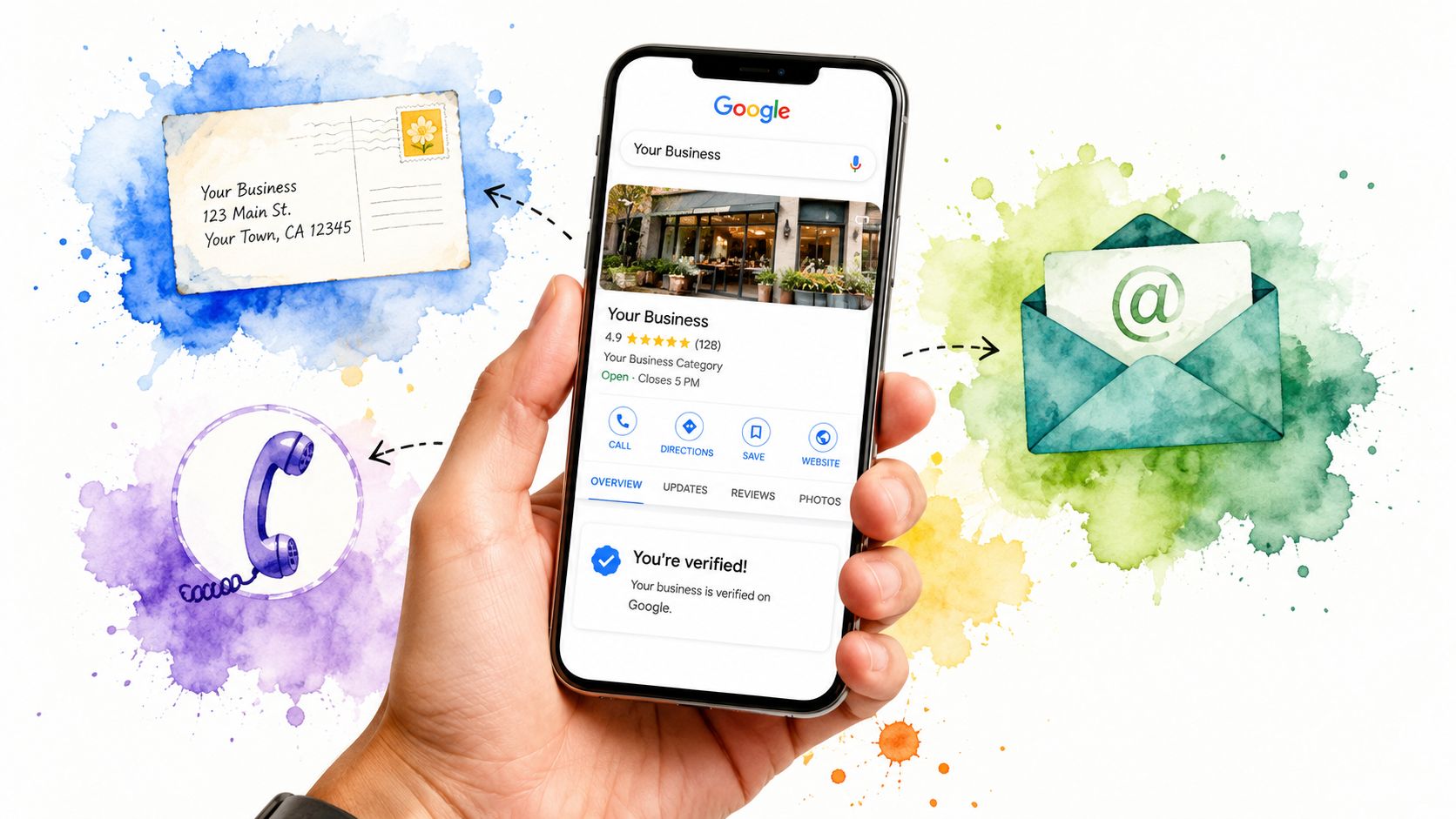
Google may offer different verification routes depending on the business and profile history. Common paths can include postcard, phone, and email. The method itself can vary, so the practical rule is simple. Follow the method shown in your own account and complete it using details that match the live business exactly.
Verification works best when:
- Your business details already match publicly: Website, directories, and official records should align before you start.
- Your signage and branding are clear: If Google needs to confirm legitimacy, visible branding helps.
- You avoid mid-process changes: Don’t keep changing key identity fields while verification is underway.
For UK firms, this isn’t optional admin. It’s core visibility infrastructure. Verified profiles carry more trust in local search and support a stronger appearance in map-driven results, as noted earlier.
Handling ownership access
Ownership transfer is often messier than verification itself. If a former employee or agency controls the profile, request access rather than creating a duplicate listing. Duplicate profiles create confusion and can lead to additional support work later.
A sensible order looks like this:
- Identify the controlling Google account if possible.
- Request ownership or manager access through Google’s built-in process.
- Wait for the response window and monitor your email carefully.
- Assign roles properly once access is restored, keeping primary ownership with the business, not an outside contractor.
Keep at least two trusted internal people with access. That reduces the risk of lockout when staff leave or agencies change.
Troubleshooting Common Edit Issues
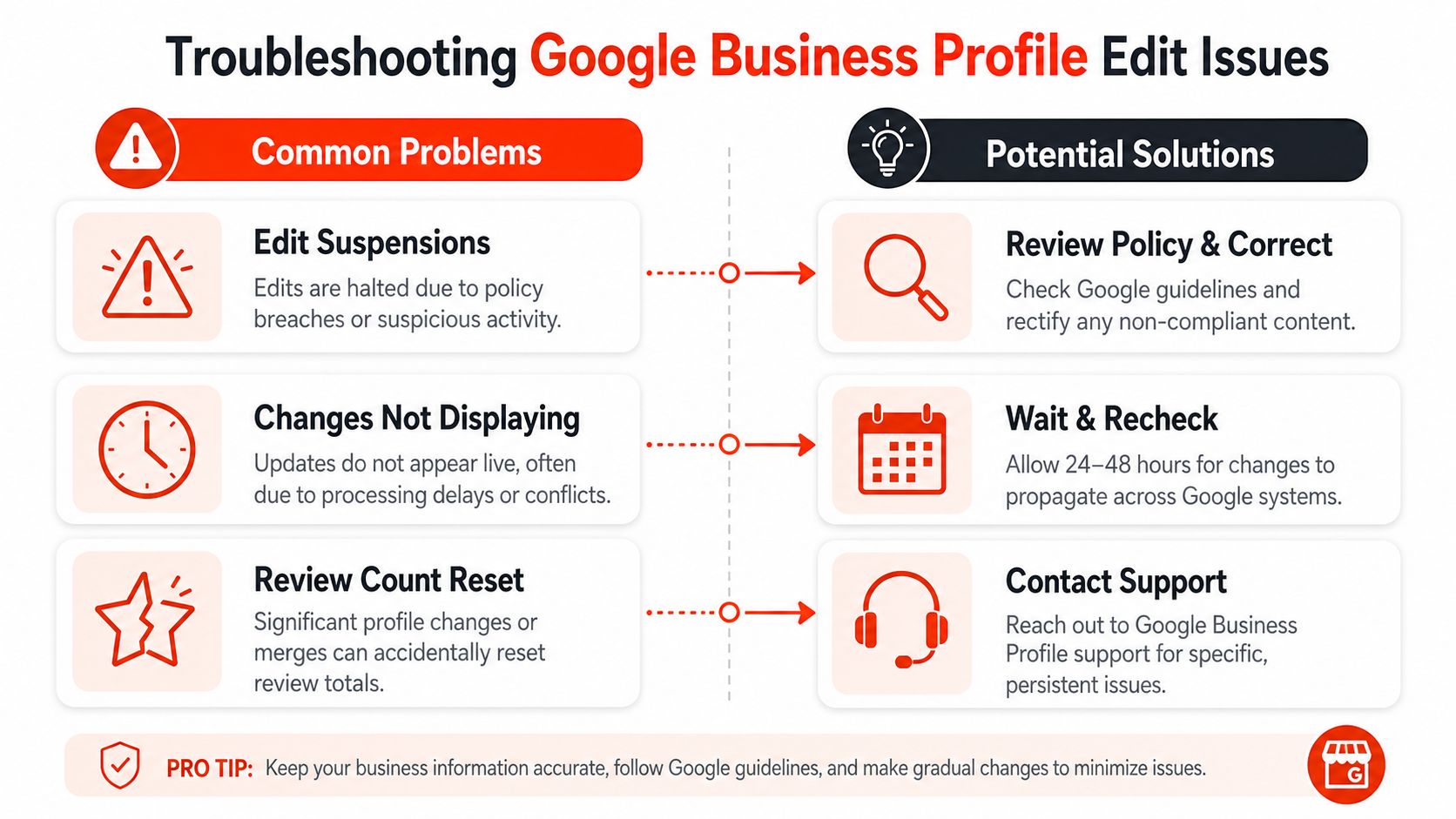
Most Google Business Profile edits don’t fail dramatically. They stall, partially apply, or create odd side effects that owners don’t notice until customers mention them.
When edits don’t go live
The first problem is the delay. You save a change, but the public profile still shows the old version. That doesn’t always mean the edit was rejected. Sometimes Google is still reviewing it, or different surfaces are updating at different speeds.
Use this triage approach:
- Check the status in your profile tools; look for pending or under review indicators.
- Compare fields carefully: Some changes may have gone live while others remain held.
- Avoid repeated edits: Editing the same field over and over can slow clarity rather than improve it.
Suspensions are a different issue. They often happen when the business name, address format, or category usage looks non-compliant. If that happens, review your profile against Google’s own business representation rules and remove anything that looks promotional rather than factual.
The review loss paradox on NAP changes
This is the issue most generic guides miss. Changing core Name, Address, and Phone details can sometimes cause Google to treat the profile as a new business rather than an updated one.
A Whitepark analysis of 1,200 UK profiles found that editing NAP without first syncing data across multiple sources can reset 15% to 30% of existing reviews, according to Darren Shaw’s Whitepark-linked post. That’s a serious risk for businesses that rely on review volume as a trust signal.
The safer process is:
- Update your website first, especially the header and footer, and contact details.
- Update key external profiles, such as Facebook and major directories.
- Wait for those signals to settle, then edit the Google profile.
- Document the existing review count and profile state before making the change.
If the business identity is changing, treat the edit like a migration, not a typo fix.
If you’ve already changed NAP and reviews have dropped, don’t panic and start editing repeatedly. Gather screenshots, confirm the profile history, and work through support channels with a clear timeline of what changed and when.
Next Steps and Expert Support
After you edit Google Business Profile details, don’t leave the profile untouched for months. Recheck hours, photos, categories, and contact routes whenever the business changes. Then make sure your website supports the same story, because weak or outdated site details often undermine trust in your profile.
For businesses looking to gain stronger visibility beyond Google Maps, this guide on getting featured in ChatGPT, Google Gemini, and AI search results is a smart next read.
Launch your website fast with a domain, SSL, hosting & maintenance included. In an hour. 1stNet.AI website team. We transform your online presence with a stunning website. Call us now at 0204 577 2255. Don’t miss this chance to boost your brand! All our work comes with a 30-day money-back guarantee. WE OFFER AN INTERACTIVE LIVE CHAT SYSTEM TO DESIGN YOUR WEBSITE. If your Google Business Profile is being updated but your website still looks dated, inconsistent, or slow to launch, 1stNet AI Ltd provides UK-focused website design and development with hosting, maintenance, and support included.