

Your customer clicks a link, expects a product page, and meets a locked door instead. The site is live, the browser is working, and the request clearly went somewhere, but access was refused before the page could load. That’s the heart of error 403 Forbidden, and for UK business owners it usually means one thing, the request reached a system that understood it and then said no.
That “no” can come from several places, not just the web server. A permission rule, a security filter, a CDN edge, or a storage bucket can all reject the request first, which is why 403 problems feel confusing until you break the journey into layers. Think of it as a request passing through a series of doors, each with its own key or security check, and the first locked door is the one that stops the visitor.
What Error 403 Forbidden Means
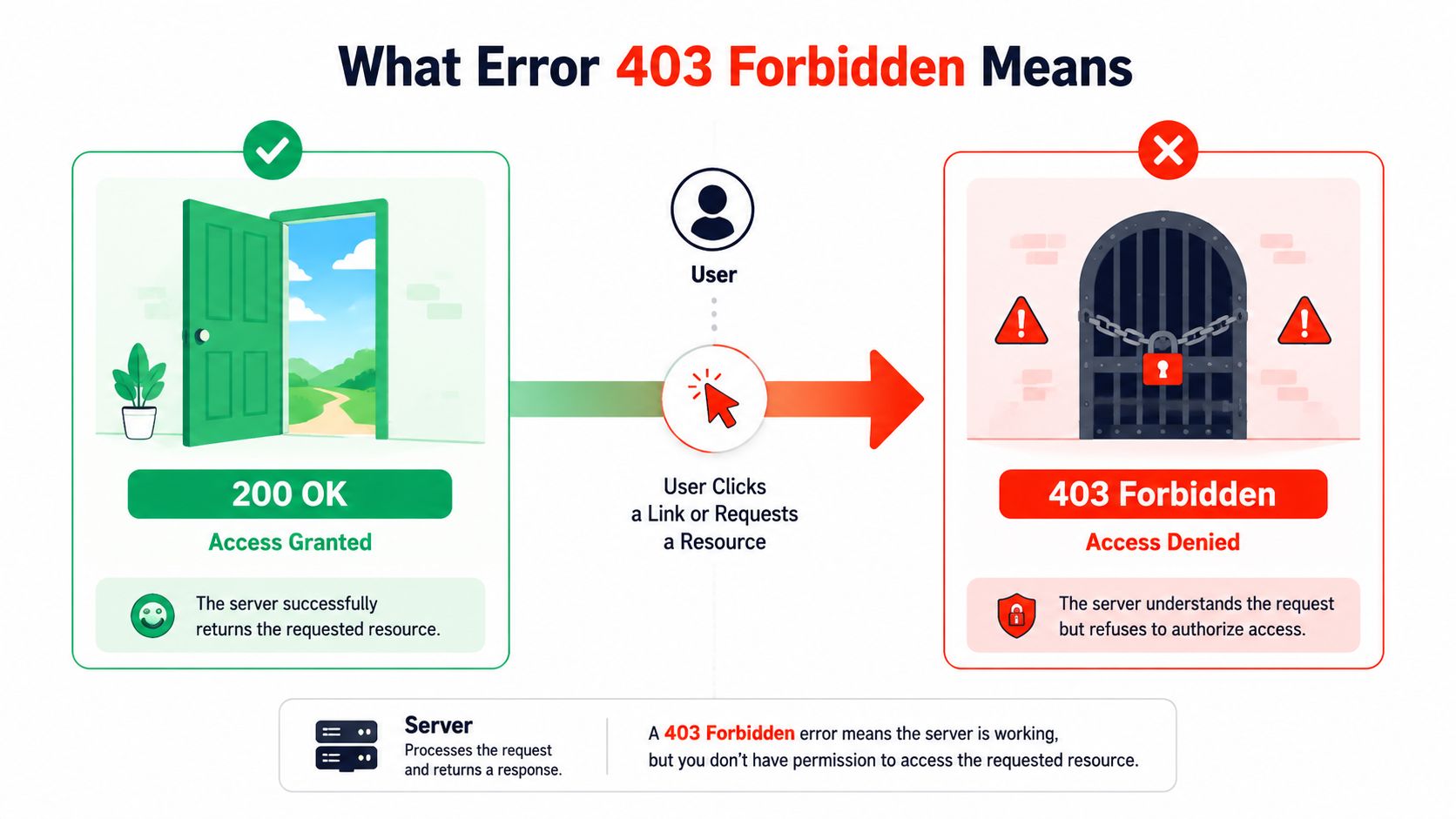
A visitor taps a page, and instead of the content they wanted, the screen shows a refusal. The browser has not lost the connection, and the site has not vanished. The server understood the request and still chose not to serve it, which is why 403 Forbidden sits in the family of HTTP client errors rather than network failures, and why it is different from a 404 or a 401 MDN’s reference for HTTP 403.
A locked door, not a broken road
The simplest way to read a 403 is as a door that opened just enough to identify the visitor, then shut again. A 404 says the page was not found. A 401 says the server wants authentication, while a 403 says the server knows the request enough to reject it anyway.
That distinction matters because a retry usually won’t help. If the site or server policy has decided the request is not allowed, repeating the same request gives the same answer. In practical terms, 403 is often the first access-control layer saying that the visitor cannot reach the file, admin area, storage object, or route they asked for.
Practical rule: if the browser can reach the site but the site refuses access, treat it as a permission or policy problem first, not a connectivity problem.
What the visitor, browser, and server each see
The visitor sees a refusal message or a generic forbidden page. The browser usually shows a status code or a simplified error screen because it received a valid HTTP response, just not the one the user wanted. On the server side, the event is logged as a denial, not a crash, and that log entry is often the most useful clue when you’re trying to work out whether the issue came from permissions, rules, or an upstream filter.
UK hosting guidance has long treated 403 this way. Heart Internet’s support article explains it as a page the browser is not permitted to view, and it ties the error to server settings such as directory permissions of 711 or 755 and file permissions of 644 in common UK hosting environments Heart Internet support guidance. That is why 403 is usually about access control, not a broken route or bad internet connection.
How Access Decisions Reach the Server
A 403 often starts long before a page is rendered. A visitor clicks a link, then the request can pass through DNS, a CDN or edge cache, the web server, the application, and sometimes object storage before it reaches the content. Any one of those layers can make its own decision, so the question is not just “why did the server refuse?”, it’s “which layer refused first?”
Authentication is not the same as authorisation
Authentication proves who the visitor is. Authorisation decides what that visitor may do. A logged-in user can still get a 403 if their role, token scope, path, or method does not match the policy.
That’s why the same status code can appear in different places for different reasons. In the UK DVLA API documentation, 403 is used both for “Missing authentication token or unsupported API method/resource” and for “Access denied”, which shows how one refusal code can reflect either an auth-token problem or an explicit policy decision depending on the backend path MDN’s HTTP 403 reference also explains the general refusal model.
Think in layers, not guesses
The browser is only the front of the chain. A CDN can deny a request before the origin ever sees it. A web server can reject a directory because the file mode is too strict. An application can block a user role. Object storage can deny a public read because the bucket policy says no.
Don’t assume the origin server is guilty just because the browser shows a 403. The first deny rule in the path is usually the real cause.
The safest way to diagnose the problem is to locate the layer that issued the reject. Once you know whether the refusal came from the application, the web server, the edge security layer, the CDN, or storage, the fix becomes much more precise.
Common Causes Behind a 403 Response
A 403 usually means the first access-control layer in the path has already said no. That layer might be the application, the web server, the edge security system, the CDN, or object storage. The browser only shows the final refusal, so the useful work is finding which layer made the decision first.
Start with the request itself. A page can be blocked because the user is not allowed, because the server cannot read the file, or because an upstream rule stops the request before it reaches the origin. The same status code can also appear when a bucket policy, signed URL, or edge filter rejects access.
Permissions and configuration issues
File permissions are a common cause, especially after a deployment or migration changes ownership. If a directory cannot be traversed, the server may never reach the page even when the file exists. A missing or misnamed index file can also trigger a denial when directory listing is turned off.
Broken rewrite rules create similar symptoms. A faulty .htaccess rule, a restrictive Require directive, or a server block that points to the wrong document root can all produce a forbidden response while the site still appears to be live. UK hosting guidance from Heart Internet and ITA Network Solutions both point to document root checks, file and folder permissions, .htaccess, and security layers as standard places to inspect Heart Internet support guidance ITA Network Solutions guidance.
Security and access controls
Some 403s are intentional. ModSecurity, a WAF rule, fail2ban, IP denylists, country blocks, or hotlink protection can all block access on purpose. In government-style environments, that refusal may be exactly what the security policy asked for. The Department for Justice cloud-platform example shows that when IP whitelisting is enforced, requests outside the allowed ranges receive a default 403 Forbidden response, which is access control working as designed ITA Network Solutions guidance.
CDN, cache, and storage edge cases
A CDN can cache a negative response, which makes the block look wider than it really is. Signed URL expiry can also look like a permission error even though the asset was valid earlier. For object storage, private bucket policies and missing public-read grants often show up as 403s because the storage layer is enforcing policy, not failing to serve content.
| 403 Causes by Layer | Typical Cause | Observable Symptom |
|---|---|---|
| Application | Role restriction, token scope issue, protected route | Logged-in user still gets denied |
| Web server | Wrong file mode, bad .htaccess, missing index file | Page works for some paths, not others |
| Security layer | WAF rule, ModSecurity, IP block | Blocked request IDs, denial in security logs |
| CDN or edge | Cached deny, edge rule, hotlink protection | Same 403 from multiple visitors until cache clears |
| Object storage | Private bucket, expired signed URL, missing grant | Asset URL denied while the app itself loads |
A useful UK-specific warning is that many 403 explanations ignore the difference between a site’s own permissions and a protection layer upstream. That matters because the NCSC says its Share and Defend service blocked nearly 1 billion attempts to access malicious or scam sites in less than a year NCSC Share and Defend update. A block like that is not a malfunction, it is policy doing its job.
A Safe Diagnostic Checklist
Start with evidence, not edits. If you change permissions, config, or firewall rules before you know which layer is denying access, you can make the problem harder to trace and risk opening something you didn’t mean to open.
Reproduce the problem cleanly
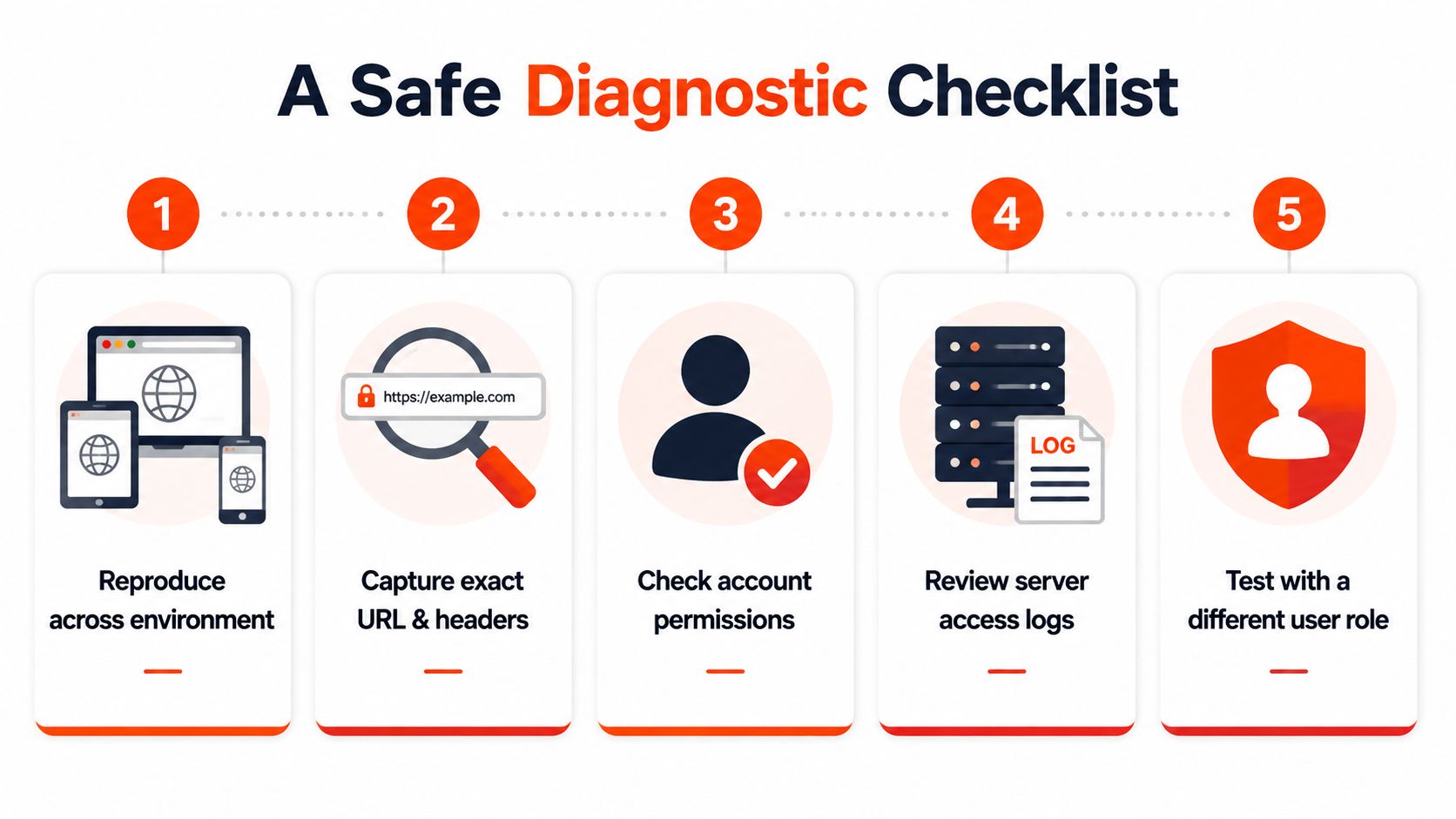
Try the same page in a different browser, on a different device, and with a different account if the site uses logins. If only one account gets the 403, the issue is probably authorisation. If every device and browser gets the same refusal, the problem is more likely a shared layer such as the web server, CDN, or storage policy.
Capture the exact URL, the time of the error, and any response headers you can see. Then check whether the problem appears on the origin directly, not just through the live site. The internal guide on HTTP 400 Bad Request troubleshooting is useful as a companion reference when you’re separating request formatting issues from access-control problems.
Keep a simple note of every test. Reproduction details are often more useful than the first fix you try.
Work from logs backwards
Once you can reproduce the error, check the server access and error logs for the same timestamp. Then look for denial clues in the order they happened, not the order you’d prefer to see them. A WAF hit, a missing index file, or a permissions error in the log can save a lot of guesswork.
After that, check file and folder permissions before touching config files. If the permissions are already correct, verify .htaccess or the Nginx config syntax, then test the request again. Don’t edit live configuration without a backup, and don’t disable security controls just to make the page load. The aim is to identify the layer that blocked access, not to remove every barrier on the system.
Server-Specific Fixes That Work
Generic advice gets people stuck because a 403 in Apache doesn’t always need the same fix as a 403 in WordPress or S3. The right repair depends on where the access decision is being made, so the most effective response is to match the platform to the block.
Apache, Nginx, and WordPress
For Apache, the basics still matter. Directories commonly need 755 and files 644, and .htaccess should be checked for deny rules or rewrite mistakes Heart Internet support guidance. If the server uses AllowOverride, confirm it’s set in a way that lets the expected rules run. A missing index file can also trigger a forbidden response when directory listing is off.
Nginx usually needs a different mindset. Review location and deny directives, make sure root and try_files resolve to the right place, and confirm the index directive points to a real file. If a request works for one path but not another, the block may sit inside a location rule instead of the main server block.
WordPress can hide the cause behind rewrites and plugins. Renaming .htaccess can force rewrite rules to regenerate, and disabling plugins or switching themes can isolate a permission or security conflict. If the problem appears only on one folder or media path, check whether an index file is missing or whether a plugin has added a restrictive rule.
Storage and CDN paths
For S3, review bucket policies, block public access settings, IAM permissions, and any CloudFront origin access identity in front of the bucket. A private object can still be perfectly valid content, it just won’t serve to an unauthorised request. If the object works from one route but not another, the bucket policy or origin access setup is often the deciding factor.
CDNs need their own checks. Purge stale cache, review edge rules, and verify that the origin isn’t blocking the CDN’s IP ranges. A cached 403 can survive long after the underlying problem has been fixed, which is why a purge is sometimes part of the repair, not a cosmetic step.
| 403 Fixes by Platform | Primary Checks | Common Fix |
|---|---|---|
| Apache | File mode, .htaccess, AllowOverride, index file | Set files to 644, directories to 755, then retest |
| Nginx | location, deny, root, try_files, index directive | Correct the server block and path resolution |
| WordPress | Rewrite rules, plugins, themes, folder indexes | Regenerate .htaccess, disable conflicting plugins |
| S3 | Bucket policy, public access block, IAM, origin access identity | Align storage policy with the intended access model |
| CDN | Cached denies, edge rules, origin reachability | Purge cache and confirm the origin allows the CDN |
A useful way to think about it is this. The fix should match the layer that made the refusal, not the layer that happened to display it.
Prevention After Deployments and Migrations
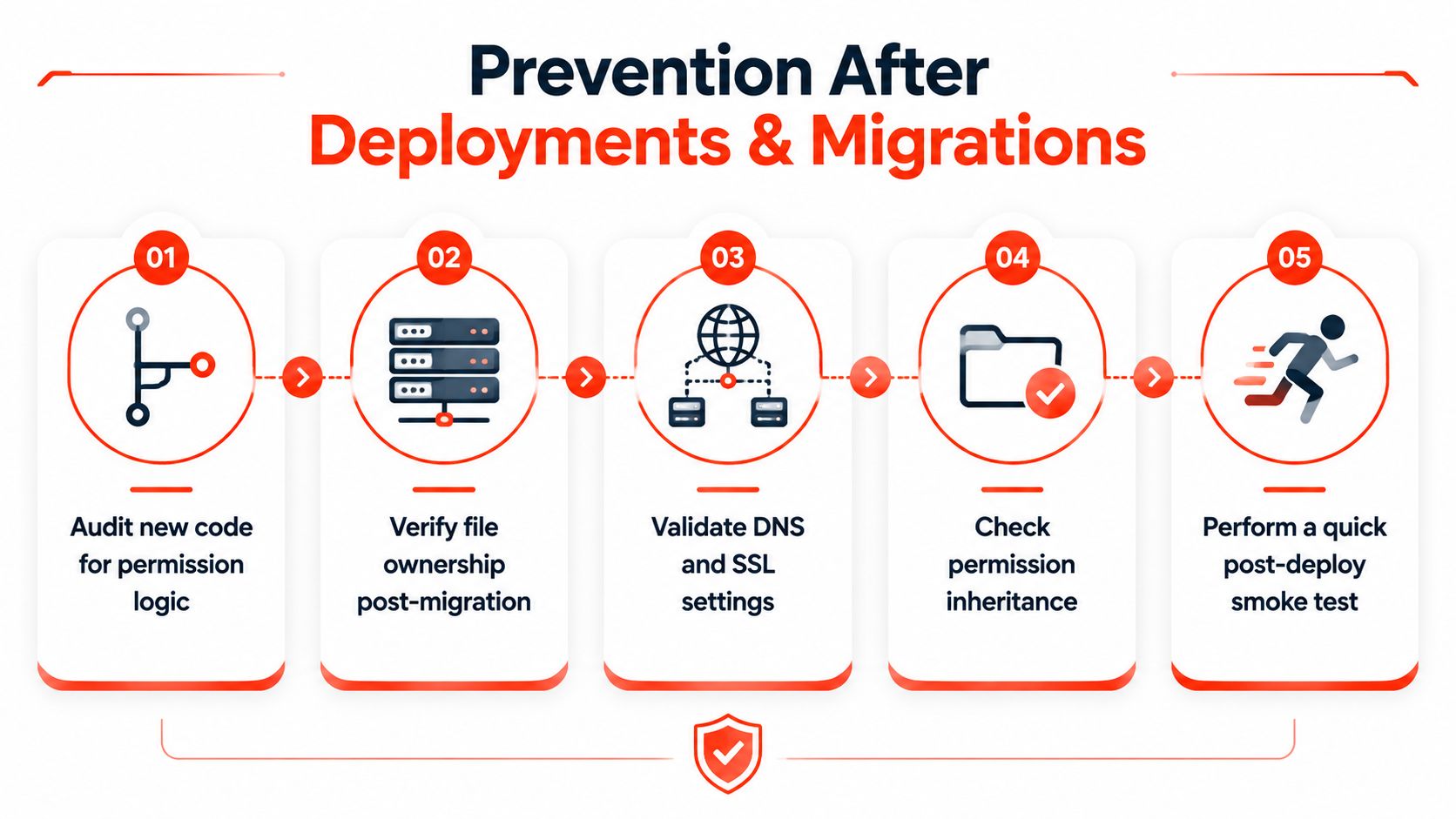
A 403 often appears after a release, a migration, a new security rule, or a CDN change. The request is reaching the site, but the first access-control layer is refusing it, so the right fix is usually to plan access checks before go-live rather than chase the error after users report it.
Build access checks into the release process
After a migration, check file ownership and permission inheritance before the site goes live. When content moves into a new directory tree, it can inherit stricter access than the old path. Pages that worked yesterday can become forbidden today, even though no one changed the page content.
Document allow lists for firewalls and security plugins before deployment. If the app depends on a CDN, proxy, or management IP, test those rules instead of relying on memory. UK maintenance guidance treats ongoing care as a live cost of keeping a site secure and up to date, and our website maintenance services in the UK explain what that ongoing work usually covers. Published UK market guidance also places typical maintenance retainers around £50 to £200 per month or £300 to £1,000 per year UK small-business maintenance guidance.
Make the checks deliberate
Verify directory indexes, confirm that authentication rules are intentional, and run a smoke test across user roles before announcing the change. If a page should be private, record that in the deployment notes. If it should be public, test the public path and make sure it stays public.
A final cache purge and a config version check can avoid awkward surprises. .htaccess or Nginx rules should match across environments, and version-controlled config files make it easier to spot a deny rule added on purpose.
Real-World Scenarios for UK Websites
A 403 feels different depending on what the site does. The same code can protect customer data, block a bad request, or reveal a deployment mistake, so it helps to map the symptom to a real business scenario.
Four situations you’re likely to recognise
A WooCommerce shop can start denying checkout traffic after a burst of failed logins if a security tool treats the source as hostile. The owner sees customer complaints, while logs show a block that was probably intended by the protection layer. That’s a security decision, not a broken basket.
A solicitor’s site can return 403 on /case-studies after a staging clone is promoted and the path inherits the wrong permissions. The browser shows a refusal, and the owner finds that only that section is affected. In that case, the denial is usually a misconfiguration rather than a policy the firm meant to enforce.
A council procurement portal may deny access during a browser certificate check window. The user experiences a refusal even though the service is live, and the operator sees access controls doing exactly what they were set to do. That one may be correct by design, so the response is to verify the rule rather than remove it.
A photography studio can see its S3 image bucket reject hot-linking from a third-party event listing. The event page still loads, but the image URLs fail because the storage policy or edge rule doesn’t allow that source. Here the 403 can be a deliberate protection of assets, unless the business expected those images to be embedded publicly.
The key question is not “did a 403 happen?”, it’s “was this block meant to happen?”
Across these cases, the decision is the same. If the block protects something sensitive, the 403 may be the right result. If the block locks out legitimate users or public content, it’s a fault that needs attention.
When to Contact Hosting Support
There’s a point where owner-side checks stop being efficient. If the same 403 appears across multiple browsers and networks, if the block sits in an edge layer the control panel doesn’t expose, or if you see WAF rule hits with unfamiliar IDs, it’s time to open a support ticket. The same applies if the errors started after a provider migration or if the affected path is licence- or IP-restricted in a shared environment.
Attach timestamped curl output, screenshots, request IDs, and the control panel or platform in use so support can reproduce the refusal quickly. If you can show that the block survives on a different device and account, that saves everyone time.
When you need a provider comparison before deciding on hosting or a managed setup, this guide to the best web hosting for small business is a useful place to start. Managed services make sense when the access policy, hosting, and maintenance all sit in one place. A developer or agency is the better route when the issue sits inside custom application logic or a complex integration that needs code changes.
1stNet AI Ltd helps UK businesses launch and maintain websites with domain registration, SSL, hosting, and ongoing care included. If a 403 is blocking your visitors or you want a setup that’s easier to support after launch, visit 1stNet AI Ltd to explore a fast, managed website service built for small businesses.