
You know the pattern. A house is in trouble, water’s coming through the ceiling, and the homeowner isn’t browsing for the prettiest website. They’re on a phone, stressed, and tapping the first plumber who looks real, local, and reachable. If your site doesn’t answer in that moment, the job goes to the bloke who does.
That’s why website design for plumbers has to be built around emergency behaviour, not generic local business fluff. People in a rush don’t want a long brand story, they want proof, a phone number, and a reason to trust you with their home. The smartest plumbing sites make that decision easy in under a minute, because that’s what the searcher is doing on the other end.
Why Most Plumber Websites Miss Emergency Calls
A Tuesday evening burst-pipe search is brutal. The homeowner taps the first decent-looking result, scans for a phone number, and calls the plumber who answers in two rings. If your number is buried, your mobile header is clumsy, or your page takes too long to load, you’ve lost before the quote even comes up.
That’s the core mistake. Too many plumbing sites read like a brochure for comparison shoppers, not a rescue line for people in a panic. Emergency-intent visitors want proof you’re real, nearby, and reachable now, not a wall of vague service copy.
Practical rule: if a stressed homeowner can’t find your number, your area, and your trust signals in seconds, they’ll move on.
The other common failure is thin trust. If your site doesn’t show Gas Safe registration, real job photos, or a clear path to call, it feels anonymous. In a trade where someone may be entering a home, that anonymity kills enquiries. The same goes for generic lines like “friendly, reliable service”, because they don’t tell the visitor anything useful.
Searchers in an emergency also behave differently from careful planners. They’re not comparing five long service pages. They’re checking whether you serve their postcode, whether you look legitimate, and whether the call button works properly on mobile. That’s why your site has to be fast, direct, and built around contact, not content padding. For a sharper view of how buyers decide in that first moment, see how customers decide in seconds.
Essential Pages and Features a Plumber Site Needs
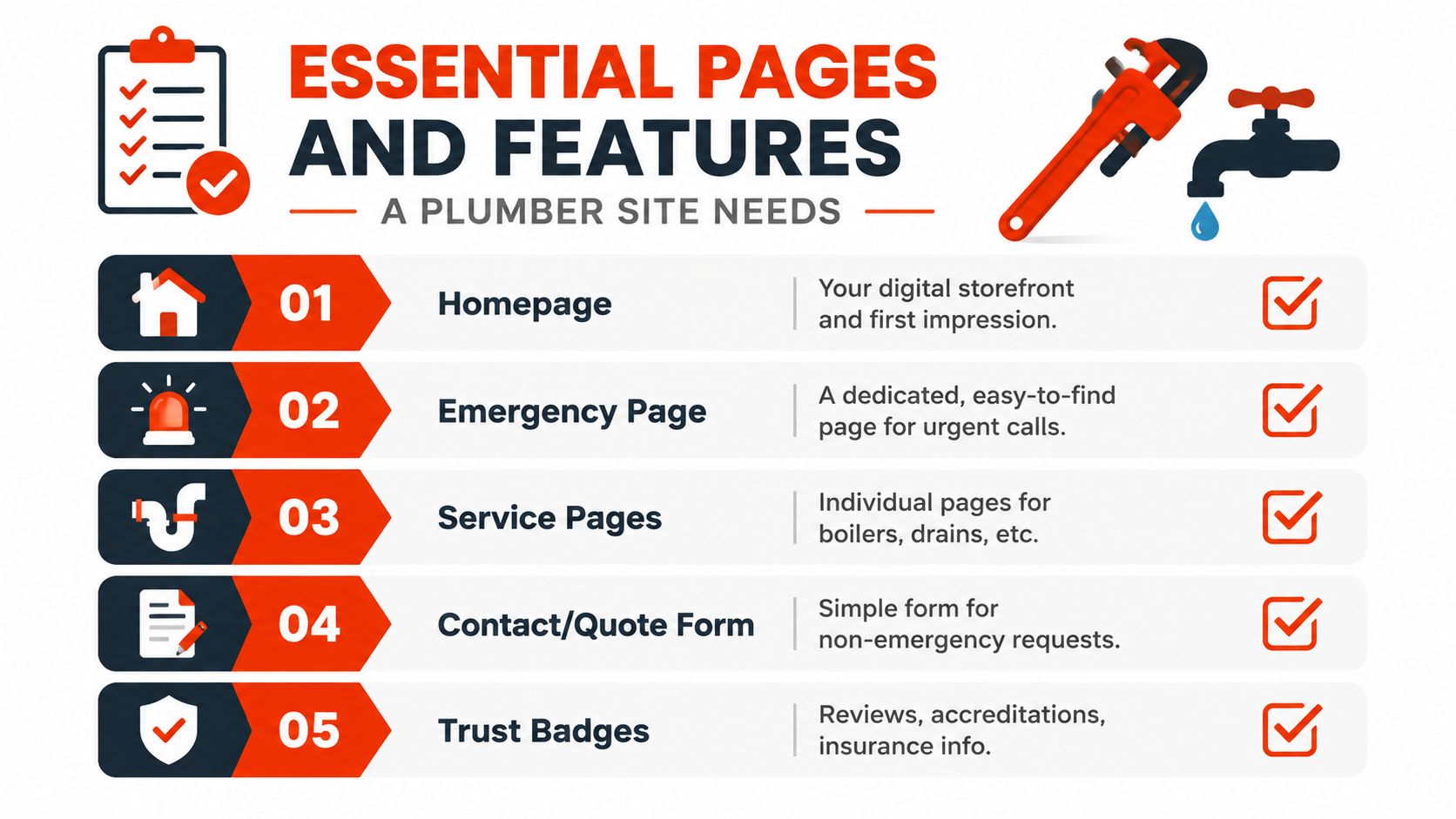
Start with the pages that move someone to action. A plumbing homepage should do three jobs at once, identify what you do, show where you work, and make it dead easy to call. Then build from there with a dedicated emergency page, proper service pages, area pages, an about page that feels human, a reviews page, and a contact page that doesn’t make people jump through hoops.
The pages that matter most
A strong emergency call-out page is worth more than a generic “services” page because it captures the urgent visitor directly. Keep it focused on response, coverage, and contact. Then split your main services into separate pages for boiler repair, leak detection, bathroom installation, and drain unblocking, because each job type has different intent and different questions attached to it.
Service-area pages need real working logic, not copy-and-paste city names. If you cover Bristol, Clifton, Bedminster, and nearby areas, show that clearly. The about page should feature real photos of you or your team, plus your Gas Safe or CIPHE number where relevant, because people want to know who’s coming to the door.
A reviews page is not decoration. It’s where hesitant visitors check whether others trusted you. Keep the contact page simple, with phone, email, WhatsApp, opening times, and a form that asks only what you need to reply properly. Five fields is enough for most enquiry forms.
Strong layout beats clever design. Put the call-to-action above the fold, use your own job photos, and show the exact areas you cover.
Features to place on every key page
- Sticky tap-to-call button on mobile, because emergency visitors shouldn’t hunt.
- Top-bar phone number, so the number is visible immediately.
- Click-to-email and WhatsApp links, for people who can’t call.
- Short enquiry form, limited to five fields.
- Opening times, so people know when you’ll answer.
- Response-time promise, stated plainly, if you can keep it.
The point is simple. Pages and features only matter if they turn fear into action. If the site feels slow, vague, or impersonal, all the tidy layout work in the world won’t bring the call.
Local SEO and Schema for Plumber Websites
Local SEO for plumbers should be narrow, not noisy. One strong page for each service and area combination usually beats a pile of thin pages with swapped-out town names. The goal is to answer who you are, what you fix, and where you work, with enough proof that both Google and the homeowner can see you’re legitimate.
That’s where your geographic focus matters. If you say you cover a realistic radius, stick to it and build around it. A few well-written service-by-area pages with local landmarks, genuine job examples, and specific coverage notes are far stronger than fifty lifeless pages trying to rank everywhere at once.
Practical rule: write for the towns you can reach quickly, not the whole map.
Your Google Business Profile has to match the site exactly. Name, address, and phone number should be consistent, because mismatches create doubt and weaken trust. Set the profile to the right categories, keep hours current, and define service areas properly. Then connect the website to that profile with matching wording and the same contact routes. For a plain-English breakdown of the local search side, see what local SEO means for trades.
Schema markup helps search engines read the site cleanly. Use LocalBusiness and Plumber schema for the business itself, Service schema on relevant service pages, and FAQ schema where the questions are real and useful. Keep reviews factual and compliant, because the point isn’t to game search engines, it’s to make the site easier to trust.
| Plumber Local SEO Priority Actions | Asset Needed | Expected Impact |
|---|---|---|
| Match Google Business Profile details | Exact business name, address, phone, hours | Cleaner local trust and less confusion |
| Build service-by-area pages | Unique copy, local proof, area-specific calls to action | Better relevance for nearby searches |
| Add business schema | LocalBusiness and Plumber markup | Easier machine understanding |
| Add service schema | Page-specific service details | Clearer topical signals |
| Add genuine FAQs | Real customer questions and answers | Stronger answer relevance |
| Link service and area pages internally | Logical site structure | Better topical reinforcement |
Embedded maps, local testimonials, and links between related service and area pages all reinforce the same message. You’re not a generic lead gen site. You’re a local trade business with a real working area and a clear job list.
Mobile Speed and Core Web Vitals That Convert
Plumber traffic is rarely casual. Someone has a leak, a dead boiler, or a blocked sink, and they are usually on a phone with one eye on the clock. If the page loads slowly, shifts about, or feels packed with junk, they will tap away and call the next trade.
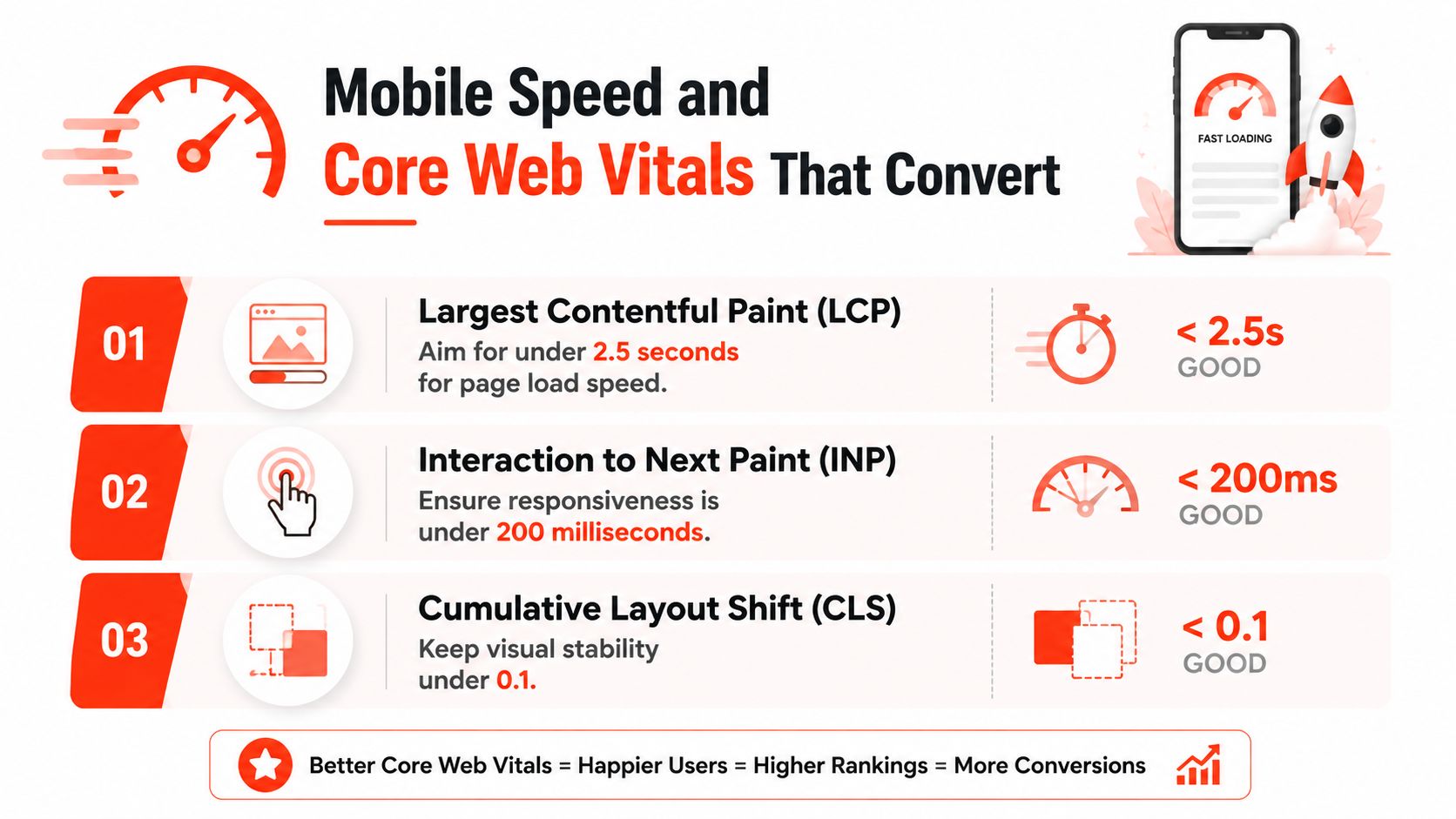
Google mobile speed guidance (Google mobile speed guidance) states that 53% of users leave a mobile site taking more than three seconds to load, and that a one-second faster page can increase conversion rates by up to 27%. For a plumbing business, that means speed affects call volume, not just design polish.
What to demand from the builder
Set clear performance targets. Largest Contentful Paint should be under 2.5 seconds, Interaction to Next Paint under 200 milliseconds, and Cumulative Layout Shift under 0.1 (Google Core Web Vitals guidance). Those three checks tell you if the page appears quickly, responds properly, and stays still while someone is trying to press the call button.
Fixes should be practical. Use compressed WebP images for boiler swaps and bathroom installs. Lazy load gallery images below the fold. Keep the tap-to-call button in a sticky header, where a panicked customer can reach it fast. Use UK hosting with sensible caching, and avoid theme bundles loaded with chat widgets, cookie tools, and animation scripts that do nothing for enquiries.
Heavy page builders cause trouble because they load code most plumbers never need. If a designer cannot explain why a script is on the site, strip it out.
A High-Converting Plumber Page Layout and Example Copy
A good plumbing homepage doesn’t try to impress everyone. It guides a stressed visitor from problem to contact with as little friction as possible. For a Bristol plumber, the page should open with a hero section, a clear promise, and a phone number that’s impossible to miss.
Homepage layout that earns the call
Start with the hero. Put the tap-to-call number at the top, then a one-line promise like, “Bristol boiler repairs within 2 hours, 7 days a week”. Directly below that, show trust badges, including your Gas Safe registration number, any recognised accreditation you hold, and a short insurance note.
Then move into service tiles for your core jobs. Keep them tight, and don’t hide the point behind clever copy. After that, add a service-area list so people can see whether you cover their street or town, then a real jobs gallery with short captions, three review snippets pulled straight from customers, and a short form for name, postcode, problem, and phone.
Service page structure that answers fast
A dedicated emergency boiler repair page needs a clear H1, then a short answer block that says what you fix, how fast you can usually respond, and what the customer should do next. Keep that answer around 60 words, because people in a rush won’t read a brochure. Follow it with the most common faults, then six homeowner questions that are asked, not invented for SEO.
Use words your customer would say. “Boiler not firing”, “leak under the sink”, and “no hot water” beat polished marketing language every time.
Here are example lines a plumber can adapt tonight:
- Headline: Emergency plumber in Bristol, fast call-outs for homes and landlords.
- Subhead: Gas Safe registered, local response, real jobs, direct phone contact.
- Button text: Call now for urgent help.
- Service page CTA: Get a quick repair quote today.
That kind of layout works because it matches the visitor’s thought process. They don’t want to admire the site. They want reassurance, speed, and a clear next step.
Typical Costs, Timelines, and Build Options in the UK
You should know what the three main routes cost, because vague quotes cause regret later. A DIY build on Squarespace or Wix is the cheapest upfront, but it eats evenings and weekends that most plumbers don’t have. A freelancer is more flexible, but the site often ends up split between different people for hosting, edits, and SEO. A managed trade provider costs more monthly, but it removes the hidden admin that kills momentum.
| UK Plumber Website Build Options Compared | Typical Cost Year 1 | Launch Timeline | Includes Hosting and SEO? | Best For |
|---|---|---|---|---|
| DIY on Squarespace or Wix | £0 to £200 over the first year | Two to four weekends | Usually no | Owners who can spare time and want full control |
| Freelance designer | £400 to £1,500 | Three to six weeks | Usually not bundled | Plumbers who want a custom build without a big agency |
| Managed trade provider | £1,200 to £3,000 setup plus £40 to £150 a month | Seven to fourteen days | Yes, usually bundled | Busy owners who want one provider handling the lot |
A managed route is often the cleanest choice when the phone matters more than tinkering with the site. If you’re earning £60+ per call, a site that helps you win just a few extra enquiries can justify the spend quickly. That’s not a magic formula, it’s how the numbers work when a single booked job pays for a chunk of the build.
For a broader cost benchmark, see the 2026 small business website cost guide. Use it as a planning reference, not a shopping list, because your real cost depends on content, service pages, and how much of the local SEO work is built in from the start.
How a Managed Provider Removes the Day-to-Day Burden
A managed provider makes sense when you don’t want to spend your evenings debugging plugins, renewing SSL certificates, or chasing backups. That’s the job of a plumber’s website owner, not the plumber. If the site is bundled properly, you get one contract, one point of contact, and one team handling the stuff that breaks at the worst possible time.
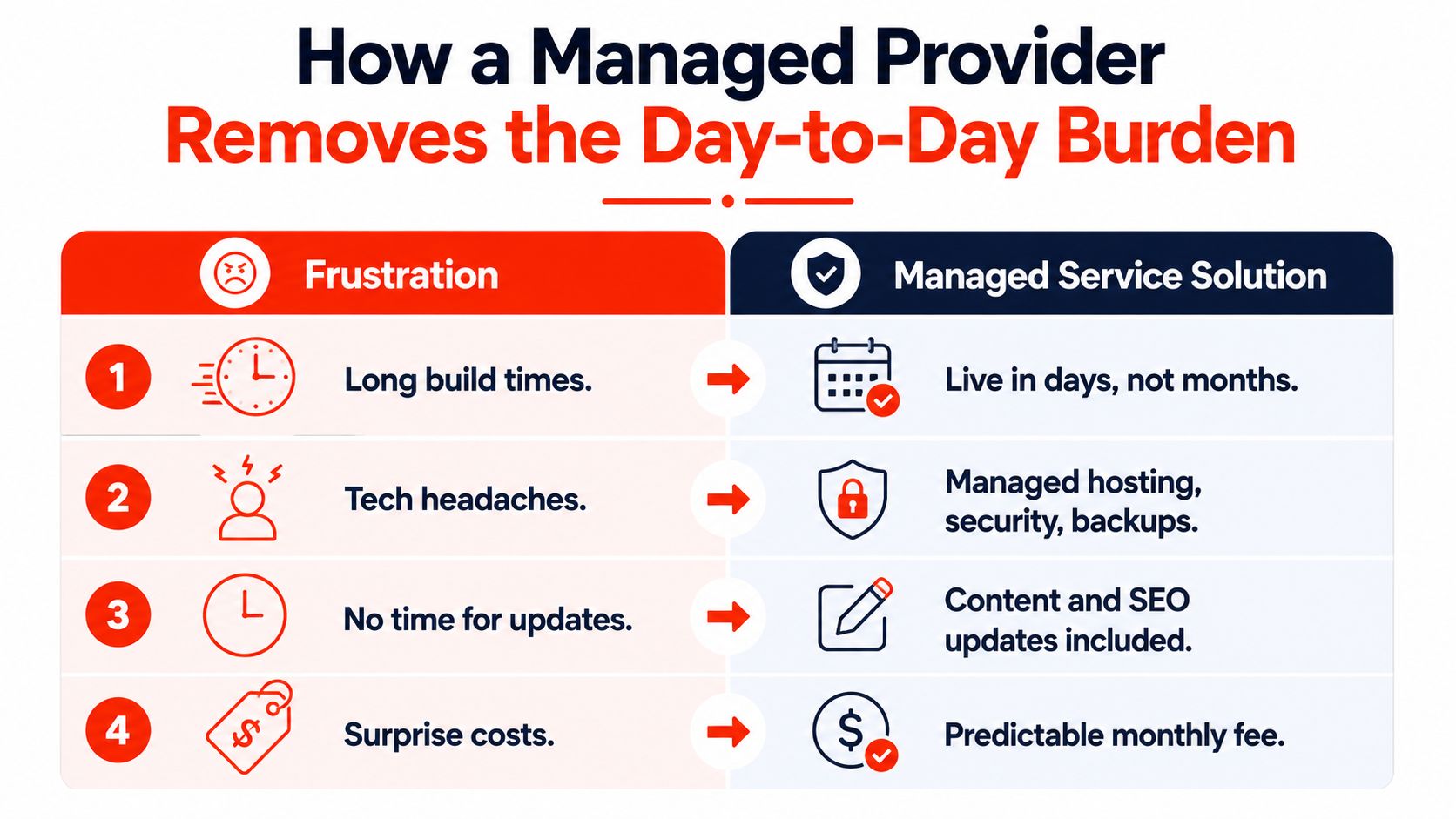
The value isn’t just convenience. It’s continuity. A credible managed setup should cover hosting, SSL, security, updates, service-area page changes, and SEO maintenance without making you hunt three different suppliers when something needs fixing. That matters when Google changes, your coverage area shifts, or you need a new page live for a service you’ve started offering.
What to expect from a proper trade specialist
Look for a named contact, a clear scope, and ownership terms that make sense. You should keep the domain, the content, and the data when you leave. Anything less puts you back in the same mess you were trying to avoid.
A service like 1stNet AI Ltd fits naturally, because it offers a managed website build with domain registration, SSL, hosting, maintenance, and ongoing support in one package. That kind of bundle suits a trade owner who wants the site launched fast and kept current without becoming the part-time webmaster.
Don’t buy a website that creates another job.
The trade-off is straightforward. You pay more than DIY, but you avoid the slow drip of lost calls, missed updates, and broken contact routes. For a busy plumbing business, that’s usually the better deal.
Your Next Steps and What to Ask Before You Build
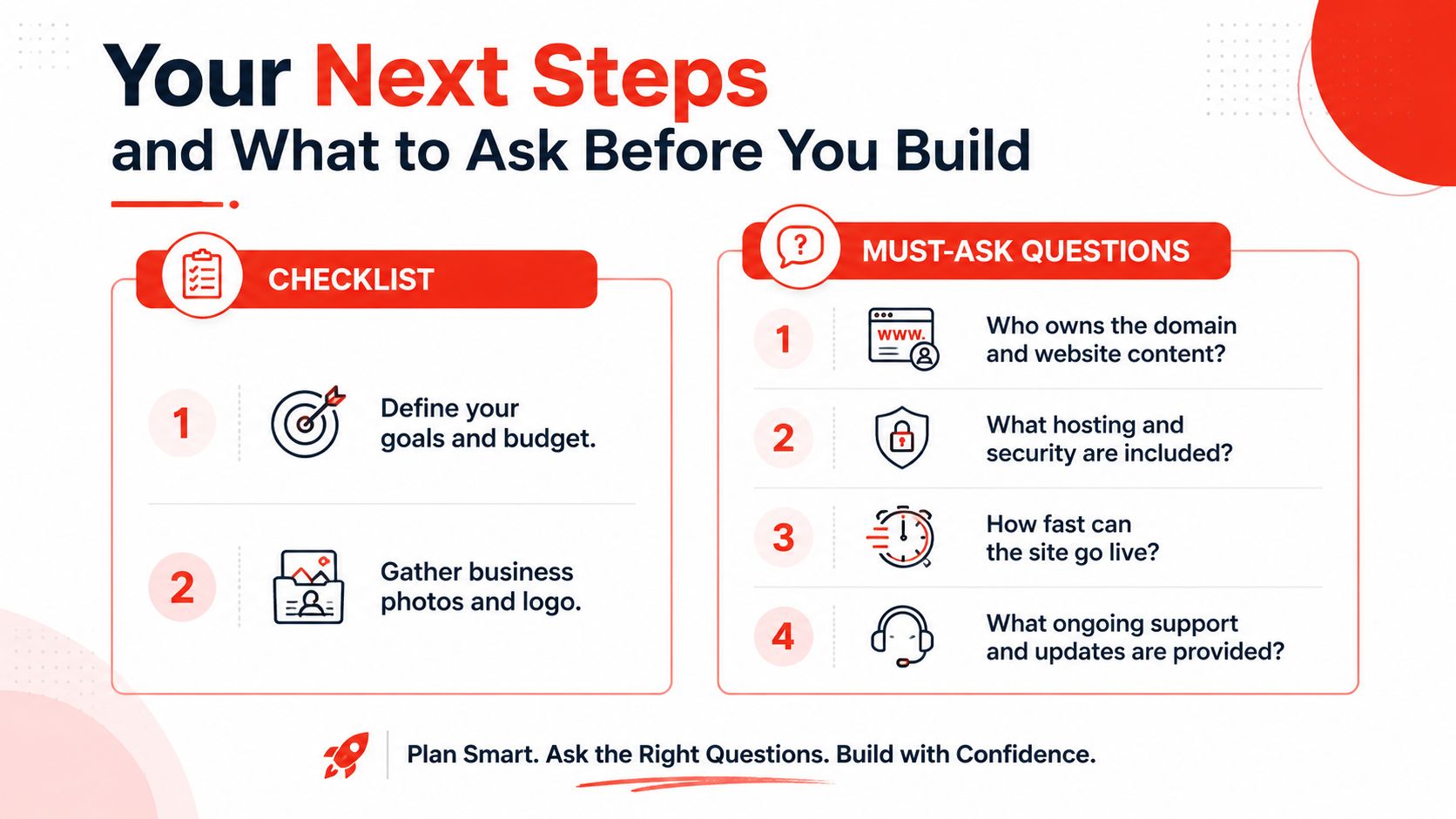
Start with the basics. Define your goals and budget, gather your business photos and logo, and decide which services you want to sell harder. Then claim and verify your Google Business Profile, add a tap-to-call button, install a booking widget if you need one, and set up call tracking so you know which enquiries come from the site.
Before you sign with anyone, ask four blunt questions. Who owns the domain and website content? What hosting and security are included? How fast can the site go live? What ongoing support and updates are provided? If the answers are vague, keep looking.
A strong plumber site also needs visible trust on every page. That means Gas Safe details where relevant, service pages that reflect the working area, and FAQs written from real customer questions. The future of search is moving toward clearer answers, structured content, and visible trust markers, so a site with good FAQs and proper service definitions will age better than one stuffed with broad location pages.
Geographic focus still wins. Serve the towns you can reach, prove you work there, and make it easy to call you. That’s the plumbing website strategy that brings in jobs instead of just looking tidy.
1stNet AI Ltd builds fast, SEO-friendly websites for UK businesses that need the phone to ring, not just a polished homepage. If you want a plumber site with domain, SSL, hosting, maintenance, and support handled in one place, visit 1stNet AI Ltd and see how a managed build can get you live without the usual hassle.