
You’ve probably done this already. Opened a blank document, typed “Welcome to our website”, stopped, deleted it, then wondered whether you need to sound more professional, more persuasive, or more “SEO”.
Most small business owners don’t struggle because they lack expertise. They struggle because they know their trade, not how to turn that expertise into web copy that earns trust fast. Good website content doesn’t come from clever wording. It comes from answering the right questions in the right order so a visitor quickly understands what you do, who it’s for, and what to do next.
That job has become harder. People still search on Google, but they also use AI summaries and answer engines that pull out structured, direct explanations. Most guides on writing website content miss an important new reality. Data shows a 45% increase in AI-driven searches in the last 12 months, yet 68% of UK marketers admit they struggle to adapt their content for AI summary engines. If your copy is vague, bloated, or unstructured, both people and machines struggle with it.
A useful website doesn’t need literary flair. It needs clarity, scannability, and intent. If your visitors decide in seconds, your content has to do the heavy lifting immediately.
Table of Contents
From Blank Page to Customer Magnet
A blank page feels intimidating because it’s often assumed that website writing starts with words. It doesn’t. It starts with customer intent.
When someone lands on your site, they’re usually trying to answer a short list of questions. Can you solve my problem? Are you credible? Do you work in my area? How do I contact you? If your copy answers those clearly, you’re already ahead of many small business sites that hide behind slogans and filler.
That’s why “how to write website content” is less about writing ability and more about decision-making. You’re not trying to impress an English teacher. You’re trying to help a potential customer feel confident enough to take the next step.
Practical rule: If a sentence doesn’t help a visitor understand, trust, or act, it probably doesn’t belong on the page.
There’s another shift worth taking seriously. Search visibility now depends on more than dropping a few keywords into paragraphs. Content needs to be organised so humans can scan it and AI systems can interpret it. That means direct headings, plain language, obvious service descriptions, and answers stated early instead of buried halfway down the page.
The strongest small business websites usually follow a system:
- They match pages to customer questions
- They keep each page focused on one main action
- They write in plain English instead of corporate language
- They structure content, so it’s easy to scan on mobile
If you approach your site that way, the blank page stops being a creative problem and becomes a practical one. You gather the right inputs, shape each page around a job, and publish copy that supports enquiries instead of just filling space.
Before You Write a Word Plan for Success
Most weak website copy is poorly planned, not poorly written. The owner starts drafting before deciding who the page is for, what the page needs to achieve, and which search terms matter.
That usually leads to a generic copy. “High quality service.” “Trusted professionals.” “Customer-focused solutions.” None of that helps a buyer choose you.
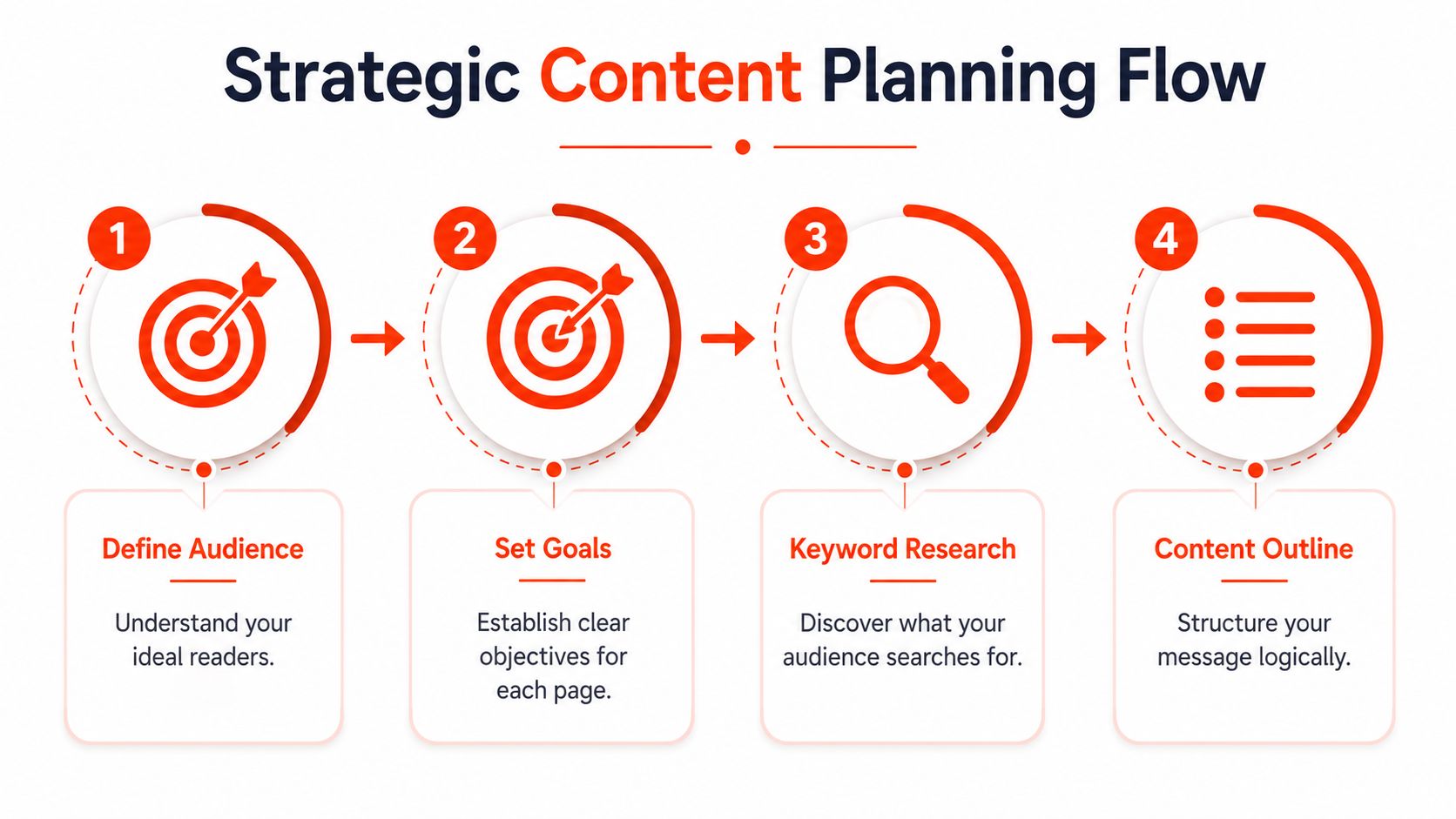
Know who you’re talking to
Start with one customer type, not everyone.
If you’re an electrician, “homeowners needing urgent fault finding” is clearer than “anyone who needs electrical work”. If you run a bookkeeping firm, “limited companies that want monthly management accounts” is better than “businesses of all sizes”.
Write down:
- Who they are: homeowner, dentist, retailer, landlord, startup founder
- What’s gone wrong: no leads, outdated site, poor local visibility, unclear offer
- What they want instead: more enquiries, quicker launch, stronger credibility, easier contact
This step affects tone and page detail. A trade customer wants speed, proof, and clarity. A B2B buyer often wants process, reliability, and reassurance.
Give each page one job.
A page with too many goals usually fails at all of them.
Your homepage might aim to direct people to your service pages or to your contact form. A service page should make one offer easy to understand. A contact page should remove friction. An about page should build trust, not tell your life story from school onwards.
A simple planning table helps:
| Page | Main question | Primary action |
|---|---|---|
| Home | What do you do and who do you help? | View services or enquire. |
| About | Why should I trust you? | Read more or get in touch. |
| Services | Is this right for my problem? | Request a quote |
| Contact | How do I reach you now? | Call, message, or book |
A good page doesn’t try to say everything. It says the most important thing first, then supports it.
Find the phrases your customers already use
Many owners overcomplicate things. You don’t need expensive tools to get started. You do need to stop using internal jargon.
Use the language your customer would type into Google. A person rarely searches “integrated property exterior remediation solutions”. They search “roof repair Brighton” or “render cleaning near me”.
Search matters because in the UK, 85% of blog traffic comes from organic search, and SEO-driven content generates over 1,000% more traffic than content shared on social media. If you skip keyword and intent research, you make the rest of the writing job harder than it needs to be.
Try this practical approach:
List your core services
Use plain names such as boiler repair, patio installation, family law, and payroll services.Add location intent where relevant.
If you serve specific places, include them naturally in your planning. “Bathroom fitter in Croydon” tells Google and the visitor much more than “professional bathroom services”.Collect real questions from customers.
Pull these from emails, calls, WhatsApp messages, quotes, and sales conversations. Those questions often become headings and FAQ blocks.Build a rough outline before writing.
Put the main question first, then supporting details, then the call to action.
Done properly, planning reduces revisions, sharpens your positioning, and makes every page easier to finish.
Your Essential Website Page-by-Page Playbook
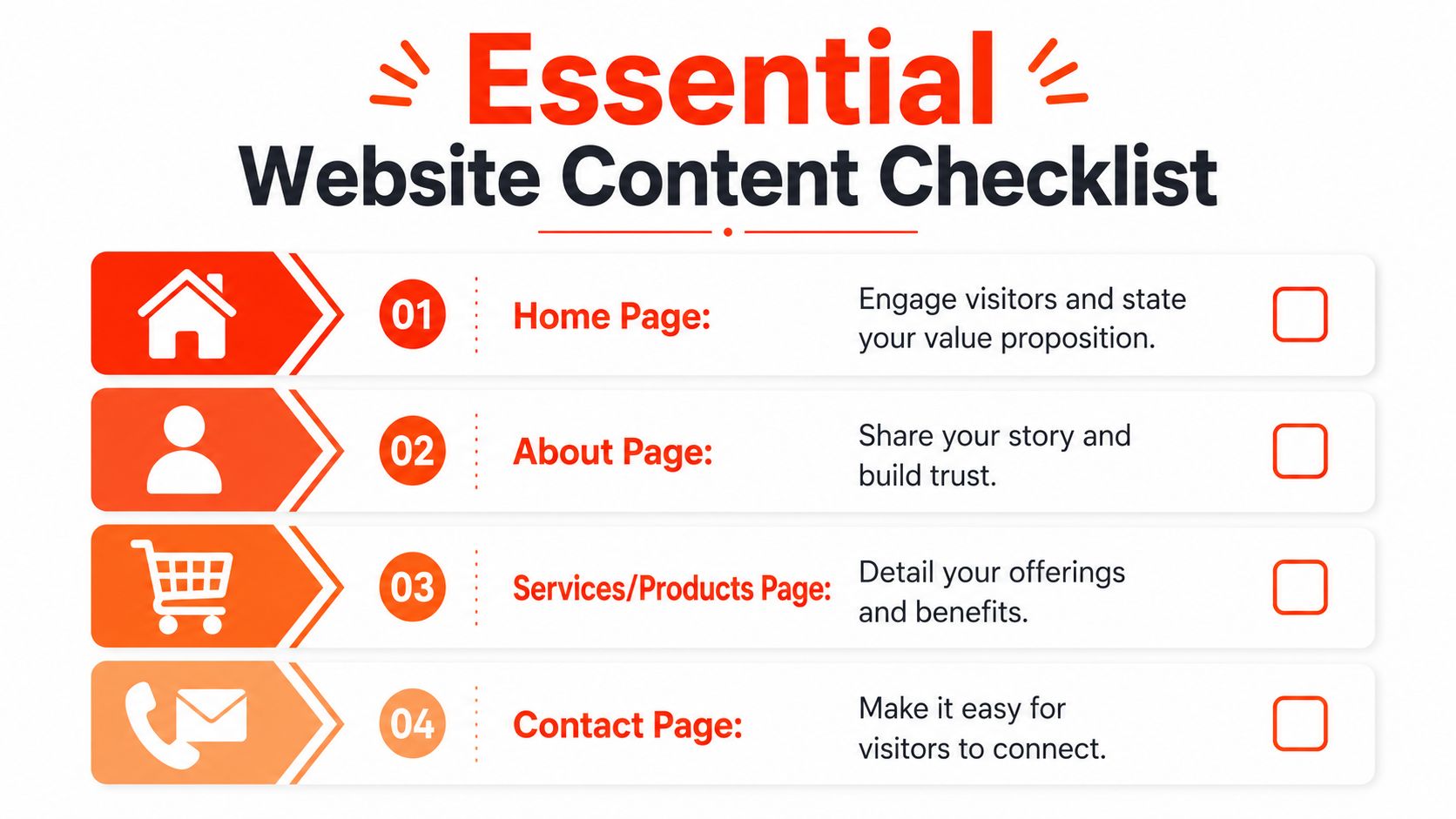
Most small business websites don’t need dozens of pages at launch. They need four pages that do their jobs properly.
Homepage
The homepage is your front desk. It shouldn’t try to explain every detail of the business. It should orient the visitor quickly.
A workable homepage structure looks like this:
- Headline: Say what you do and who it’s for
- Short supporting paragraph: Explain the result or benefit
- Primary call to action: Request a quote, book a call, get started
- Core services section: Link to main service pages
- Trust signals: accreditations, industries served, testimonials, locations
- FAQ or reassurance block: answer common objections
- Final call to action: repeat the next step
A weak headline says” Welcome to our website.” A stronger one says, “Web design for UK small businesses that need a fast, managed launch.”
Keep the homepage concise. Its job is movement, not exhaustive detail.
About page
The about page often gets treated like a biography. That’s a mistake. Buyers visit this page to check whether you’re credible, established, and aligned with what they need.
Include these elements:
- Who you help
- What you do
- Why the business exists
- How you work
- What makes your approach practical
- A direct next step
If you want to include your story, tie it to customer value. “After seeing small businesses lose months waiting on agencies, we built a faster process” is useful. A long personal timeline usually isn’t.
Your about page should answer, “Why should I trust you with this job?” not “What’s your full history?”
Services page
This page usually drives enquiries, so it needs the most discipline. Don’t just list features. Show fit.
For each core service, cover:
| Content block | What to write |
|---|---|
| Headline | Name the service clearly |
| Opening summary | State the outcome the customer wants |
| Who it’s for | Describe the right type of buyer or situation |
| What’s included | List key deliverables in plain language |
| Process | Explain how the work happens |
| FAQs | Handle timing, scope, and common concerns |
| CTA | Tell them exactly how to enquire |
One common issue is cramming all services onto a single page. If you offer distinct services, give them separate pages where possible. A page about logo design shouldn’t compete with copy about e-commerce builds or maintenance plans unless the offer forms a cohesive unit.
Contact page
The contact page is often the shortest, but it has one of the highest stakes. If it feels awkward or incomplete, people drop off.
Your contact page should include:
- A direct invitation to get in touch
- Phone number
- Email address or form
- Opening hours if relevant
- Service area
- What to include in the enquiry
- Alternative contact route if someone prefers not to use a form
For local firms, add prompts for project type, postcode, and desired timescale. That helps qualify leads without making the form feel heavy.
A simple example works well: “Tell us what you need, where you’re based, and your preferred launch date.”
If you’re stuck on word count, think in ranges rather than rules. Homepages are usually shorter. Service pages often need more depth. Contact pages should be brief but complete. What matters most is whether a visitor can understand the offer and act without friction.
Writing SEO-Friendly Content that Converts
The writing itself needs to do two jobs at once. It has to help search engines understand the page and help real people decide.

Write for scanners first.
People don’t read websites the way they read brochures. They skim, compare, and jump.
That’s why scannability matters so much. According to the UK Government’s own framework, making text scannable with bullet points and short paragraphs boosts reader comprehension by 58%. The same framework also recommends concise writing, leading with conclusions, and keeping one idea per paragraph.
Use that in practice:
- Lead with the answer: don’t hide the important point
- Keep paragraphs short: usually two to four sentences
- Use bullets for lists: they reduce effort for the reader
- Write subheadings that say something meaningful: not vague labels like “More info”
- Cut filler: phrases like “we pride ourselves on” rarely add value
For a deeper look at that discipline, this SEO copywriting guide for business websites is useful if you want the writing and search sides to work together.
Get the on-page basics right.
SEO-friendly writing isn’t about stuffing a phrase everywhere. It’s about making the page unambiguous.
A few essential points:
- Title tags: keep them under 60 characters
- Meta descriptions: keep them under 160 characters
- Headings: use one clear H1, then organised H2s and H3s
- Keywords: use them naturally, not mechanically
- Local relevance: tailor copy to the places you serve
Also, to avoid overdoing keywords. Exceeding a 2% keyword density can create unnatural copy and weaken ranking potential, as noted in this UK small business on-page SEO guide.
A practical title tag example might be “Kitchen Fitter in Leeds | Bespoke Installations”. A weak one would be “Home”, which tells search engines and users almost nothing.
This walkthrough helps if you want to see the principles in action.
Use calls to action that remove doubt.
Most calls to action fail because they’re either too vague or too demanding.
“Submit” is weak. “Get your quote” is better. “Call now” can work, but only if the page has built enough trust before asking for the action.
Good CTAs usually do one of three things:
- Reduce uncertainty: “Tell us what you need, and we’ll reply with the next step.”
- Set expectations: “Request a quote for your service area”
- Match intent: someone on a contact page may want to call, while someone on a service page may prefer a form
The best-performing website content often feels calm, direct, and useful. It doesn’t push too hard. It makes the next step feel obvious.
The Rapid Launch Workflow for Busy Owners
If you want your website to go live quickly, content can’t be an afterthought. It has to come first.
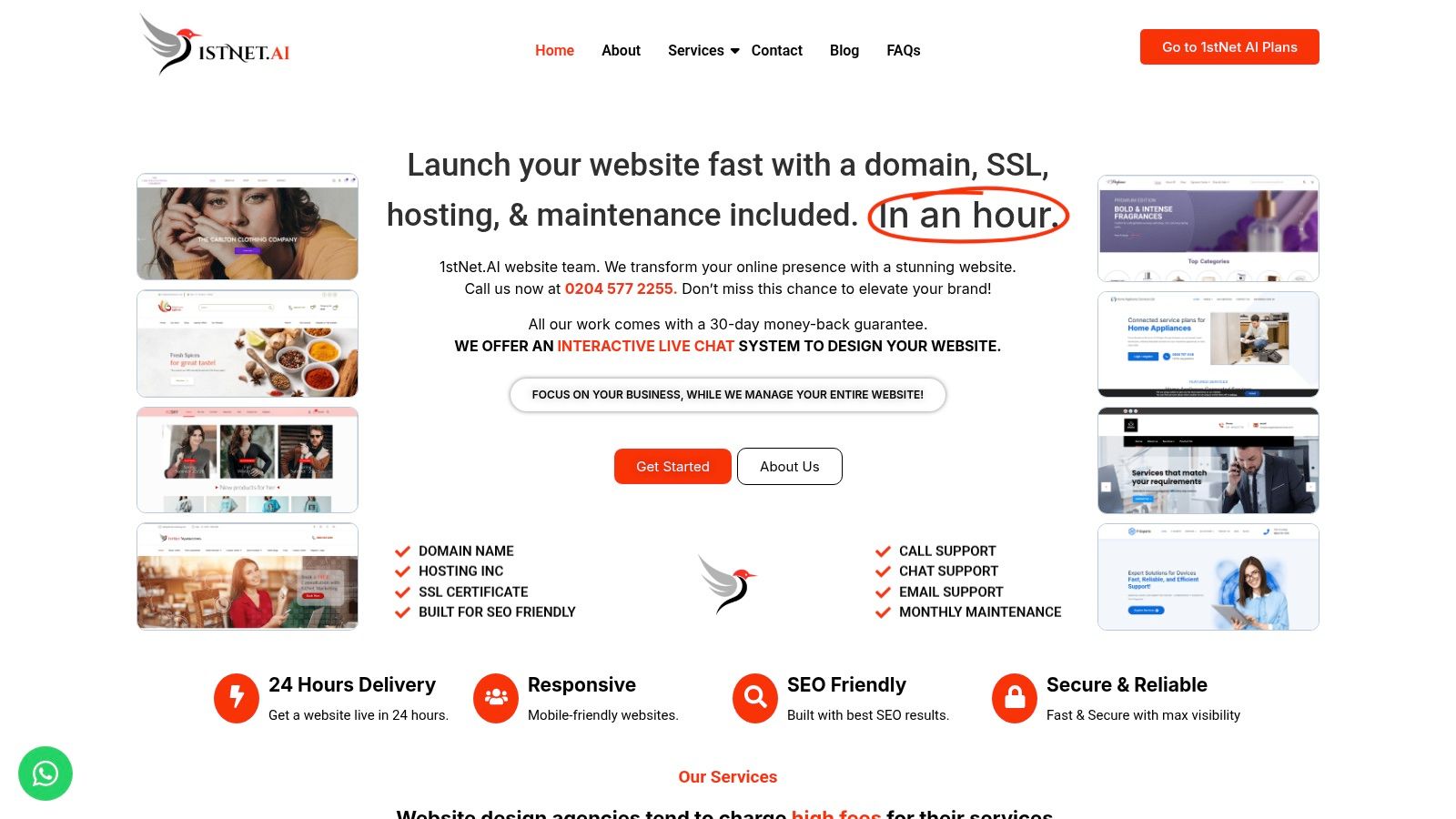
Launch your website fast with a domain, SSL, hosting & maintenance included. In an hour.
That promise only works when the words, assets, and decisions are organised upfront. Otherwise, the project stalls while people chase logos, rewrite service descriptions, and debate headlines that should’ve been settled at the start.
Why does content-first shorten the build?
A fast launch doesn’t come from rushing design. It comes from removing delays before design starts.
The single most effective way to ensure a fast website launch is to adopt a content-first approach, with core service descriptions and assets organised before the build begins. In practical terms, that means your homepage message, service summaries, contact details, images, and brand choices are ready before anyone builds pages.
For busy owners, this usually means one decision-maker, one clear round of feedback, and one shared document with approved copy. If three people keep revising the same paragraphs, the launch date slips.
A typical rapid workflow looks like this:
Gather essentials
Business name, domain choice, service list, locations served, contact details, logos, images.Draft the core pages
Homepage, about, services, contact. Keep them focused and approval-ready.Review for clarity
Check whether a first-time visitor can quickly understand the offer.Build and publish
Apply the approved copy to the site, test forms, check mobile layout, then go live.
One option for this all-in-one setup is 1stNet AI Ltd, which provides website build, domain registration, SSL, hosting, maintenance, and support as part of a managed process.
A practical handoff checklist
Before you hand your content to a designer or developer, review it against a simple checklist:
- Headlines are specific: they name the service and audience clearly
- Pages have one main action: no mixed signals
- Service details are complete: what’s included is easy to understand
- Location wording is accurate: no generic copy pasted across places
- Contact details are consistent: phone, email, and form all match
- Images are ready: use the final versions, not placeholders
- Proofreading is done: spelling, grammar, and business details are checked
A quick launch also becomes easier when the technical pieces sit under one roof. That removes the usual friction of separate hosting, SSL, and maintenance arrangements.
Turn Your Content into a Business Asset
Website content isn’t a box to tick before launch. It’s a business asset that keeps working when you’re busy quoting, on-site, or in meetings.
When the copy is planned properly, each page has a job. The homepage introduces your offer. Service pages qualify leads. The about page earns trust. The contact page removes friction. That’s how to write website content that drives real business outcomes, not just fill a template.
A professional website is also easier to justify when you treat it as part of lead generation rather than a one-off cost. In the UK, professionally built websites costing £2,000 to £5,000 typically pay for themselves within 6 to 12 months through increased enquiries alone. The content is a large part of what makes that investment productive.
There’s also a wider upside. Strong pages give you reusable copy for proposals, social posts, email outreach, and even for authority-building activities like guest posting to drive business growth. Good content compounds because it creates consistency everywhere else.
1stNet.AI website team. We transform your online presence with a stunning website. WE OFFER AN INTERACTIVE LIVE CHAT SYSTEM TO DESIGN YOUR WEBSITE. All our work comes with a 30-day money-back guarantee. Call us now at 0204 577 2255. Don’t miss this chance to boost your brand!
If you want a faster route from rough notes to a live business site, speak to 1stNet AI Ltd. They provide a managed website setup with domain, SSL, hosting, maintenance, and support included, plus an interactive live chat workflow for collaborative design decisions.